117
Operation
5
Parking brake
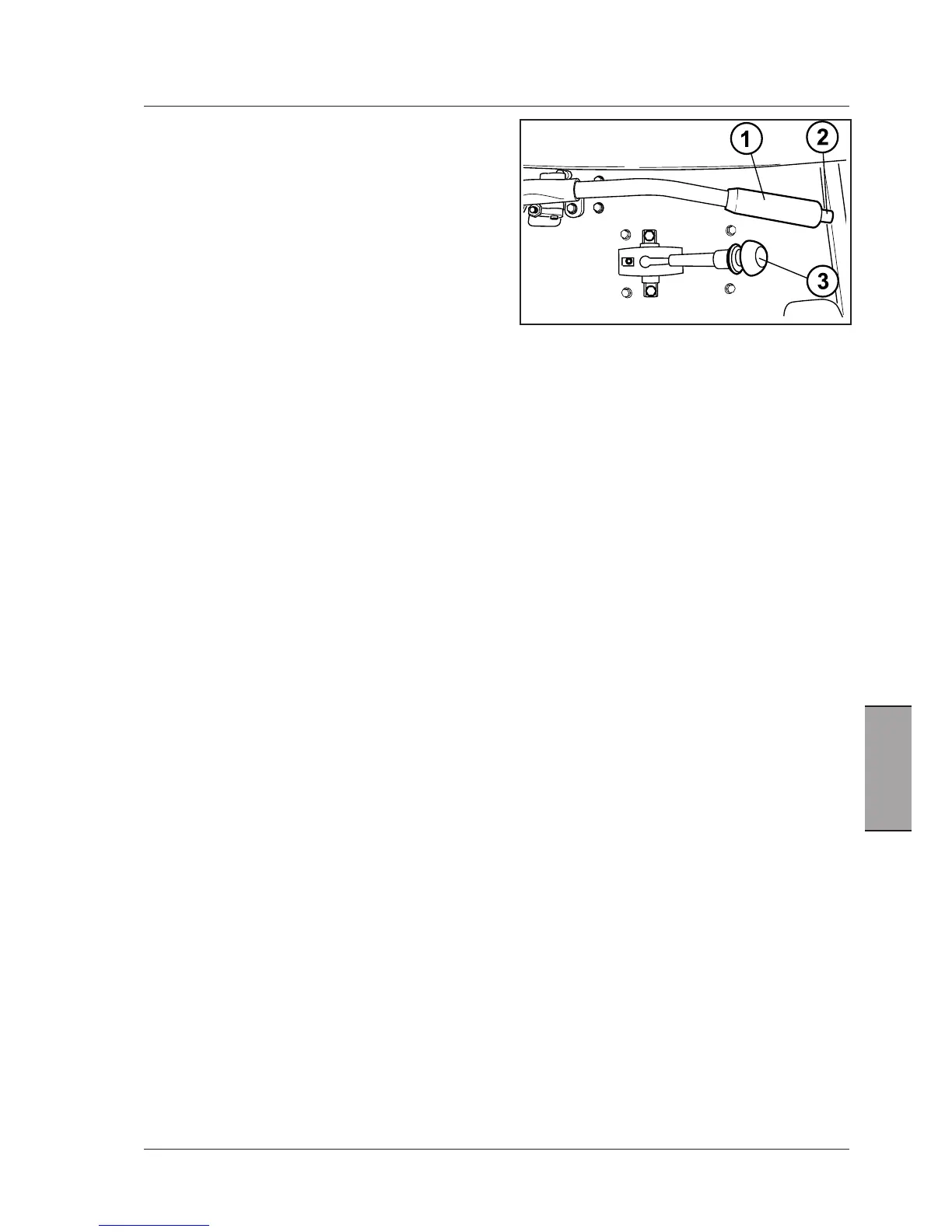
Ahandlever(1)controlstheparkingbrake.Thisacts,
viaaseriesoflinkages,directlyonthebrakediscsand
isfullyindependentofthefootbrakes.
Parking brake engagement
-Fullydepressthebrakepedals.
-Pullthelevercompletelytooperatetheparkingbrake(1).
-Releasethebrakepedalsandmakesurethatthetractor
isstopped.
-Ifthisisnotthecase,pulltheparkingbrakeleverwith
higherforce.
Whentheparkingbrakeisengaged,thewarninglampon
theinstrumentclusterwillilluminatewhenthekeyswitch
isturnedtoON.
NOTE: The indicator light in the instrument panel lights
up when the parking brake is engaged, independently
of the force used for the engagement.
Tostartthetractor,shiftintogearandreleasetheparking
brake.
Parking brake release
-Fullydepressthebrakepedals.
-Pulltheleverlightly(1),pushdownthebutton(2),letthe
leverdownandreleasethebutton.
IMPORTANT: Driving the tractor with the parking
brake partially engaged will cause damage to internal
transmission components. Make sure the brake is fully
off.
NOTE: FortheXtrashifttransmissionwithPark-Lock(op-
tional)seedescriptionin“StoppingtheXtrashifttractor
bymeansoftheParkLockcontrollever”(3).



 To Next Page