49
Controls - Cab
3
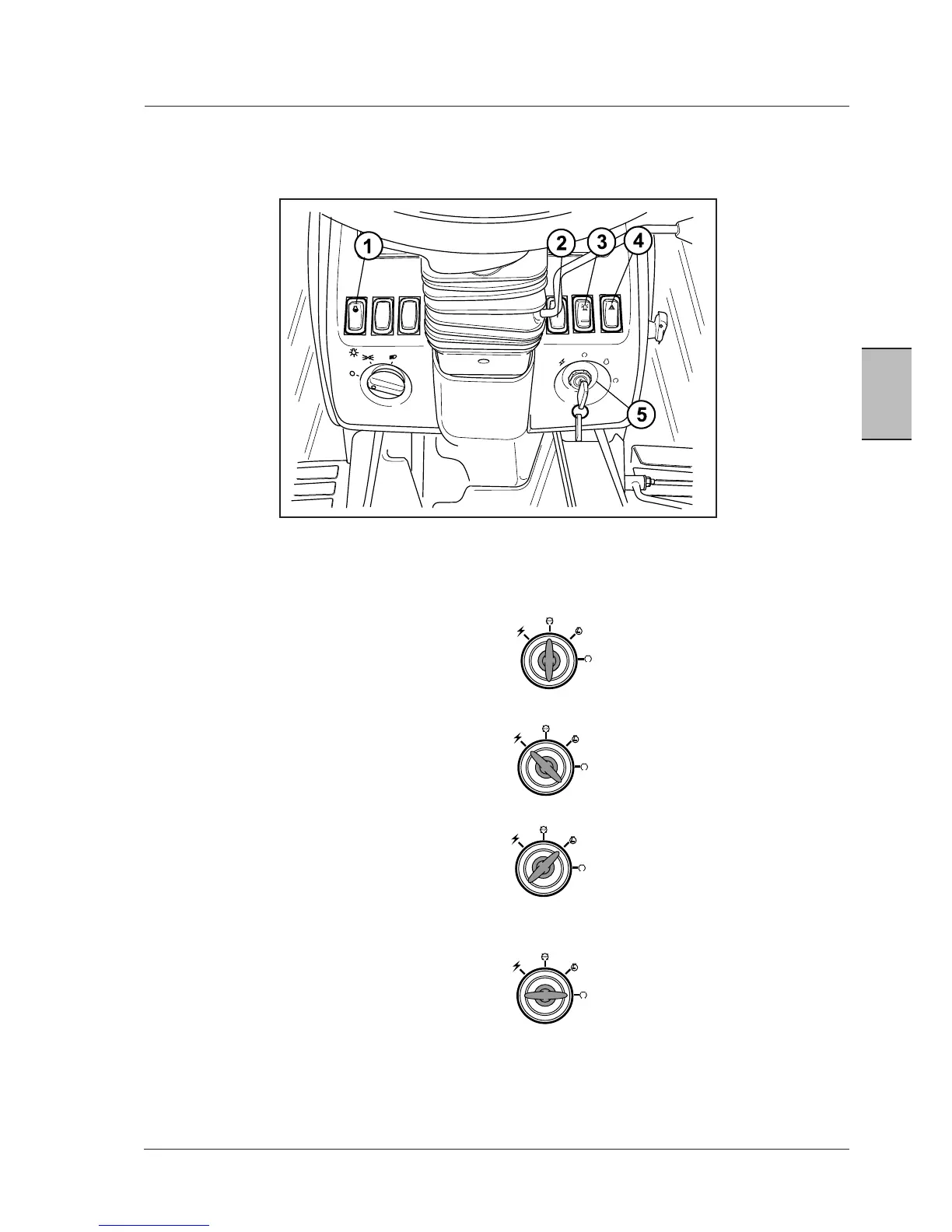
1.THERMOSTART(COLDSTART)SWITCH(ifequipped)
(Only equipped on engines with mechanical injection
system)
2.SWITCHFORUPPERHEADLIGHTS(ifequippedwith
fronthitch)-Withthefrontlampswitchinthirdposition,
pressthefrontoftheswitchdown:upperheadlampswill
turnonandmainheadlampswillgooff.
3.ROTATINGBEACONSWITCH(ifequipped)
4.HAZARDWARNINGSIGNALSWITCH
OffPosition-TurnfromOn/Contactposition
anticlockwisetostopthetractor.Thekey
canonlyberemovedfromthisposition.
Accessory Position - The radio can be
operatedinthispositionandsomeofthe
clusterdisplays;thispositionisalsoused
for programming the digital instrument
cluster.
On/ContactPosition-Allbargraphs,digital
displays,warningandindicatorlampswill
be turned on for approximately 3.5 sec-
onds.Thispositionisalsousedfordynamic
calibrationofreartyresizeandtrueground
speedsensor,ifequipped.
StartPosition-Turningthekeyfullyclock-
wiseagainstspringpressurewillenergise
thestartermotorinadditiontothecircuits
alreadymentionedabove.
CONTROLS
Controls on the dashboard
NOTE: Switch positions may vary according to tractor
model.
5. KEY SWITCH- The key switch has four positions as
follows:



 To Next Page