75
Instruments and Programming
4
1.1.7 Error menu
Whenanerrorisactiveonthetractor,anexclamationmarkwillshowontheleft-handsideofthedisplay.Onceactivated,
theexclamationmarkshallstayon4secondsatleast.
Inthiscase,theErrormenucanbeaccessedbypressingDOWNwheninthePTO/HoursmenuorUPwhenintheArea
Workedmenu.WhenoperatorentersintoErrormenu,errorcodesactiveinthatmomentremainfrozenuntiloperator
exitsthemenu.Itispossibletoaddnewerrors,butnottodeactivatetheerrorsshown.
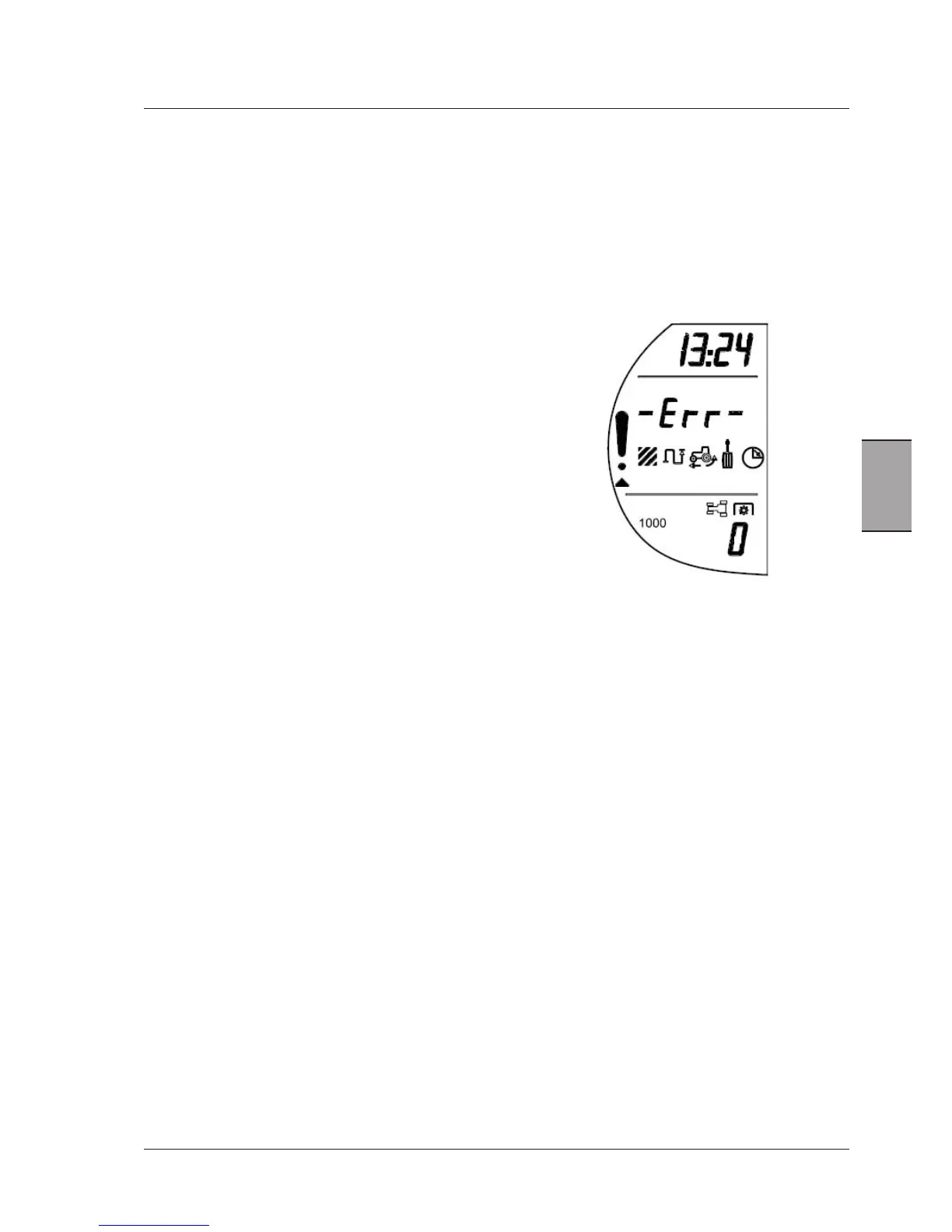
Thescreenshows:
Time-13:24
Errormenuselected
PTOmodecurrentlyselected-1000Rear
PTORPM-0
ThearrowindicatestheErrormenuisactive.
-PushingtheMENUbuttonwillenterintothesecondlevelofthemenustructure.ThisisalistoftheECUsonthetrac-
torandthequantityoferrorsoneachone.Thelistwillonlybepopulatedwhenthereisanactiveerrorforaparticular
controller.Thiswillmeantheoperatordoesnothavetoscrollthroughthewholelisttofindtheerror.
WhentheErrormenuisfirstentered,thedisplaywillshowthescreenabove.ThePTOreadoutisstillactive.



 To Next Page