84
Instruments and Programming
2.1.5 Service timer
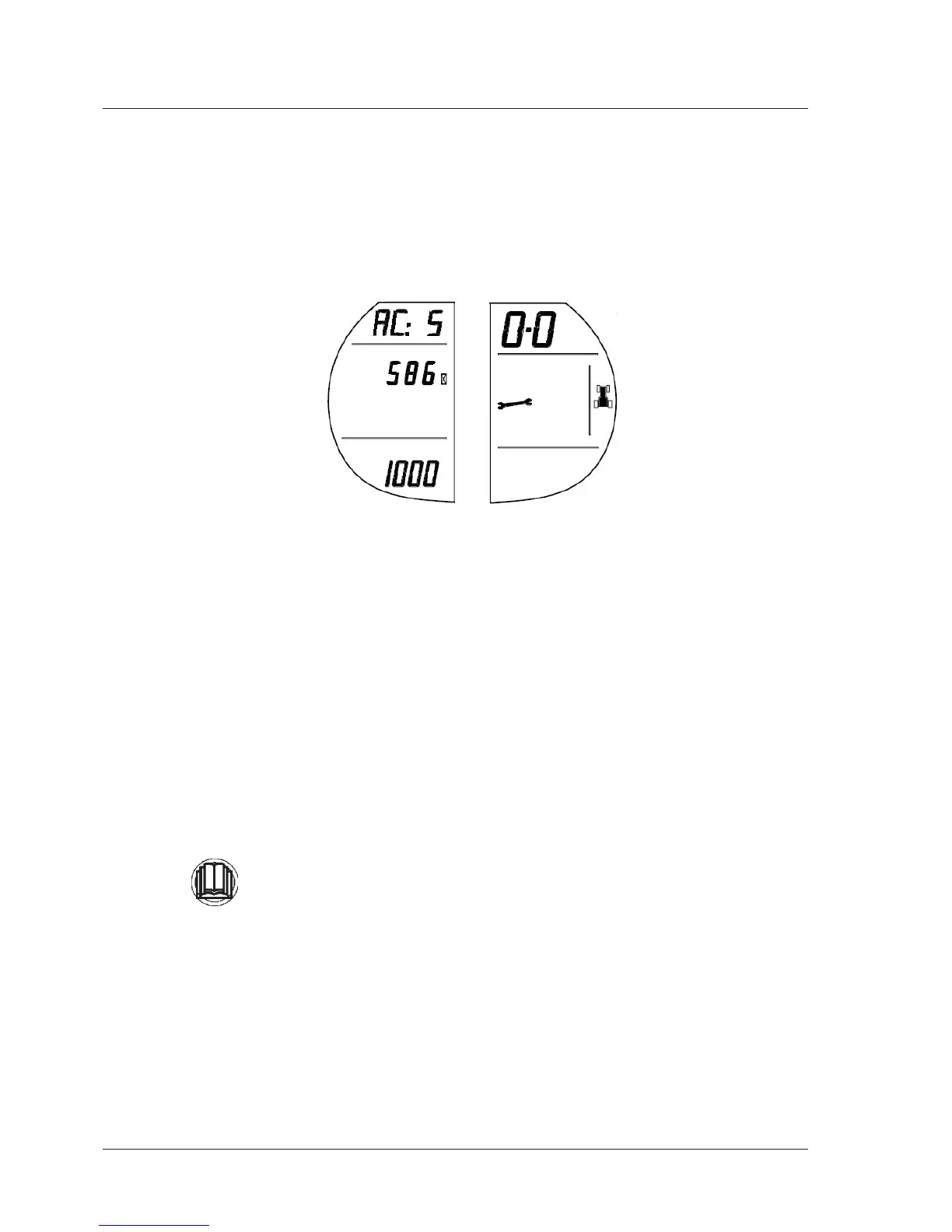
BypressingtheUPbutton,theServiceTimermenuisentered.Thisisasimplecount-downtimerthatcanbesetbythe
operator.Innormaloperation,whenthetimerreaches0thespannersymbolwillshowontheright-handpanelofthe
cluster.Whentheclusterisbrandnewthedefaultvalueshouldbe0(inactivated).
Thisfirstscreenwillshowthetimesetoriginally(1000),thetimelefttorun(586)andwillalsoshowthehourglassand
spannergraphicstoindicatewhichmenuisbeingaccessed.
TosettheServiceinterval:
1-PresstheMENUbutton
2-Thetimelefttorun(586intheexample)willflash.
3-PressUPorDOWNtoscrollinunitsof1from0to1999.
4-TosavethisnewsettingpressandholdtheMENUbuttonforlongerthan2seconds(thenumberwillstopflashing)
andthenewServiceIntervalwillberecordedonthebottomlineoftheleft-handpanel(1000intheexample).Pressing
theUPandDOWNbuttonswillnowaccessotherpartsofthemenu.
Iftheintervalissetto0theServicetimerhasbeendeactivated.
- Ifthekeyisturnedtotheoffpositionbeforethenewvalueissettheoldvalueisused.
This is NOT an operator menu.
DO NOT press to enter this menu.
Normally this menu is programmed at your Dealer's workshop.
Enter this menu only if absolutely required to add a specific service operation,
Enteringthismenumightaffectthetractoroperation.
Seeyourdealerformoreinformation.



 To Next Page