Service Manual 800 series Rev. 1/01.07.2019
22
Medisoft RAM Italia S.r.l. - All rights reserved
5.2 - Warning light check
Make sure that the main switch is in the ON position and the treadmill is plugged.
This check requires verifying that the warning light located on the main switch is on. If the warning
light is on, the check is OK; otherwise the check is NOT OK.
5.3 - Plug check
Essential tools:
• Tester
Verify the voltage (230 V a.c.) in the main plug using a tester as a voltmeter. If this voltage is
present, the check is OK; otherwise it is NOT OK.
Note: If voltage is absent, the search for treadmill malfunctions must be abandoned until power to
the main plug has resumed.
5.4 - Check input main switch
Tools needed :
• 5,5 mm wrench
• Multi meter
Remove the cover of the general switch.
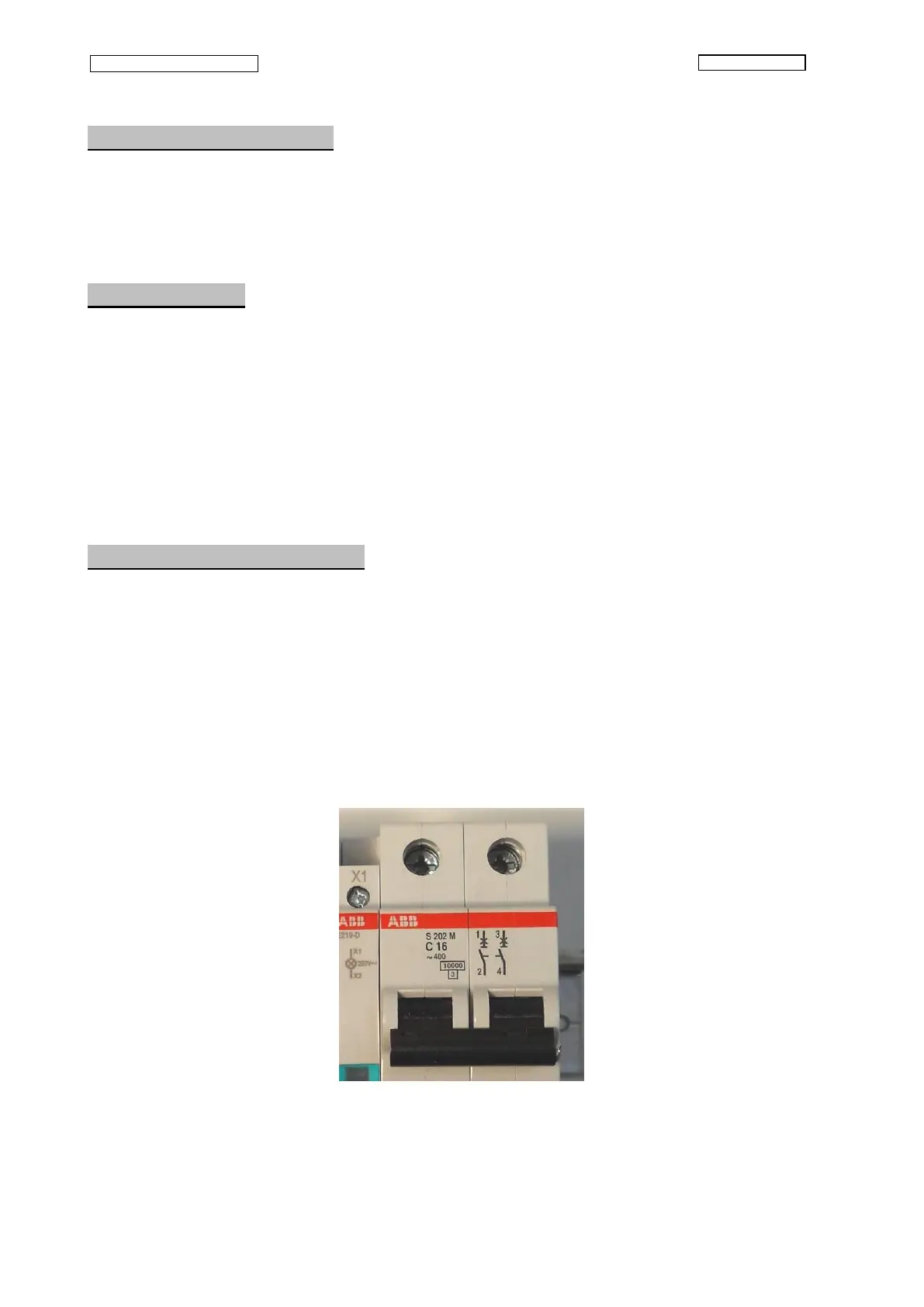
Using a multi meter verify the presence of a tension (230 V ac) on the input terminals 1 and 3 of the
main switch(Fig.27).
If there is not tension, you have to change the power cord.
Fig.27



 To Next Page