106
3. Turn Power ON/OFF switch to ON.
4. After the boot up, in the Home Screen select the “Self Diagnostic” button
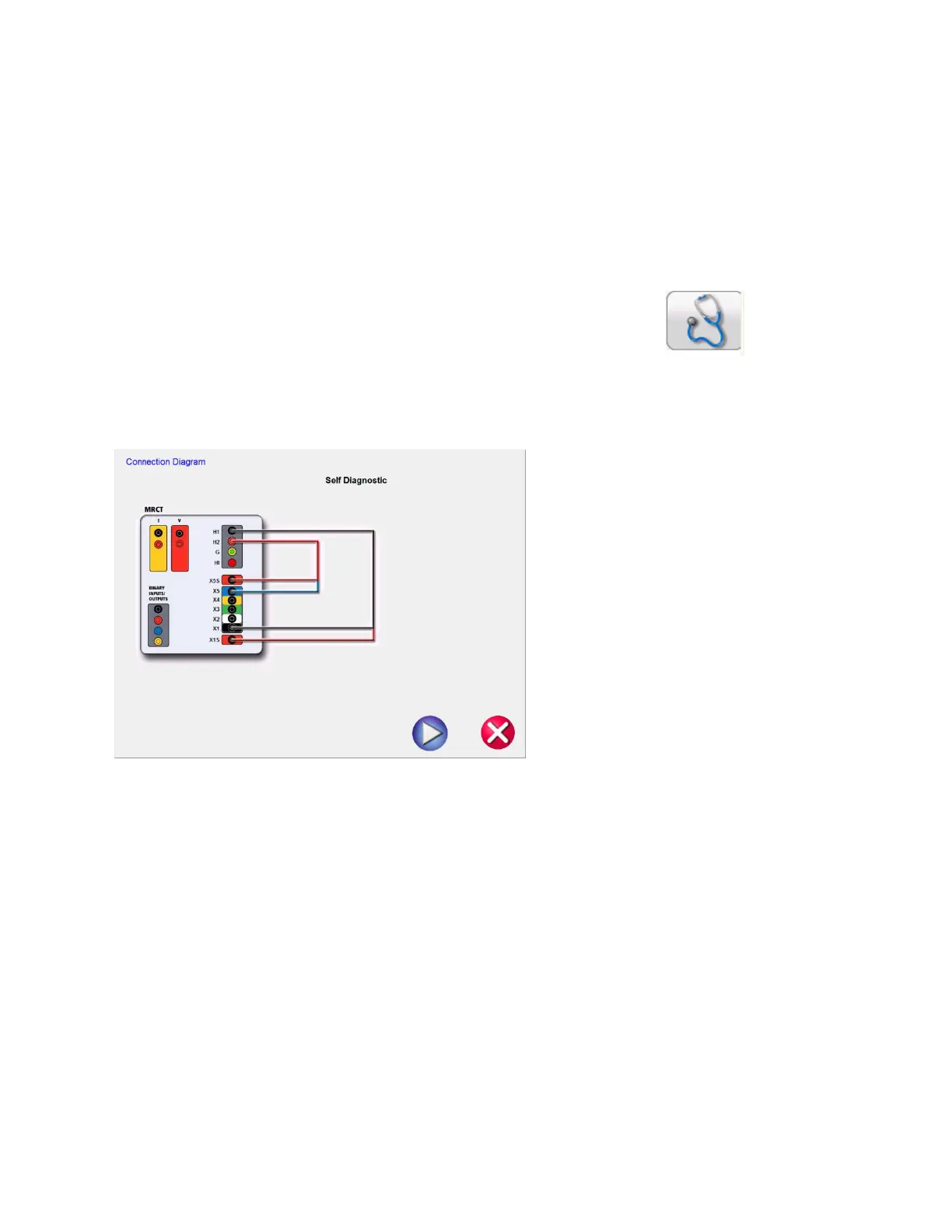
5. The following connection diagram will appear. Ensure the MRCT is connected properly.
Figure 81: Self Diagnostic Connection Diagram
6. During the Self Test, Secondary Current, Secondary Voltage and Primary Voltage will be displayed


 To Next Page