91
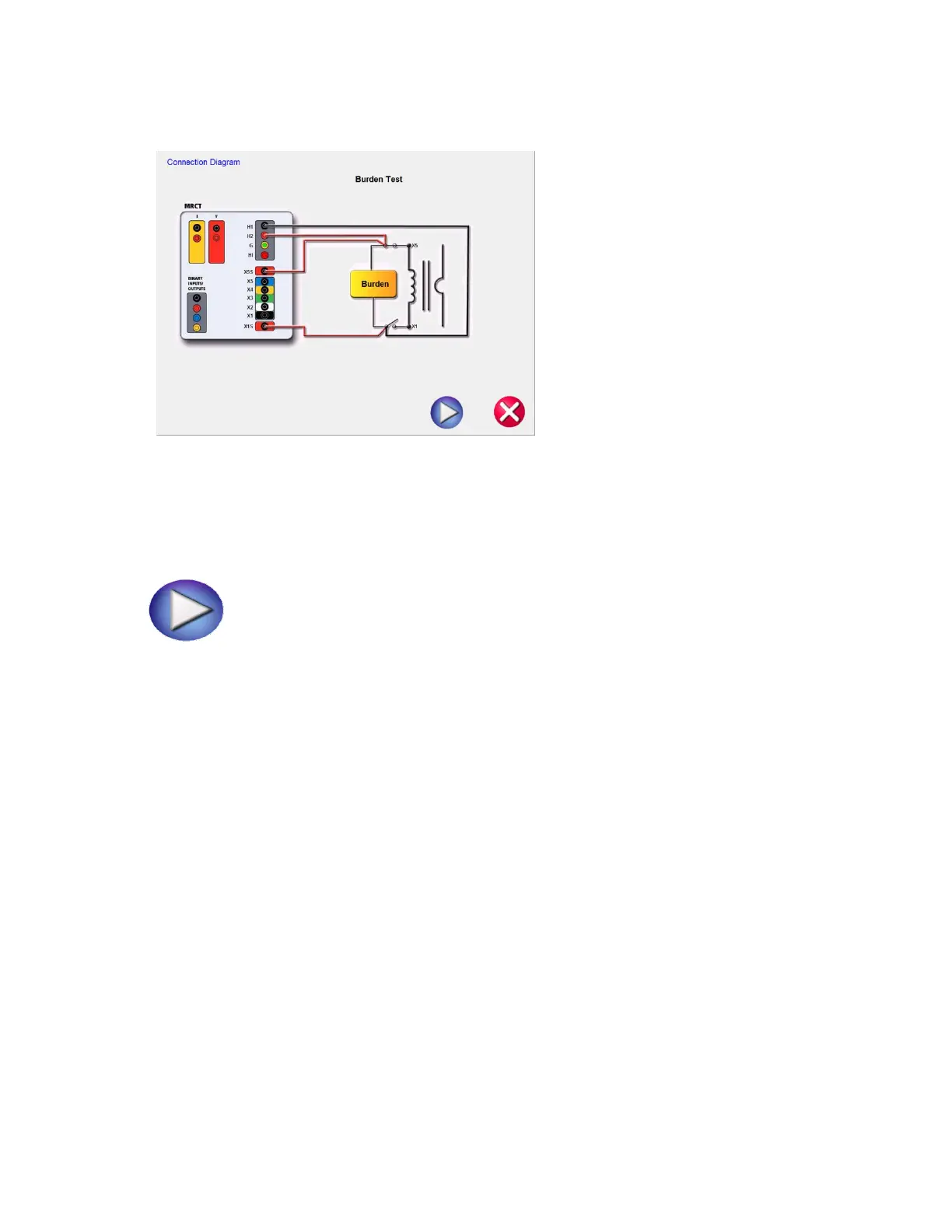
Figure 66: CT Burden Test Connection Diagram
9. Check all connections to ensure correctness
10. Hit Blue Play button to begin test.
.
11. The Burden test will begin.
Voltage (V): The MRCT displays the real time voltage readings of the burden while the test is in
progress.
Current (A): The MRCT the real time current readings for the burden while the test is in
progress.
12. At any point of time Test can be terminated by hitting the ABORT button at the top
of the screen. The following message will appear.


 To Next Page