52
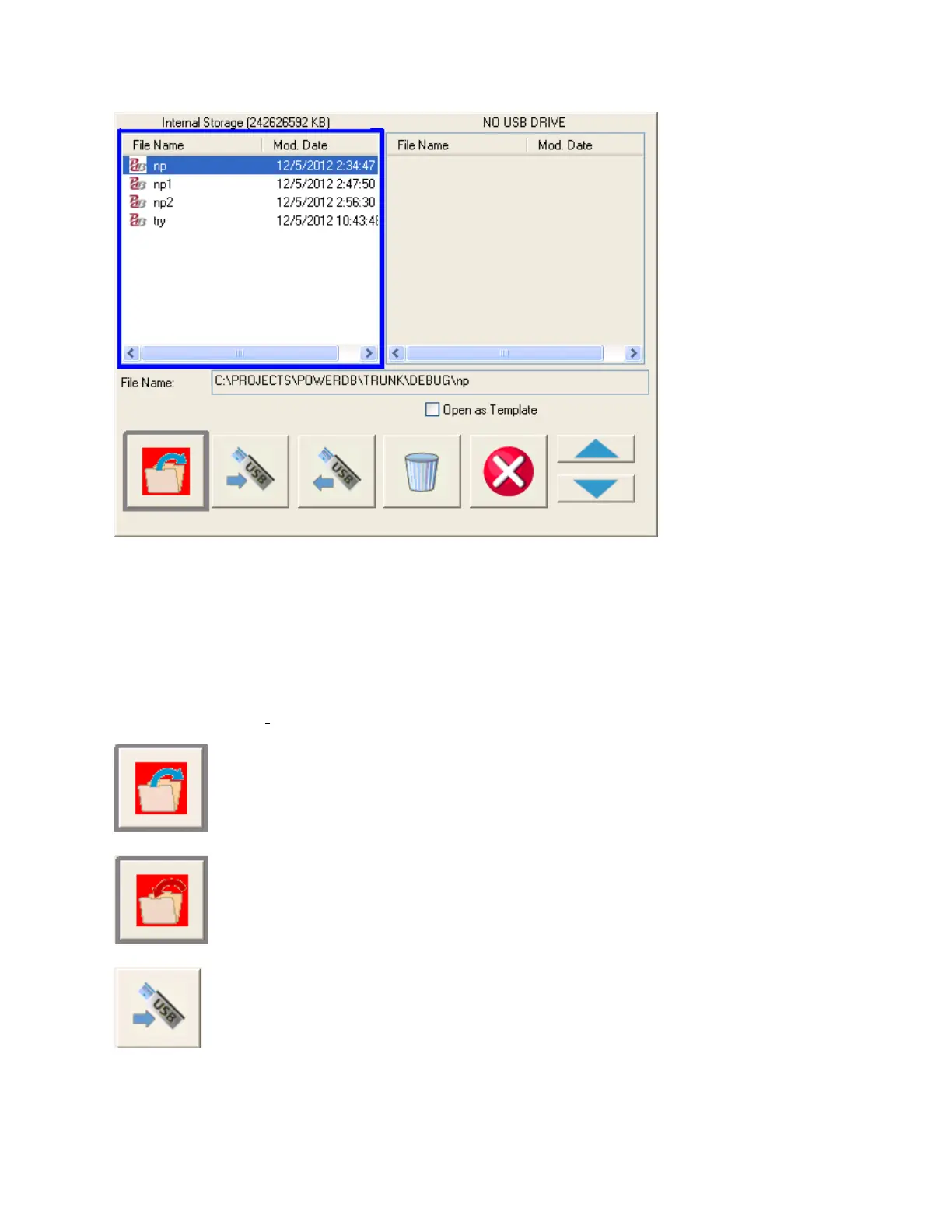
Figure 32: File Manager Screen
File manager screen is used to view and access the stored test results. All stored test results are
displayed in alphabetical order along with date and time stampings.
Function buttons are used to recall, delete or transfer the test results. The function buttons are used to
manage files as below:
Used to open file highlighted in the internal storage list
Used to save file named in edit box to system memory
Used to transfer file highlighted in the internal storage list to a USB stick


 To Next Page