77
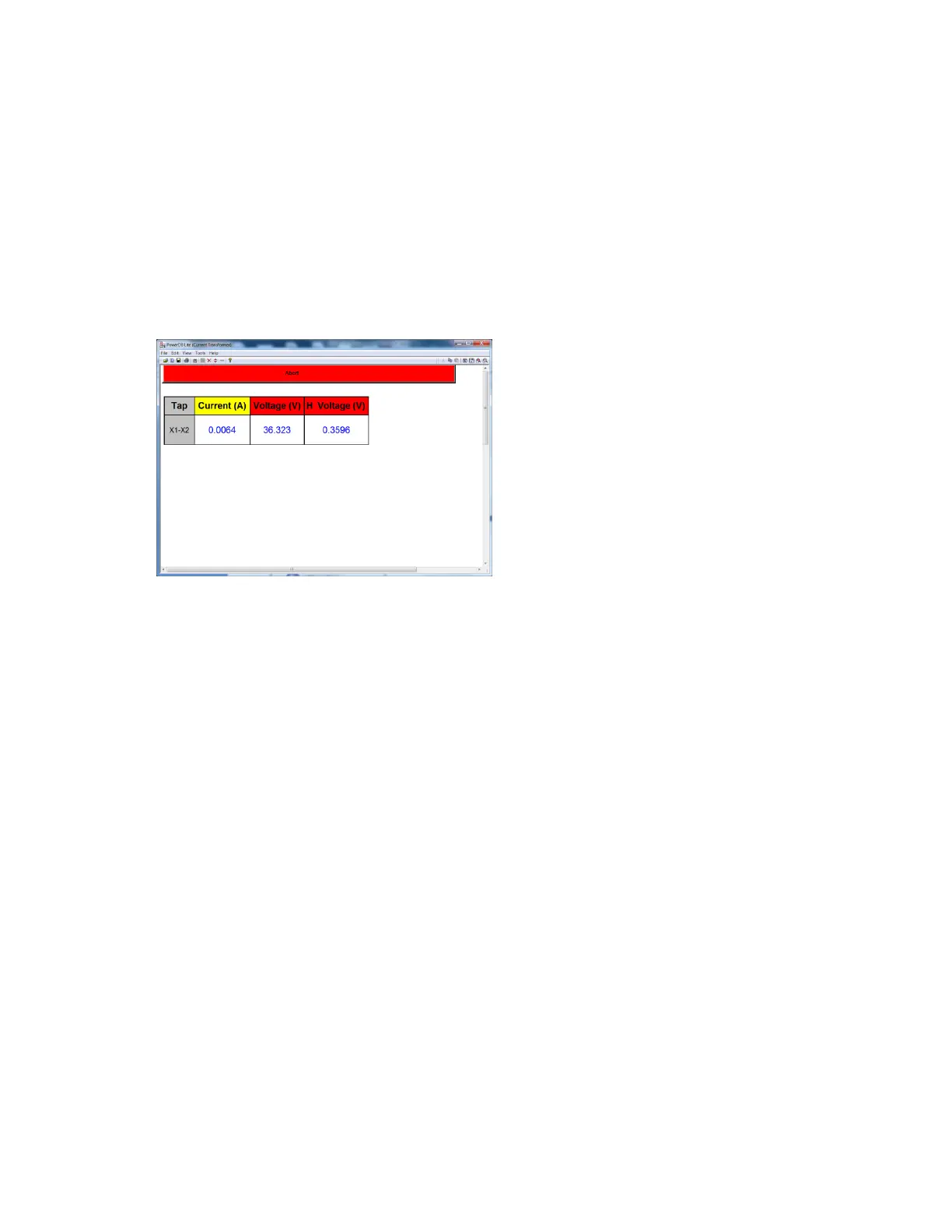
X Current (A): The MRCT the real time current readings for the secondary X winding while the
test is in progress.
H Voltage (V): The MRCT the real time voltage readings of the primary H winding while the test
is in progress.
18. At any point of time Test can be terminated by hitting the ABORT button at the top
of the screen.
Figure 51: CT Ratio Testing Screen – Non Concurrent
19. Test can also be stopped under emergency condition by hitting the “Emergency Push to
Stop” button on the front panel of MRCT. Unit will shut off the output voltage
20. After releasing the Emergency Stop Button, the test will need to be restarted.
21. Upon completion of all test the results will be displayed in the test screen or they can be
displayed in a test report.


 To Next Page