80
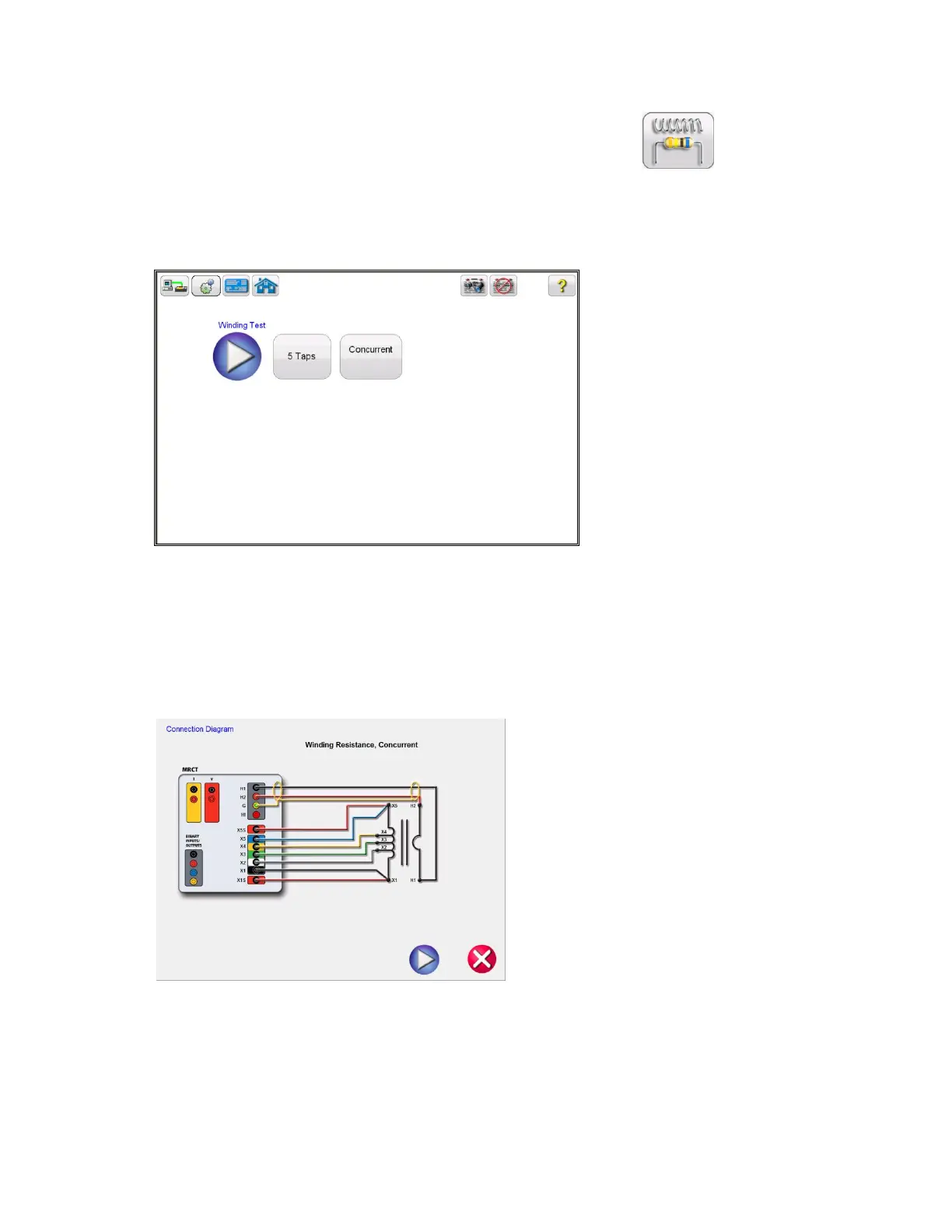
From the Home Screen select the “Winding Resistance” button .
8. In the Winding Resistance test screen, selecting the Concurrent Mode of operation will allow the
user to test multiple taps in parallel.
Figure 53: CT Winding Test Screen – Concurrent
9. Select the play button and a connection diagram will appear showing the proper connections for
the MRCT to the CT
Figure 54: CT Winding Connection Diagram – Concurrent
10. Check all connections to ensure correctness
Hit Blue Play button to begin test.


 To Next Page