20
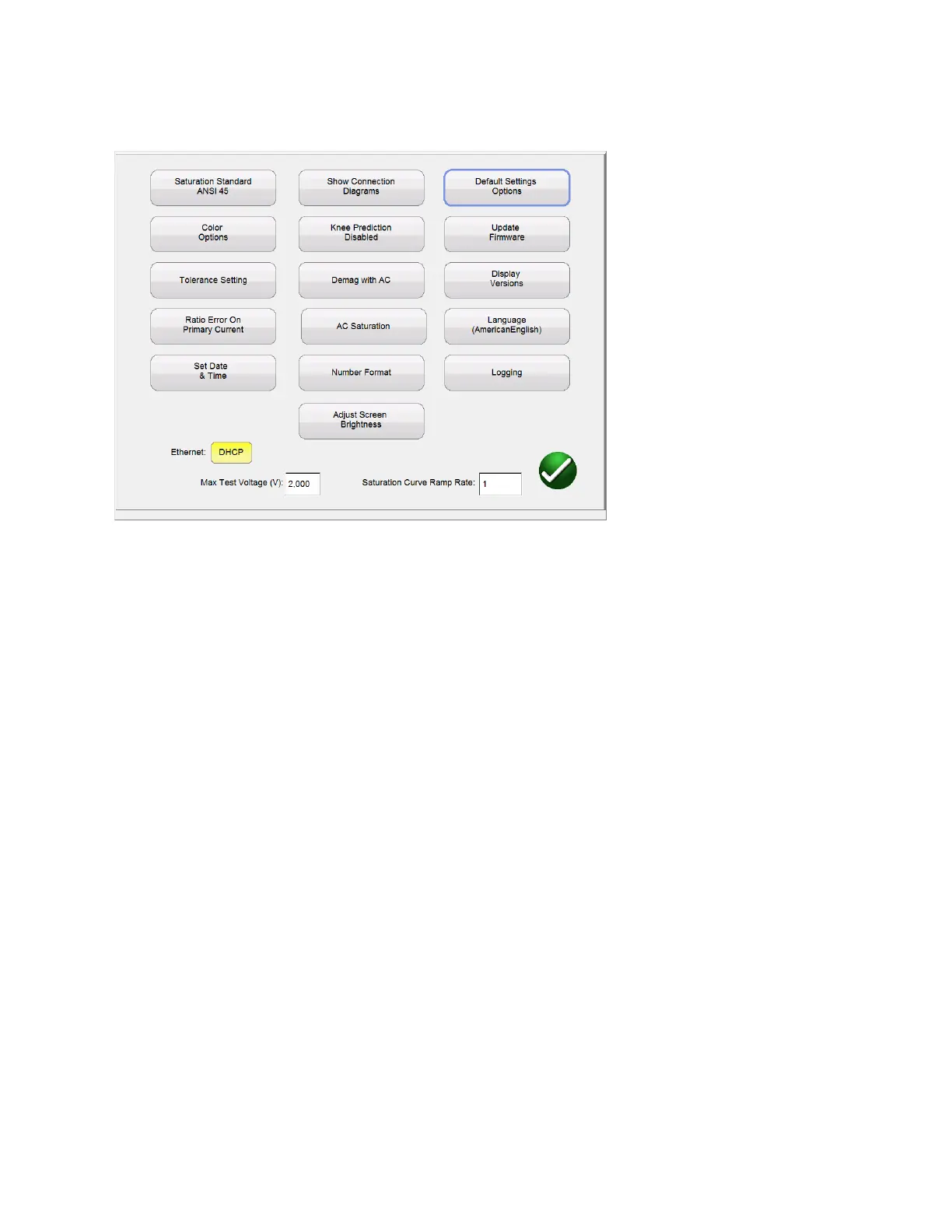
Figure 8: Device Settings
Within this screen all device settings are accessible. By selecting the appropriate button, the user can:
Saturation Standard: Select between ANSI 45, ANSI 30, IEC 60044-1, IEC6044-6, or IEC61869
Color Options: Select the desired colors for Background color, Grid color, Label color,
Knee Marker color, and Saturation traces
Tolerance Settings: Displays the ratio and phase error limits specified by either ANSI or IEC
Ratio Error on Primary/Secondary Current: Allows user to select whether the ratio error is
displayed on Primary Current ( 101:5) or
displayed on Secondary Current ( 100:4.99)
Set Date Time Change the time and date stored in the MRCT. This option is only
Available on MRCT with integrated display
Show Connection Diagrams: Allows user to turn off the functionality showing connection
Diagrams before each test. This is not recommended because
of safety concerns.
Knee Prediction Enabled/Disabled: Allows the user to enable and disable the knee point
prediction algorithms. If the user enters the nameplate



 To Next Page