65
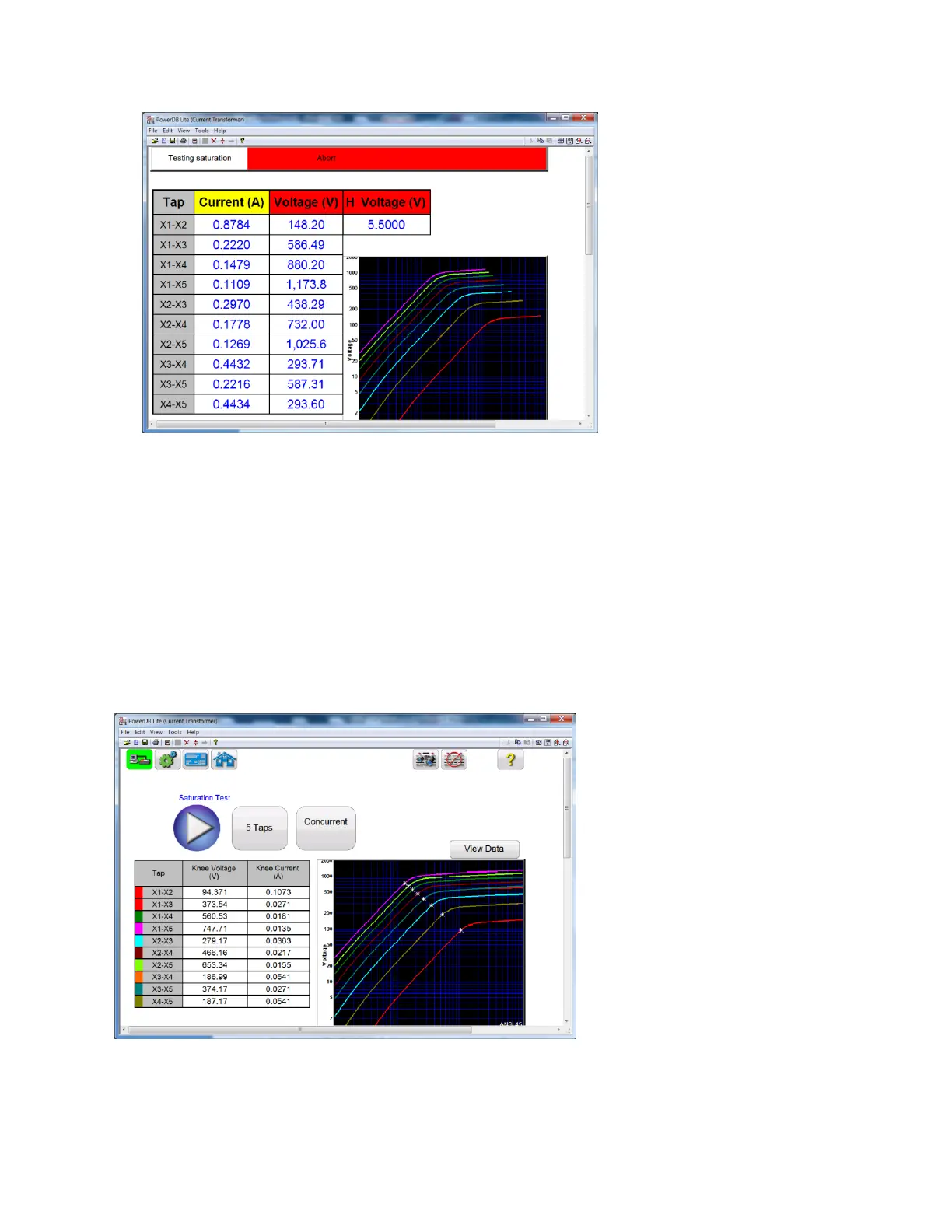
Figure 40: Saturation Testing Screen – Concurrent
16. Test can also be stopped under emergency condition by hitting the “Emergency Push
to Stop” button on the front panel of MRCT. Unit will shut off the output voltage
17. After releasing the Emergency Stop Button, the test will need to be restarted
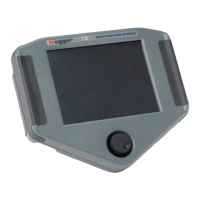
18. Upon completion of test, the results can be viewed in the test screen or in a test
report.
Figure 41: Saturation Results Screen - Concurrent


 To Next Page