99
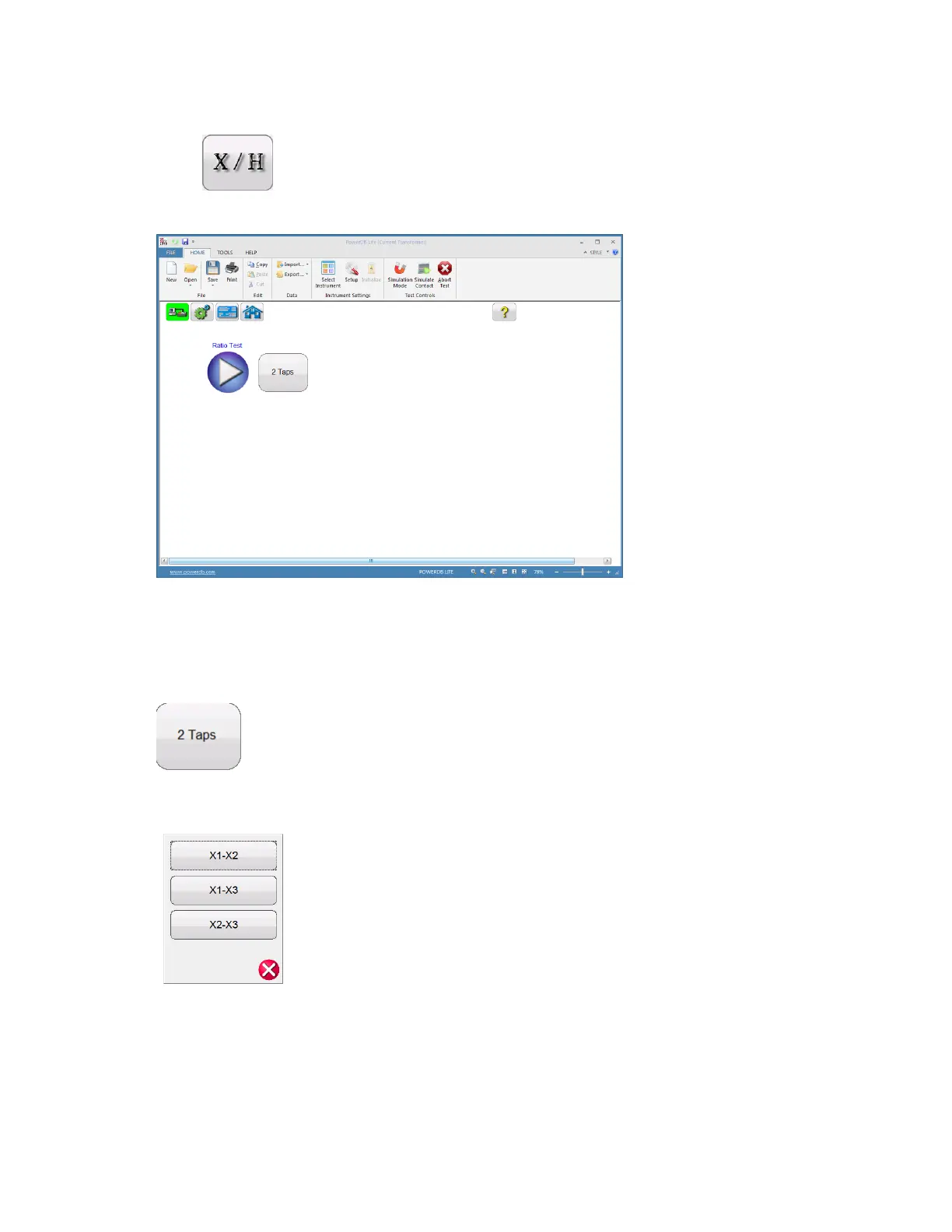
8. After the MRCT has been placed into the voltage transformer mode, select the “Ratio Test”
button .
Figure 73: VT Ratio Test Screen
9. If the VT has two taps then the test can be ran by selecting the blue play button. Otherwise
hit the Select Number of Tap functions button to select the appropriate number of taps
10. After selecting the appropriate number of taps use the Winding Selector to select the
appropriate winding to be tested
11. After selecting the appropriate winding, select the play button and a connection diagram will
appear showing how to correctly connect the MRCT to the VT


 To Next Page