Service
AVTMTTR310 Rev 8 May 2016
111
Voltage Selection
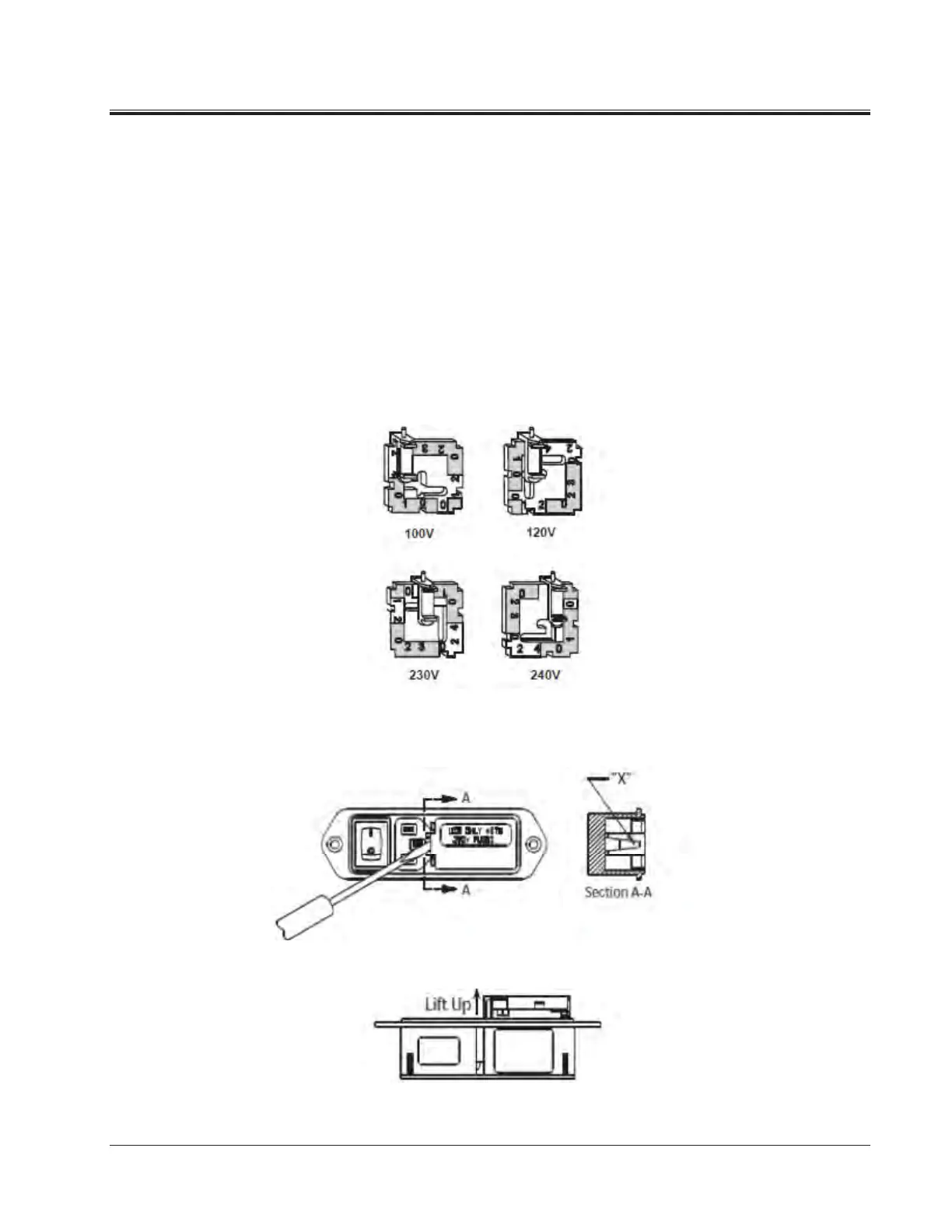
To change selected voltage: open cover, using small blade screwdriver or similar
tool; set aside cover/fuse block assembly; pull voltage selector card straight out
of housing, using indicator pin; orient selector card so that desired voltage is
readable at the bottom; orient indicator pin to point up when desired voltage is
readable at bottom (note that when indicator pin is fixed, successive voltages are
selected by rotating the card 90° clockwise); insert voltage selector card into
housing, printed side of card facing forward toward IEC connector and edge containing the
desired voltage first; replace cover, and verify that indicator pin shows the desired
voltage.
Voltage Selector Card Orientation
3. Insert a pocket screwdriver at point “X” as shown. Gently lift UP until the
entire door lifts up approximately 1/4" (minimum).
Gently lift UP until the entire door lifts up approximately ¼-inch (minimum).
4. Once lifted, the door will pivot on its hinges and expose the fuse holder.



 To Next Page