Chapter 3 – Initial Commissioning
23
Turn the mains switch on to power the steam sterilizer (see Fig. 1/(3)).
After switching on the steam sterilizer with the mains switch, the
→
display shows in alternation to the initial state the message
Unlocking door with button (+)
PLEASE NOTE
In case of insufficiently filled and/or empty containers or not connected
water treatment unit, a signal tone sounds and a respective message is
shown on the
After switching the steam sterilizer on, it require approx. 15 minutes to
reach operational readiness, if the "autom. preheating" option is activated.
After the end of a program
After the end of a program, the request Acknowledge with
button ’+’
is displayed. Press the KEY (+) to unlock the door. After
unlocking the door you can open the door and remove the sterilized items.
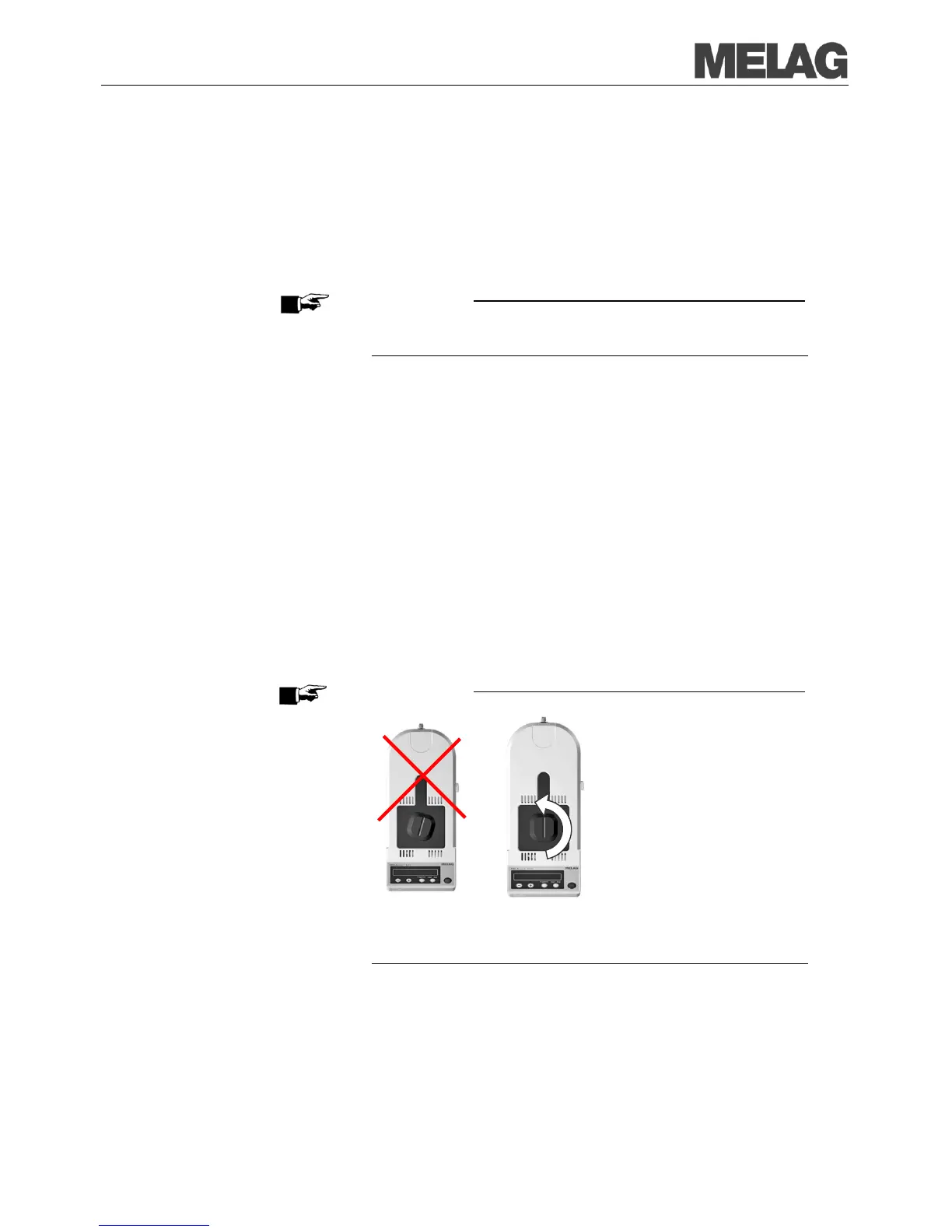
Turn the twist grip 90° counter-clockwise in order to open the sliding
door – minor resistance can be perceived just prior to the stop. Now
slide the door completely to the back.
For connected output medium and
Immediate output Yes a logging
printout is additionally carried out (see page
PLEASE NOTE
Only if the twist grip is completely turned by 90°, the door can be opened:
If it was unintentionally attempted to open the door while the door was still
locked, the twist grip must first be turned back until the groove is
perpendicula
r to the longitudinal axis. Only then the door can be opened
again using the (+) key. Otherwise the locking mechanism jams.














 To Next Page