Chapter 3 – Initial Commissioning
19
Next, you must switch the feed water supply to External in the
"Function" menu.
Select the menu Function by simultaneous brief pressing of the
KEYS (+) and (-). The display shows Function: Last batch number.
Navigate with the KEY (+) or (-) until on the display Function:
Feed water–supply.
Press the KEY (P). The currently set option appears on the display,
e.g. Feed water-supply – internal.
To set the value to Feed water-supply – External, press the
KEY (P) again.
In order to save the setting and to leave the menu, press the KEY (S).
KEY (S), you completely leave the menu and return
to the starting position of the display.
Feed water-supply is set to Internal.
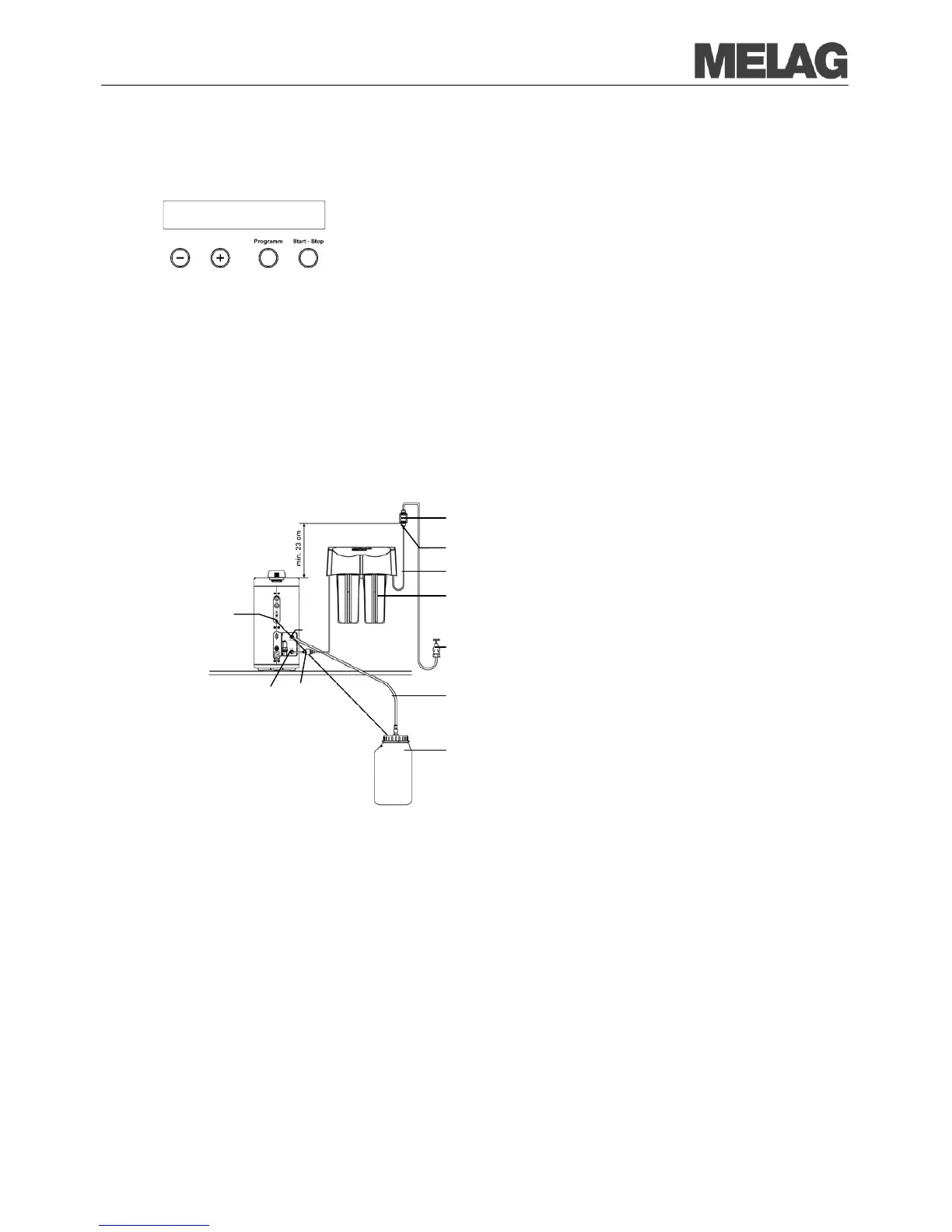
Installation examples for connecting a
water treatment unit
Purified water from the ion exchanger
MELAdem
Drain via waste water container
Fig.10: Feed water-supply from the ion exchanger MELdem
40
Safeguard combination according to EN1717, consisting of return flow inhibitor and pipe aerator
Tap water adapter (reduction from 3/4“ to 1/4“)
Input side MELAdem 40, Ø 6 mm inlet hose
Water tap (available on-site)
Waste water hose (Ø 8 mm)
Feed water filter MELAdem
Connection for water level monitoring in the waste water container
Function:
Feed water supply














 To Next Page