Chapter 9 – Malfunctions
56
After switching on the steam sterilizer the display remains empty.
Check whether the power plug is correctly plugged in the socket and
the IEC plug on the steam sterilizer.
Check the supply voltage at the socket.
If necessary, exchange the device fuses on the rear side of the
■ Pull the power plug from the power socket on the rear of the device
before replacing the device fuses.
■ Non-compliance can cause electric shock.
Heavy injuries will be the consequences.
Apart from a proper device function, the drying process depends decisively
on the correct setting up and loading of the
Do not overload the steam sterilizer (max. 1 kg load).
Activate the pre-heating (see page 28, Select automatic pre-
heating)
Employ the function Additional Drying (see page 29, Select
additional drying).
Open door in case of a power failure
Absolutely make sure that the pressure of the steam sterilizer is
completely released:
■ No steam may escape the steam sterilizer.
■ Let the steam sterilizer absolutely cool down. Metal parts such as
door and chamber may be hot.
Non-observance may result in severe scalding/burns.
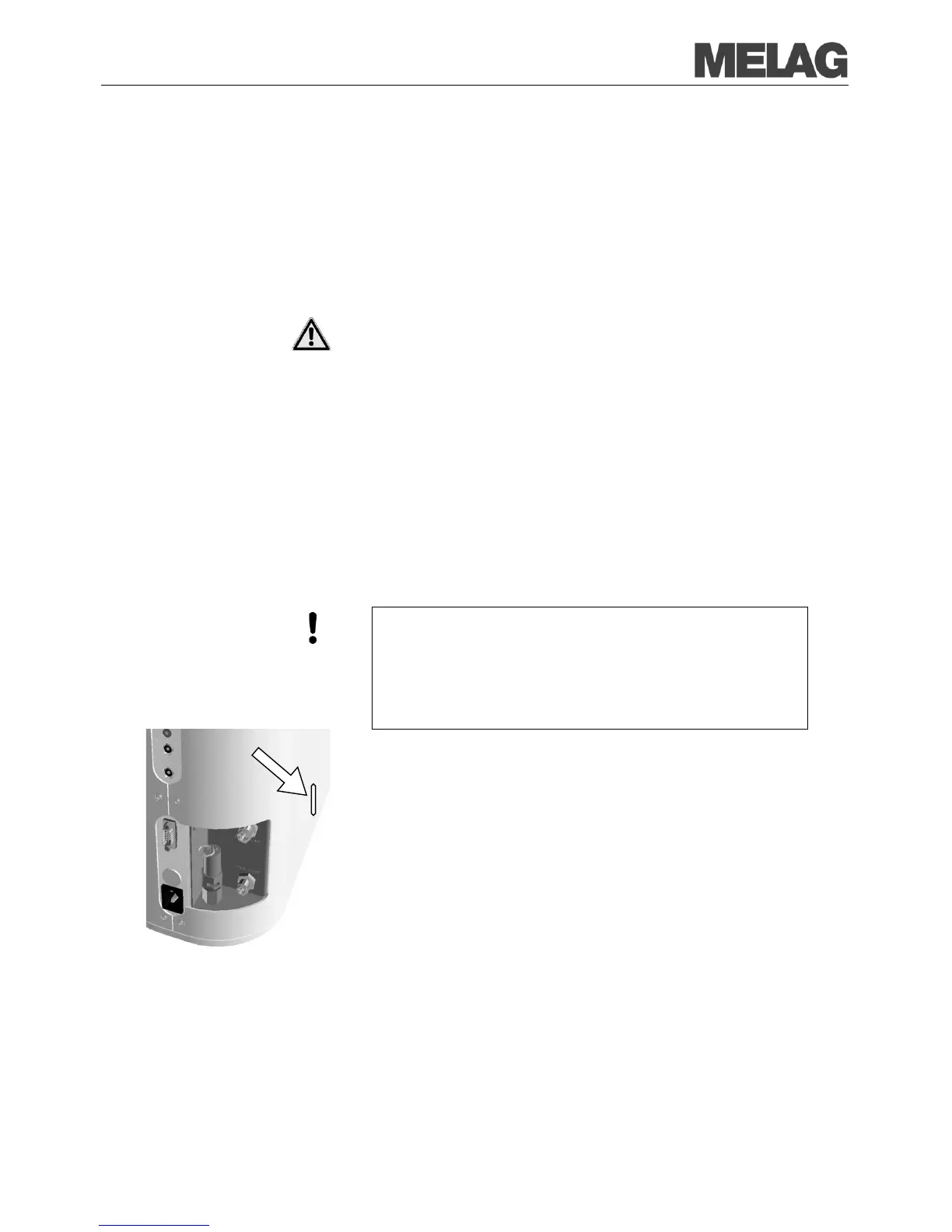
In the case that the door cannot be opened due to e.g. a
proceed as follows taking into account the safety information mentioned
above:
Switch the steam sterilizer off at the mains switch and pull the power
plug from the wall socket.
Insert a flat rounded object into the sideways slots of the steam
sterilizer (see
Fig. 1/12)) and push the object down.
Hold the object down and unlock the sliding door at the same time by
turning the twist grip counter-clockwise by 90° and opening the














 To Next Page