12.09.05 rev 1.0
17
18. Automatic Timer Module
In order to facilitate the entry of the parameters that can be set, they have been divided into eight groups and further sub groups
as shown below:
•
Group “1” = settings for the first weekday start of a regeneration Cycle.
•
Group “2” = settings for the second weekday start of regeneration Cycle.
•
Group “3” = settings for the third weekday start of regeneration Cycle.
•
Group “4” = settings for the first weekend start of regeneration Cycle.
•
Group “5” = settings for the second weekend start of regeneration Cycle.
•
Group “6” = settings for the third weekend start of regeneration Cycle.
•
Group “7” = settings for the automatic change for daylight saving, actual time, and date.
•
Group “8” = settings to correct the speed of the clock.
Access To Programming Mode
• Apply the brakes on the castors.
•
Connect the trolley to the power supply. The green LED will illuminate.
• Simultaneously firmly press cycle 1, 2 and 3 touch pads, press the “ON” touch pad until “P” appears on display
1. Release cycles 1, 2 and 3 and immediately (within 5 seconds) enter the programming code by pressing cycle 1,
then 2 and then 3 in quick succession
•
•
If any errors have been made in the above procedure, the panel will revert to its normal operational mode. If
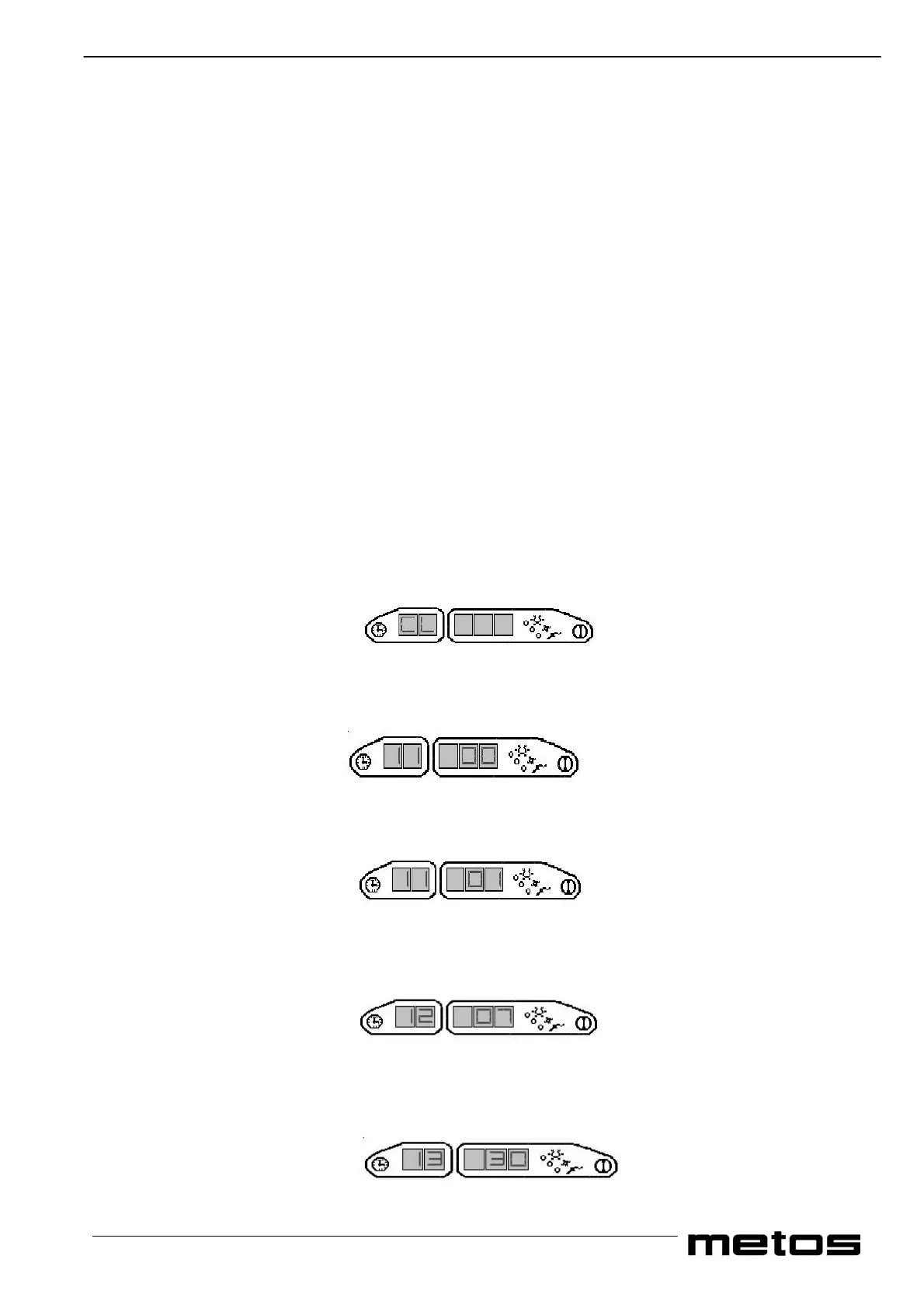
these instructions have been carried out correctly “CL” will appear on display 1.
•
• The following is an example to set cycle 1 for the 1st meal of the weekday and to start at 07.30.
• Access the timer-programming mode
1. “CL” in display 1
2. Press Cycle 3 and advance to group 1, which are the weekday settings for the start of the 1st meal of the day.
3. Using cycle 1 and cycle 2 (decrease and increase values) select the cycle for the start for the 1st meal of the weekday i.e.
Cycle one “01”. Press Cycle 3 to confirm the setting and to advance to the next sub group.
Using cycle 1 and cycle 2(decrease and increase values) select the value of the hour for the start of the 1st meal of the weekday
i.e. “07”. Press cycle 3 to confirm the setting and to advance to the next sub group
4. Using cycle 1 and cycle 2 (decrease and increase values) select the value of the minutes for the start of the 1st meal of
the weekday i.e. “30”. Press cycle 3 to confirm the setting and to advance to the next sub group.


 To Next Page