MI 3290 Earth Analyser Tests and Measurements
115
11.11.1 Check V - Meter Measurement
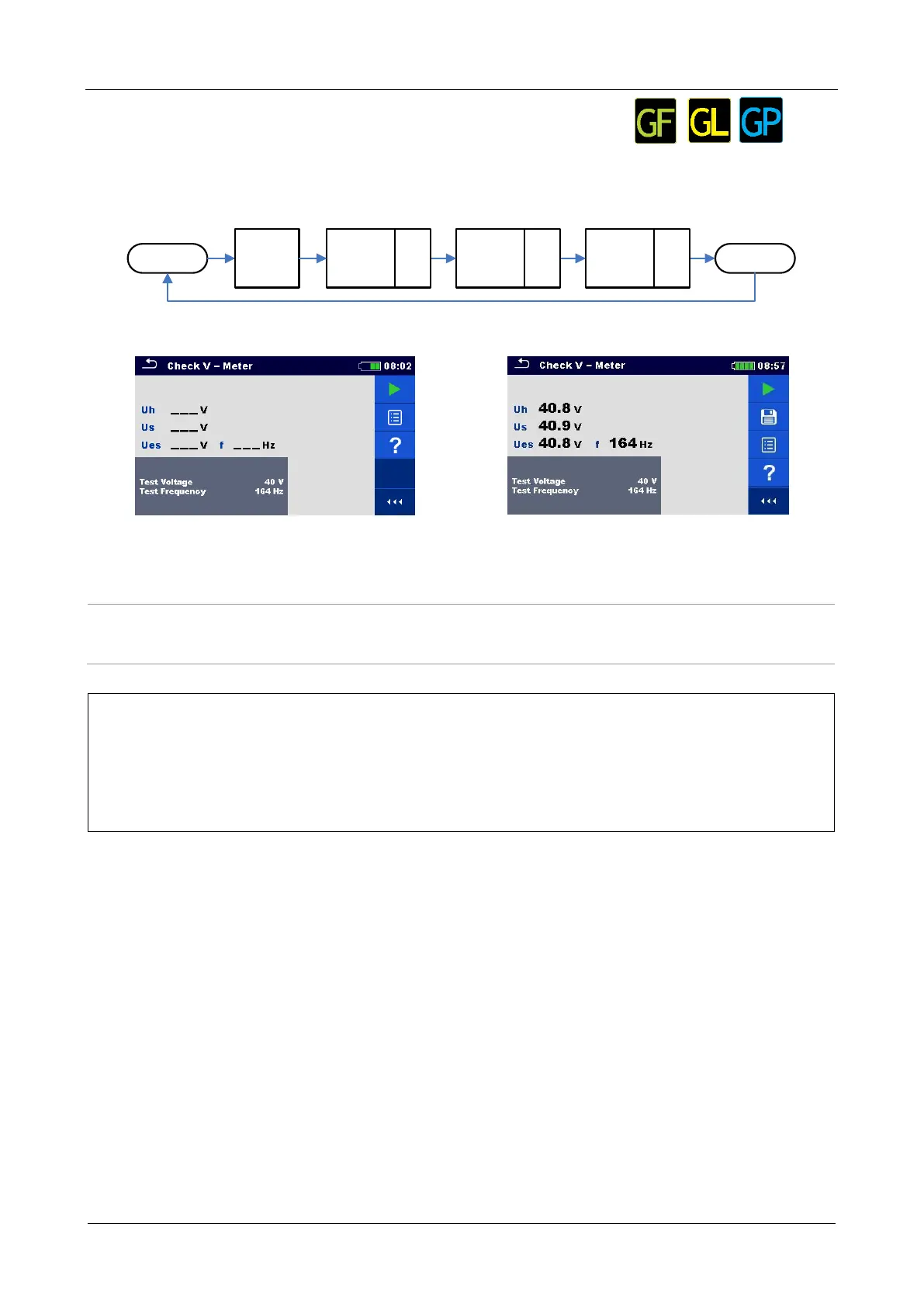
Test can be started from the Check V-Meter measurement window. Before carrying out a test the
following parameters (Test Voltage and Test Frequency) can be edited. Output terminals H, S, ES
and E must be opened.
Start
Uh
Terminal
H - E
Us
Terminal
S - E
Ues
Terminal
ES - E
Stop
5 s 5 s 5 s
Initial
Test
S1
S2
S3
Figure 11.101: Check V-Meter measurement flow chart
Figure 11.102: Check V-Meter measurement
menu
Figure 11.103: Example of Check V-Meter
measurement result
Test parameters for Check V- Meter:
Set test voltage: [20 V or 40 V]
Set test frequency: [55 Hz, 82 Hz, 94 Hz, 105 Hz, 111 Hz, 128 Hz, 164 Hz,
329 Hz, 659 Hz, 1.31 kHz, 1.50 kHz, 2.63 kHz, 3.29 kHz 6.59 kHz, 13.1 kHz,
15.0 kHz]
Check V-Meter Measurement procedure:
Select the Check V-Meter measurement function.
Set the test parameters (voltage and frequency).
Disconnect accessories from H, S, ES and E terminals and connect reference V-meter.
Press the Run key to start the measurement.
Wait until the test result is displayed on the screen.
Evaluate measurement results.
Save results (optional).














 To Next Page