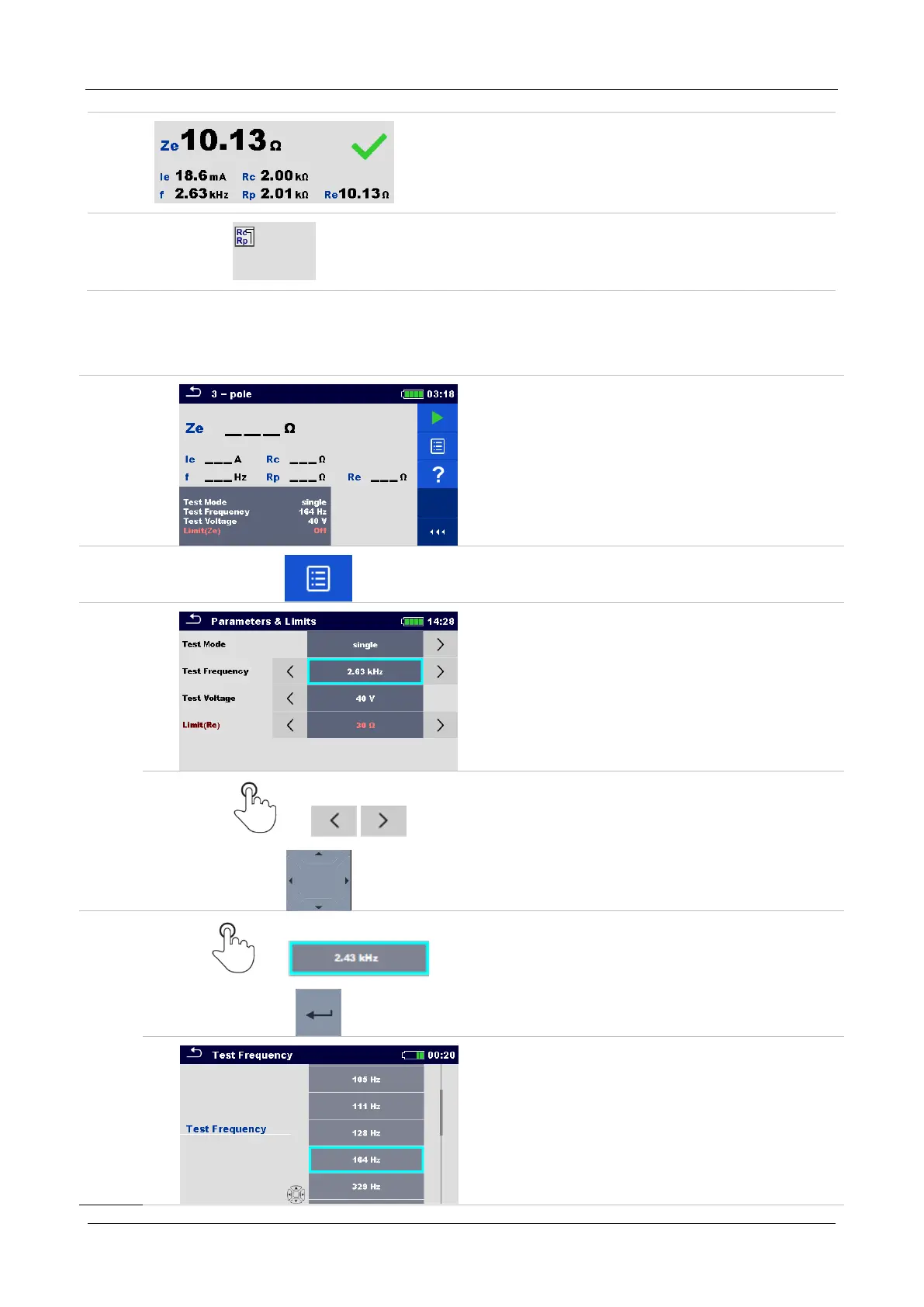
MI 3290 Earth Analyser Single Tests
60
Result field:
main result(s)
sub-result(s)
PASS / FAIL indication
number of screens
Warning symbols and message field
10.1.2 Setting parameters and limits of single tests
Procedure
Select the test or measurement.
The test can be entered from:
Single tests menu or
Memory organizer menu once the
empty measurement was created
under selected structure.
Select Parameters in Control panel.
Select parameter to be edited or limit to be
set.
Set parameter / limit value.



 To Next Page