MI 3290 Earth Analyser General Settings
37
8.9.6 Opening a Workspace
Procedure
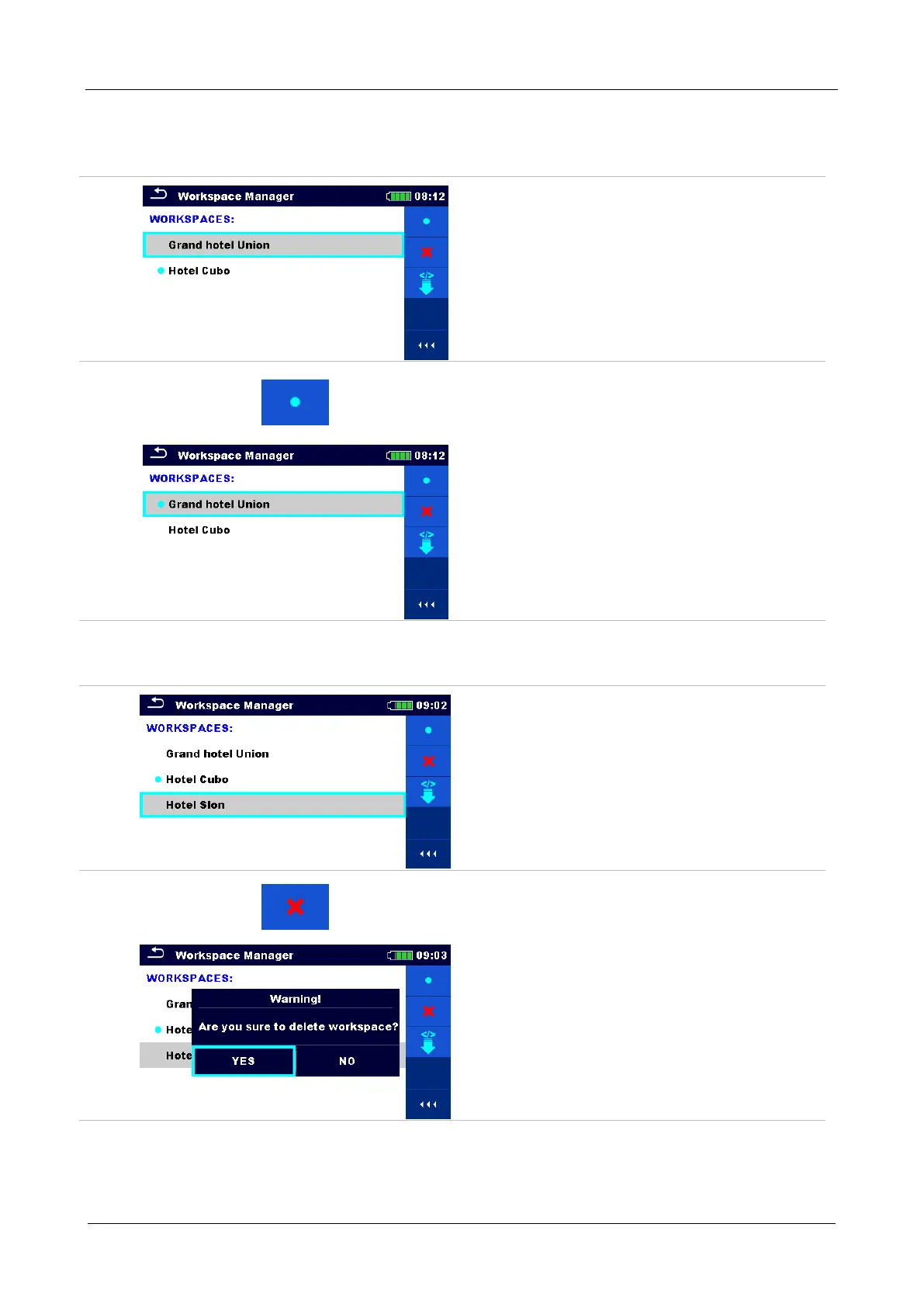
Workspace can be selected from a list in
Workspace manager screen.
Opens a Workspace in Workspace
manager.
The opened Workspace is marked with a
blue dot. The previously opened Workspace
will close automatically.
8.9.7 Deleting a Workspace / Export
Procedure
Workspace / Export to be deleted should be
selected from the list of Workspaces /
Exports.
Opened workspace can’t be deleted.
Enters option for deleting a Workspace /
Export.
Before deleting the selected Workspace /
Export the user is asked for confirmation.














 To Next Page