MI 3290 Earth Analyser Instrument operation
20
6 Instrument operation
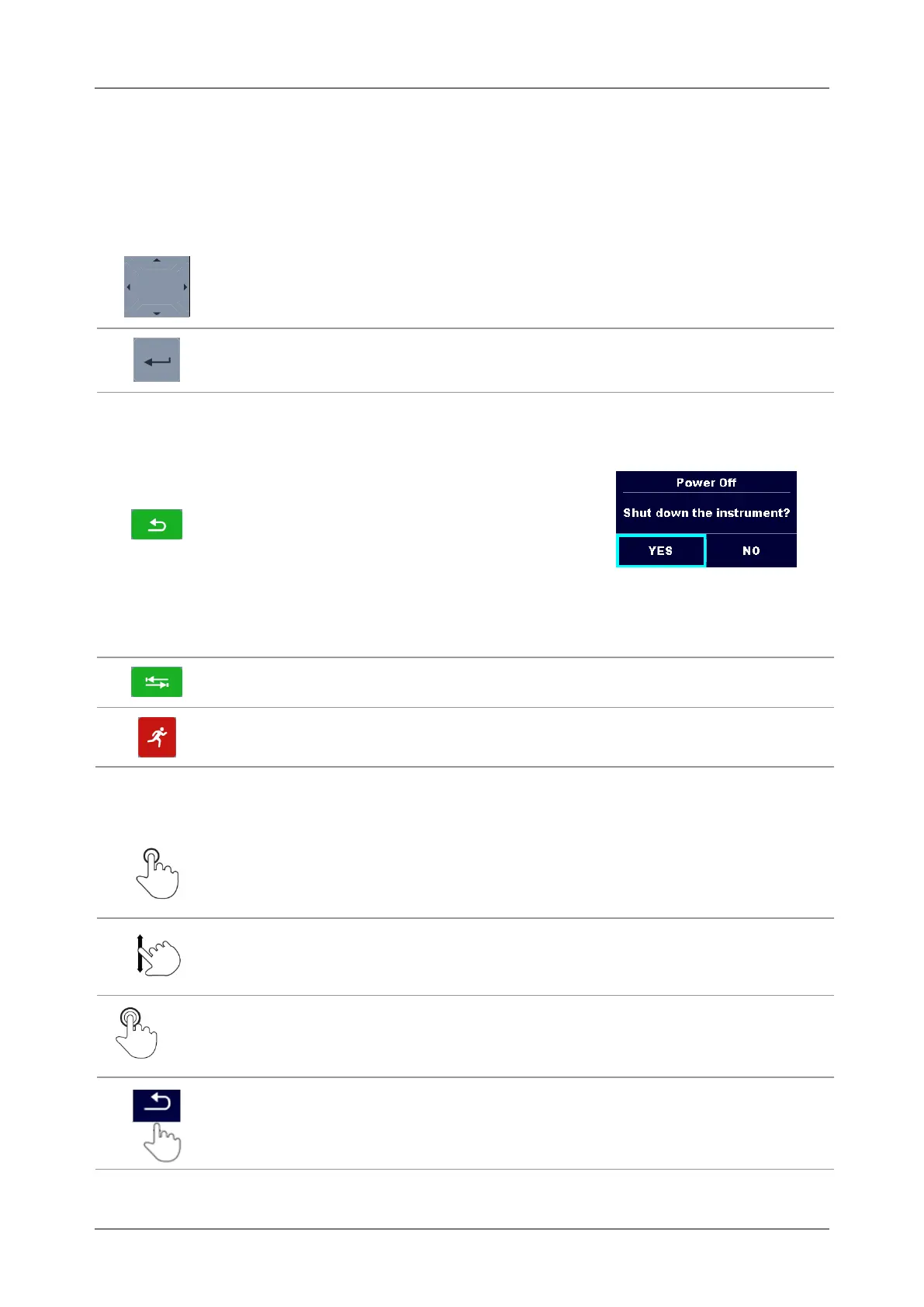
The Earth Analyser instrument can be manipulated via a keypad or touch screen.
6.1 General meaning of keys
Cursor keys are used to:
select appropriate option;
decrease, increase the selected parameter.
Enter key is used to:
confirm selected option.
Escape key is used to:
return to previous menu without changes;
abort measurement.
Second function:
switches the instrument power on
or off (hold key for 2 s for
confirmation screen);
instrument hard off (hold key for 10 s or more).
The instrument automatically turns off 10 minutes after the last key was
pressed.
Tab key is used to:
expand column in control panel.
Run key is used to:
start and stop the measurements.
6.2 General meaning of touch gestures
Tap (briefly touch surface with fingertip) is used to:
select appropriate option;
confirm selected option;
start and stop measurements.
Swipe (press, move, lift) up/ down is used to:
scroll content in same level;
navigate between views in same level.
Long press (touch surface with fingertip for at least 1 s) is used to:
select additional keys (virtual keyboard);
select test or measurement using cross selector.
Tap Escape icon is used to:
return to previous menu without changes;
abort measurements.



 To Next Page