■■■■■■■■■■■■■■■■■■■■■■
5 Operation
899 Coulometer
■■■■■■■■
31
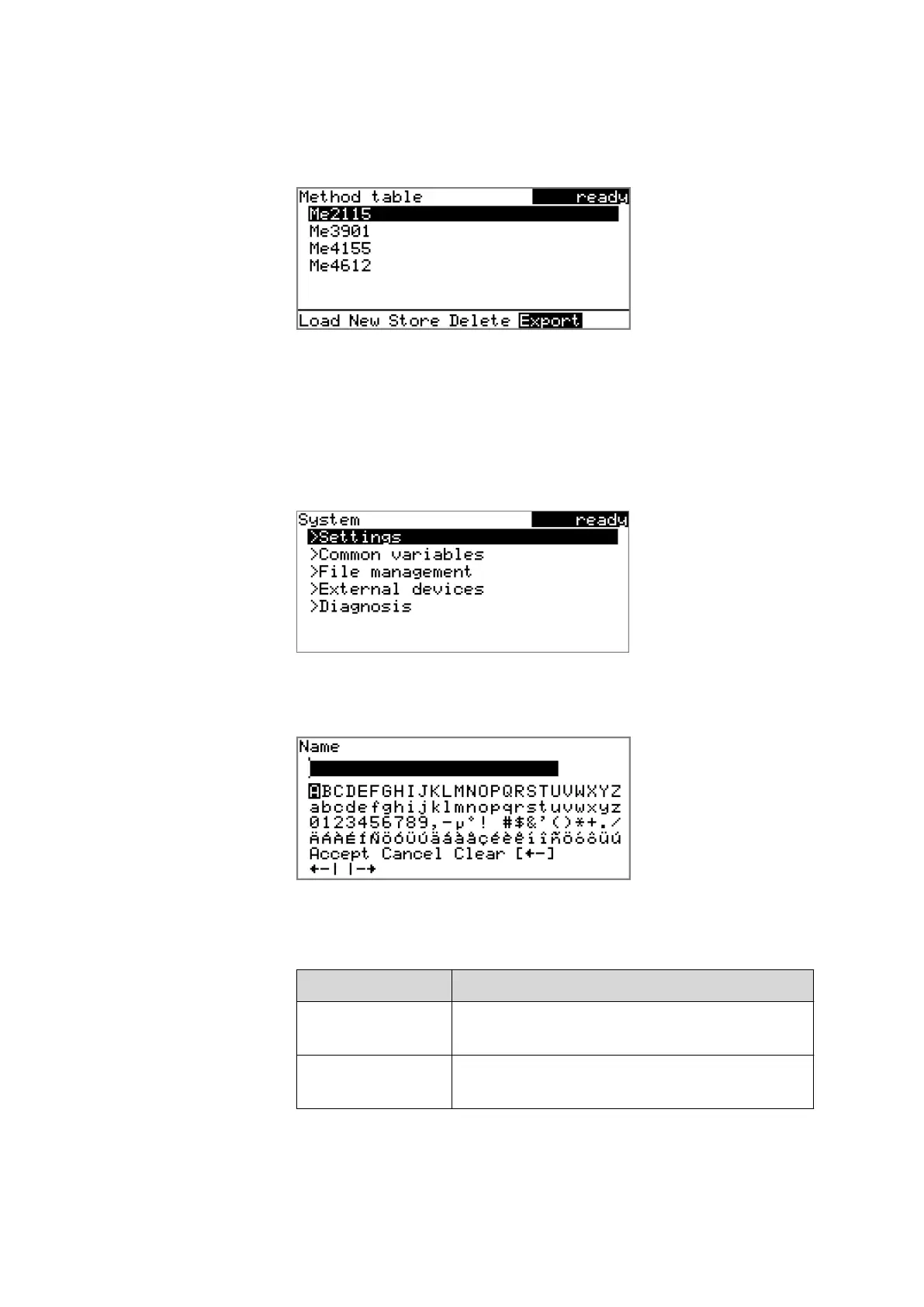
Some dialogs have a so-called function bar on the bottom line. The func-
tions contained therein can be selected with the arrow keys [⇦] or [⇨]
and executed with [OK].
5.2.3 Navigating in the dialog
The selection bar is displayed in inverted style. Use the arrow keys [⇧] and
[⇩] to move the selection bar upward or downward one line at a time. If
a dialog text is marked with ">", then additional settings are available in
a subordinate dialog. Use [OK] to access this dialog.
Example: System settings
Use the [BACK] key to return to the next higher level.
5.2.4 Entering text and numbers
In the editing dialog for text input or numerical input, select the individual
characters with the arrow keys. Use [OK] to apply the character in the
input field. The following functions are available:
Editing function
Description
Accept The modification is applied and the editing dialog
is exited.
Cancel The editing dialog is exited without applying the
modification.












 To Next Page