AirConditioningandAudioSystems
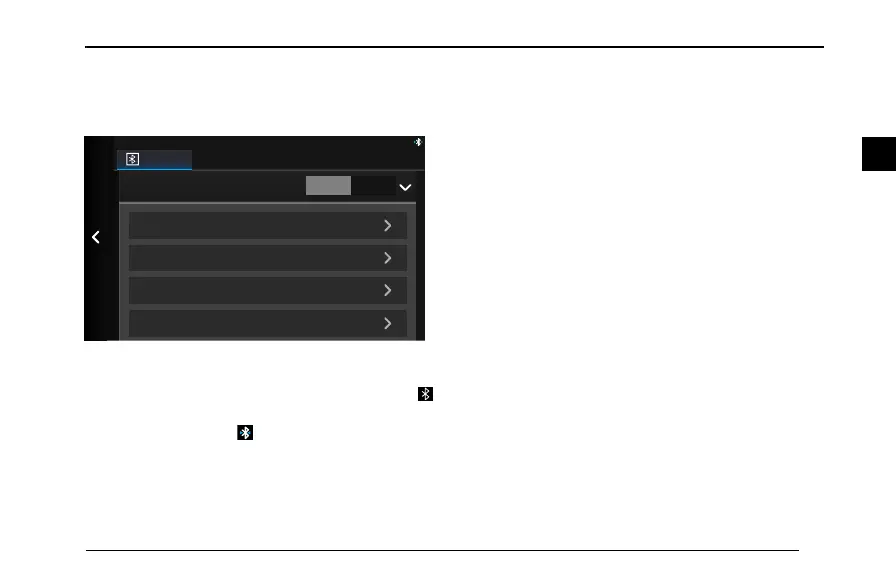
•ThedefaultnamedisplayedbythesystemisSAIC
MOTOR,thedefaultpairingcodeis0000,andthe
devicenameandpairingcodecanbemodied.
Scan devices
Paired devices
Pairing code
0000
Bluetooth name
Bluetooth
SAIC MOTOR
9:32
ON OFF
Display TimeAudio SystemBluetooth
•WhenBluetoothisnotturnedon,thestatebardoes
notdisplayBluetoothicon.WhenBluetoothisturned
onbutnodeviceisconnected,thestatebardisplays
.
WhenBluetoothisturnedonandadeviceisconnected,
thestatebardisplays.
PairingwithMobilePhone
Thesystemsearchesforavailabledeviceswhichfeature
Bluetoothtechnologyandarereadytoconnect,andwill
displaytheminalistafterndingthem.
1IntheBluetoothSettinginterface,touch[Scanfor
Devices],andthentouch[Scan].
2Afterthescanningissuccessfullyperformed,the
scanneddevicenameswillappearinalist.Ifnodevice
isfoundinthersttime,youcantouch[ScanAgain].
3Afterthecompletionofscanning,touch[Connect]
followingthedevicename.Amessagewillpromptto
remindyouenterthePINcode.
81
2


 To Next Page