XRF-2000 Series Operating Manual
48
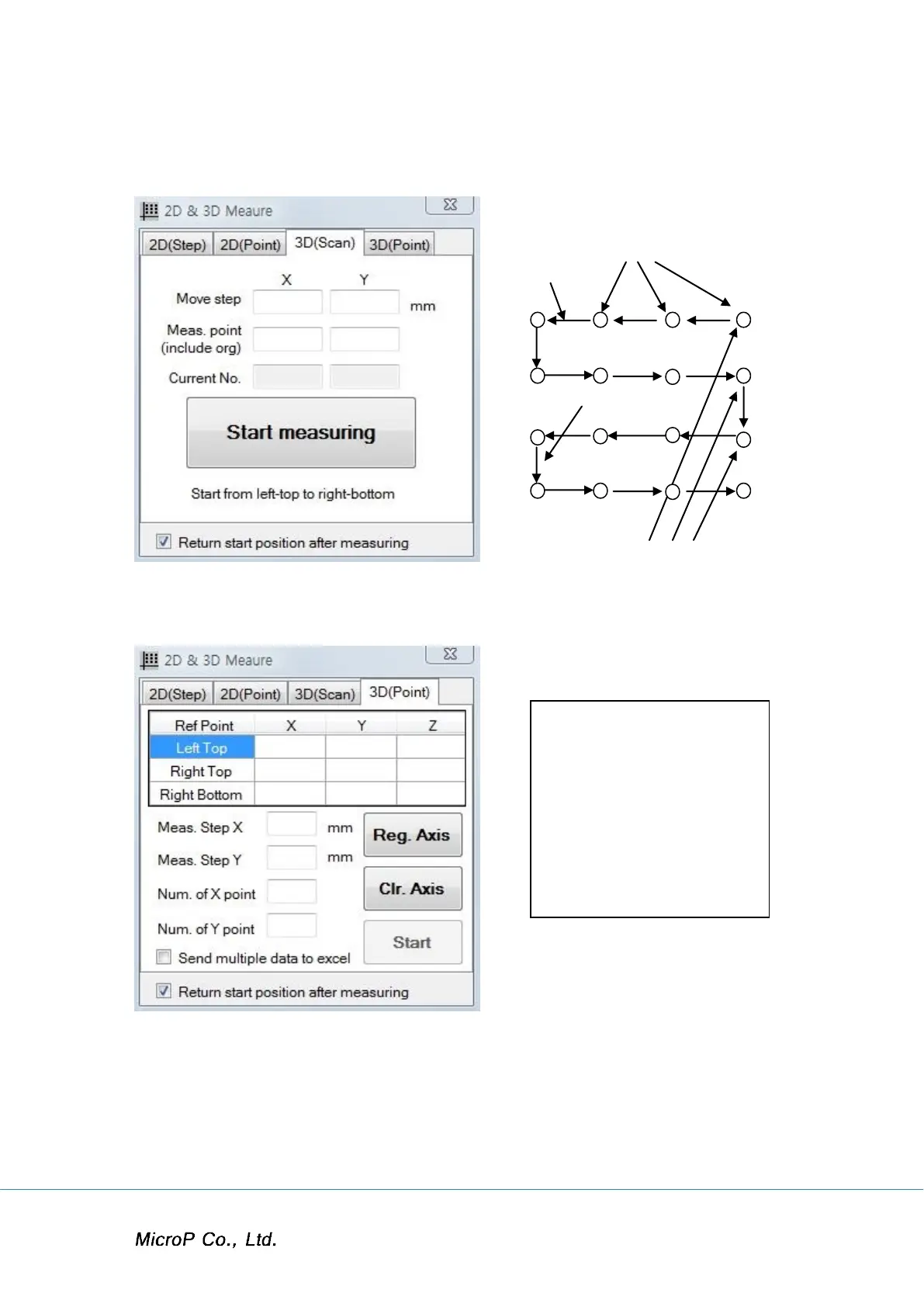
4.9.3 3D (Scan)
Ex)
No. of X meas. Point (4)
X mm
Y mm
No. of Y Meas. Point (3)
4.9.4 3D (Point)
Left Top Right Top
Right Bottom
Place camera position and cursor to left top and click Reg. Axis Button.
Place camera position and cursor to right top and click Reg. Axis Button.
Place camera position and cursor to right bottom and click Reg. Axis Button.
Enter No. of point for X, Y. Then moving distance for X and Y are calculated
by system.
Click Start button.


 To Next Page
 Loading...