VetPro DC Installation/Service Manual, 00-02-1606, Revision R01
43
the
Horizontal
Arm Cables
to the
Power
Supply
Board
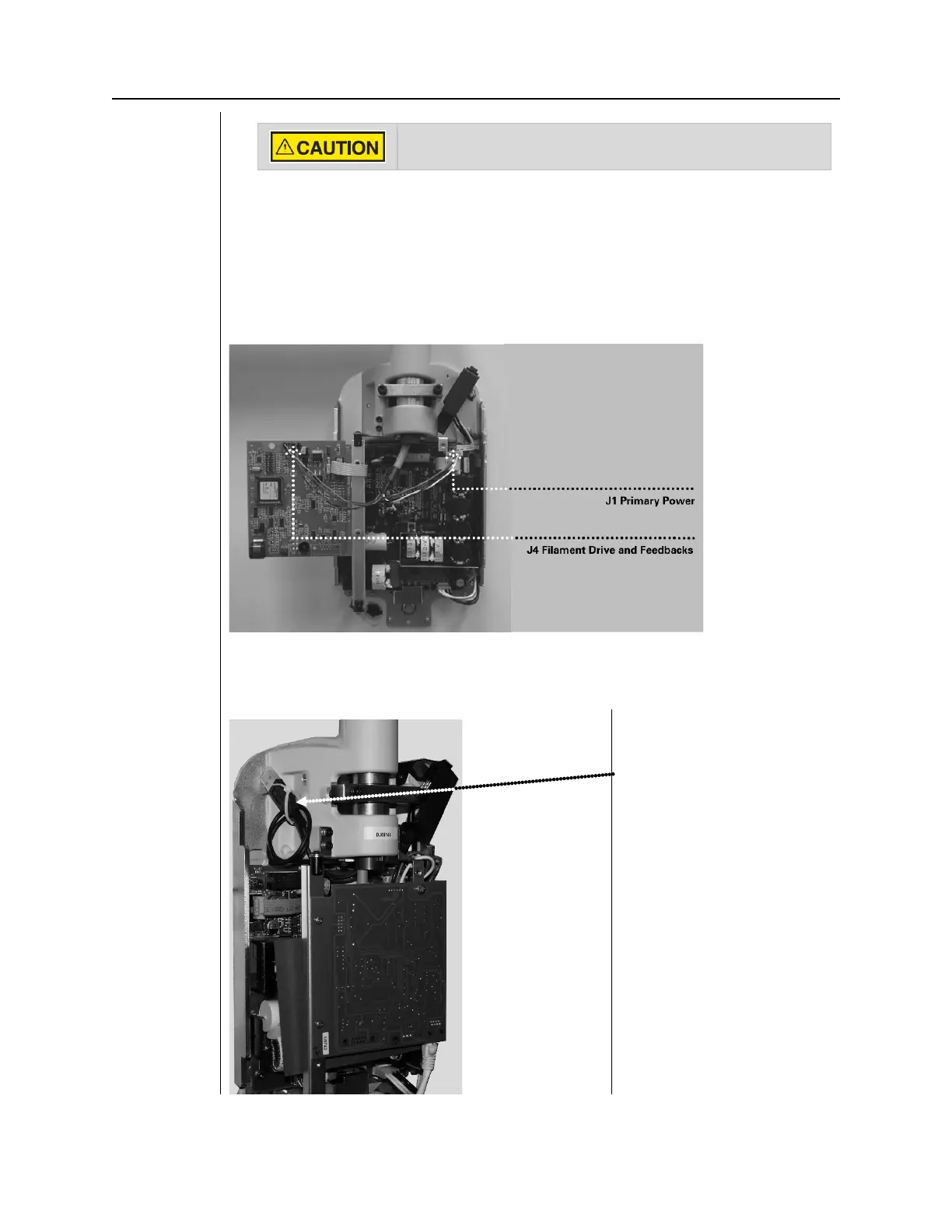
1. Attach the black connector from the Horizontal Arm to point J4 of the Power
Supply Control Board [30-08160], as shown in Figure 28.
The plug must be properly oriented. Be sure that the tabs on the connector
are down.
2. Attach the white connector from the Horizontal Arm to point J1 on the Power
Supply Board 30-08041, as shown in Figure 28.
The plug must be properly oriented. Be sure that the tabs on the connector
Verify that line power is disconnected before proceeding.
Figure 29
Connecting
the Horizontal
Arm Cables to
the Circuit
Boards
Integrated
1. Optional integrated sensor cable. Tie-wrap the USB cable to the tie block
provided as shown in Figure 29.
Figure 30
Tying optional
sensor cable
out of harms
way
Attach provided tie block
here, loop and tie the cable
to the tie block.



 To Next Page