EasyManua.ls Logo

Miele G2000 - Page 158

Miele G2000
221 pages
Print Icon
To Next Page IconTo Next Page
To Previous Page IconTo Previous Page
Loading...
Technical Information
158
G1000 / G2000 Dishwashers
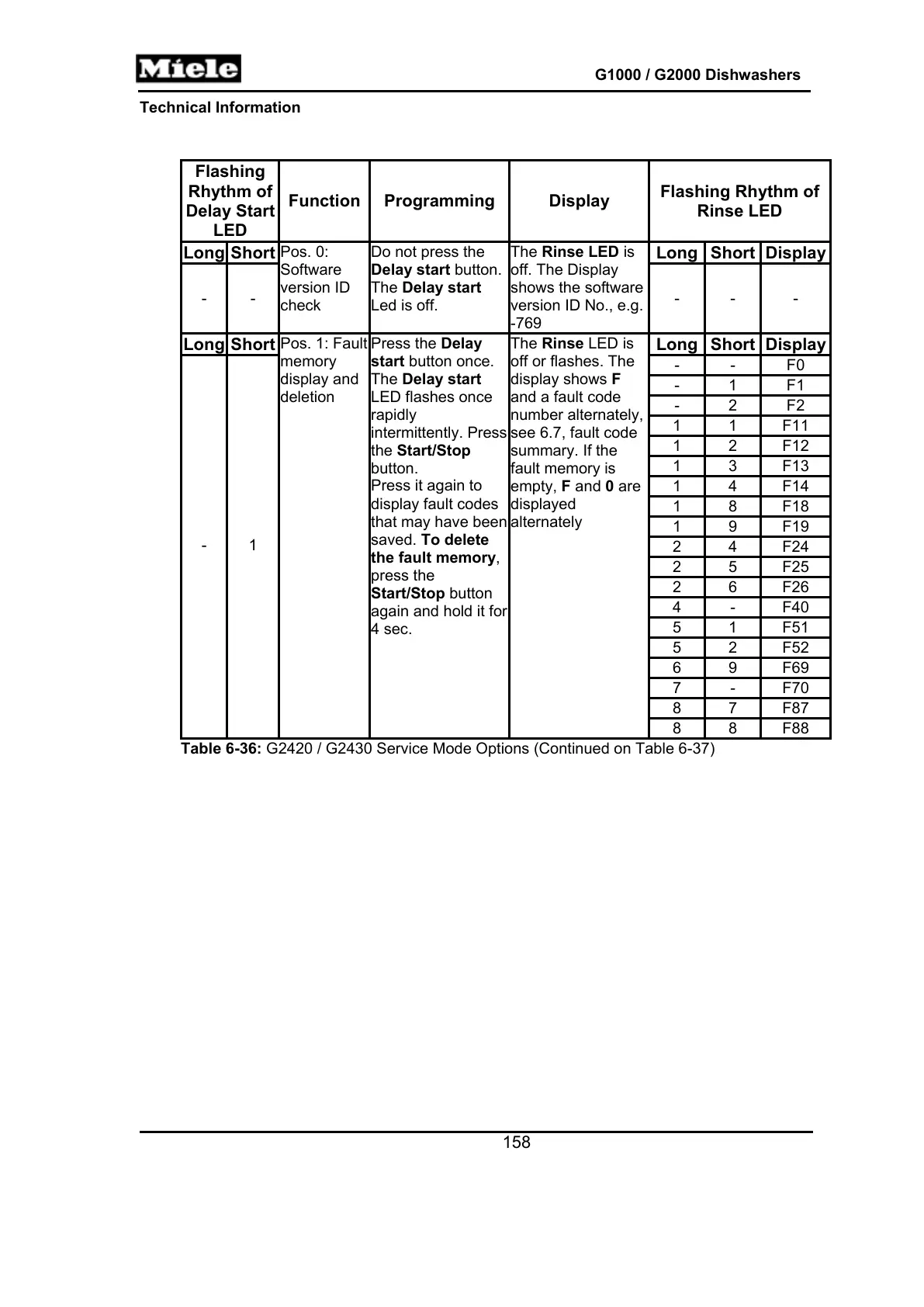
Flashing
Rhythm of
Delay Start
LED
Function Programming Display
Flashing Rhythm of
Rinse LED
Long Short Long Short Display
- -
Pos. 0:
Software
version ID
check
Do not press the
Delay start button.
The Delay start
Led is off.
The Rinse LED is
off. The Display
shows the software
version ID No., e.g.
-769
- - -
Long Short Long Short Display
- - F0
- 1 F1
- 2 F2
1 1 F11
1 2 F12
1 3 F13
1 4 F14
1 8 F18
1 9 F19
2 4 F24
2 5 F25
2 6 F26
4 - F40
5 1 F51
5 2 F52
6 9 F69
7 - F70
8 7 F87
- 1
Pos. 1: Fault
memory
display and
deletion
Press the Delay
start button once.
The Delay start
LED flashes once
rapidly
intermittently. Press
the Start/Stop
button.
Press it again to
display fault codes
that may have been
saved. To delete
the fault memory,
press the
Start/Stop button
again and hold it for
4 sec.
The Rinse LED is
off or flashes. The
display shows F
and a fault code
number alternately,
see 6.7, fault code
summary. If the
fault memory is
empty, F and 0 are
displayed
alternately
8 8 F88
Table 6-36: G2420 / G2430 Service Mode Options (Continued on Table 6-37)

Table of Contents

Related product manuals