35
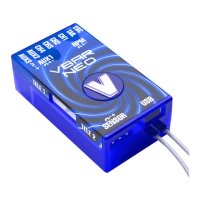
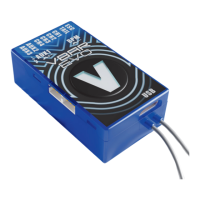
VBar and Mini VBar
☠ Danger An R/C controlled helicopter is not a toy! While
moving, the rotor blades pose a serious danger to persons
and things. You must obey all safety instructions of the
manufacturer for operation of your helicopter.
☝ Attention VBar is not an autopilot! VBar may be installed in
helicopters which are suitable for ying without ybar.
During installation and operation you must follow all in-
structions given in the software and in this manual. VBar
may not be operated in wet conditions (high humidity or
rain). If the helicopter shows vibrating behavior during
ight, operation of the helicopter is to be stopped immedi-
ately. Do not continue ying until the cause for vibration has
been eliminated.
⚠ Caution When setting up, disconnect the motor wires or
remove the pinion gear to avoid accidental spooling up of
the helicopter while setting up the speed controller (ESC)
functions. The same applies when loading unknown setup
or preset-les, as they may transport other settings as you
have on your heli!
☝ Attention Never connect the Gyro-Sensor to a port other that
it‘s own or it will be destroyed immediately and beyond repair.
☝ Attention Never connect power to RX A, RX A is signal
transmission-only.
☝ Attention A heli equipped with VBar draws higher currents
than a conventional ybarred heli. Make sure you use a
sufcient power supply.
VBar Control Satellite CP Control Panel
Swash plate
(the actual assign-
ment is shown in the
setup wizard)
CH1
CH2
CH3
Channel 1
Channel 2
Channel 3
Channel 4
Tail rotor servo RD Tail Servo
Electronic speed
controller (ESC)
RX B Colle/ESC
Throttle servo (Nitro) — Servo
RPM sensor
RX A and
Sensor II must not be
used for power
supply to the VBar!
Signal lead (usually
orange) to RX A,
upper pin; supply
voltage e.g. to RX C
using a Y-harness.
Attention: do not
apply more than 5 V
on RX A, for higher
receiver voltage use
a voltage divider.
Sensor II
If an rpm signal
lead does require
3.3-5 V receiver
voltage or also serves
a BEC slave wire (e.g.
YGE ESCs), you can
(BEC: must) connect
(+) and (–) wire(s) to
the front of the VBar.
Gyro sensor — Gyro Sensor
Telemetry RX-1, RX-2 RX1, RX2
☝ Attention polarity is always shown on the label of the VBar.
The brown lead (negative terminal) of the servo connectors
must point to the label. For extra connectors on e.g. VBar
Silverline, see the markings on the label, too.
☝ Attention Additional power supply may be connected to
any free port on the servo side (Mini VBar: do not use RX A
for power supply, if necessary use Y-harnesses).
☝ Attention USB is only used for rmware updates. Do not
connect at the same time with a VBar Control Satellite.
Note: the remaining connectors may be used for special
functions (e.g. retractable landing gear, light). Information
will be provided in the relevant manuals to specic Apps.
You can download these manuals from www.vstabi.info.
☝ Attention If you chose to use a VBar with other radio con-
trol systems, please refer to the Quick Start Guide provided
on www.vstabi.info. You must install a different rmware on
the VBar for use with other radio control system.
During Initialization, the VBar goes through a self-test. The
helicopter must be at rest during this test.
» Note for Mini VBar: During the self-test, the V ashes
(blinks). When the test is nished, you will see a brief
twitching (jump) of the swash plate. Also the V stops
blinking and will be lit up continuously.
» Note for VBar with external sensor: The V starts ashing
blue-green-red in a sequence.
Before each ight you must double-check the active
direction of the swash plate and the tail rotor. To do so, lift
the helicopter up and move it along the three axis. The
swashplate must tilt noticeably against the movement. The
tail rotor must create thrust against the direction of rotation
on the yaw axis.
» Note for VBar with external sensor: The sensor LED will
show it’s activity in three different colors: red for aileron,
green for elevator, blue for tail.
Mikado does not assume liability for completeness or cor-
rectness of the content of this manual and of the software
provided.
The user assumes all liability for all potential damages or
claims that might arise from the operation of the VBar and
his helicopter.
You will nd accessories to be used with VBar on Mikado’s
website www.mikado-heli.de



 To Previous Page
 Loading...