46
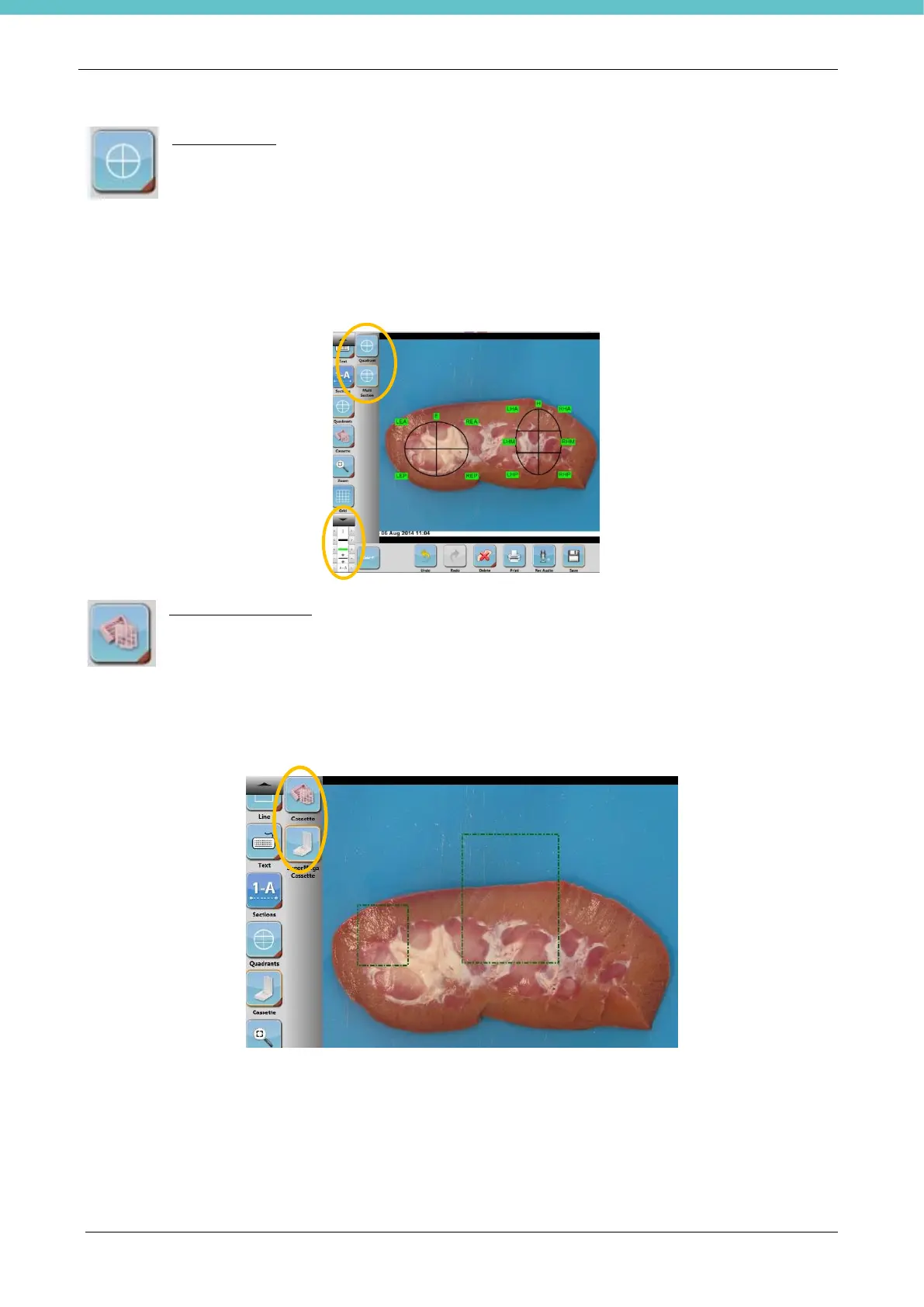
Add Quadrants
Hold down the Quadrants button to view the available tools (4 or 6 quadrants). Choose a point
on the screen to trace the required quadrants on the image.
The quadrant label consists of three letters: the first can be L (Left) or R (Right), the second is the
progressive letter indicating the quadrant and the third can be A (Anterior), M (Median) or P (Posterior).
By clicking on the section line with the Select button (Select, see chapter3.5), it is possible to rotate the
quadrants and change the text and line style.
Add cassette pattern
Click on and hold down the Cassette icon thereby activating the multiple choice of cassette
styles (normal or supermega). Choose a point on the screen and drag the required sections on
the photo.
Rotate the cassettes using the multifunction keypad in the bottom left corner of the work area. See Edit
functions (3.5) “Selection” tool.



 To Next Page