OM-277115 Page 59
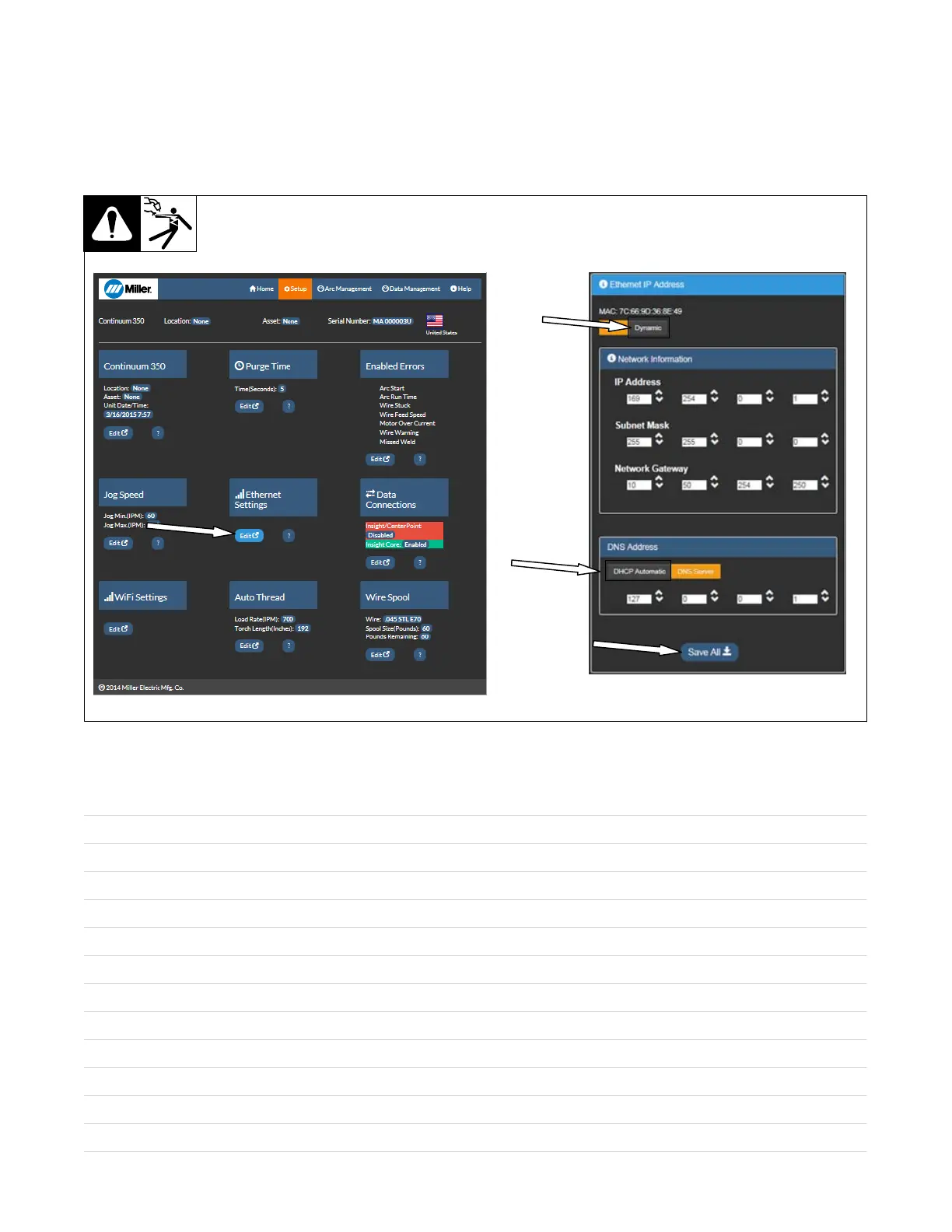
C. Wired (Ethernet) Connection Using DHCP (Dynamic Addressing)
1. On the Setup page, under Ethernet Settings, click Edit.
2. At the top of the screen that appears, select Dynamic underneath the IP address. The Network Information below will automatically fill in.
3. Under DNS Address, select DHCP Automatic.
4. When finished, click Save All.
5. Cycle the machine power by turning the machine off, waiting until the Power On light goes off, and turning power on again.
Figure 10-9. Configuring Ethernet Connection Using DHCP
Notes










 To Next Page