6. MACHINE USE
6.1. SELECTING A PROGRAM
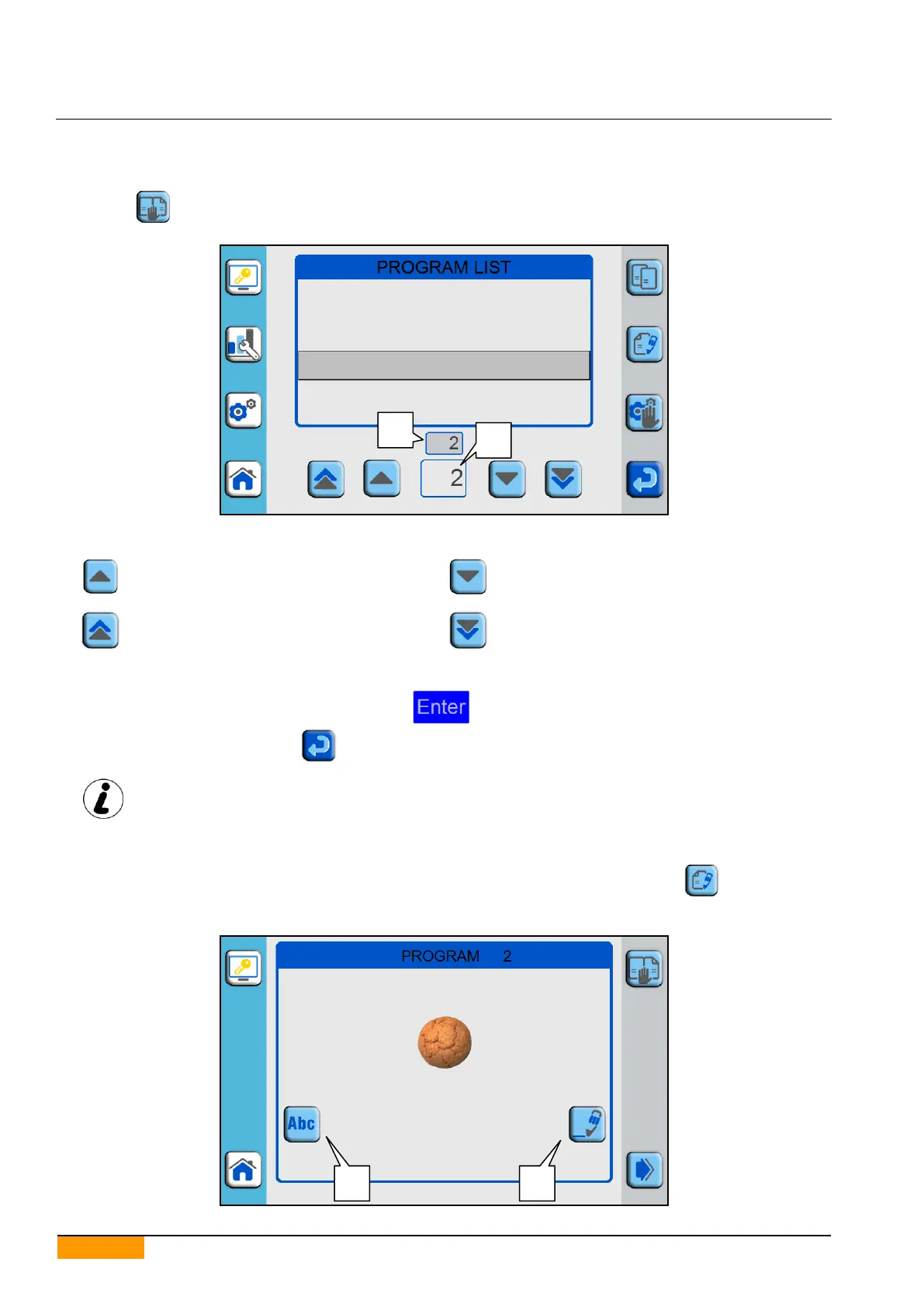
Press the icon to enter the Programs List.
Scroll the list by pressing:
to go up by one position;
to go down by one position;
to go up by 10 positions;
to go down by 10 positions;
Alternatively, directly insert the required position number by pressing on the lower panel (part 1) and using the
numeric keypad that appears on the display.
Once the required number has been keyed in, press
Confirm program selection with the icon
In confirmation of program selection, the chosen number also appears in the upper box (part
2).
6.2. CREATING/MODIFYING A PROGRAM
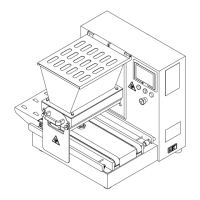
After having selected the required position as described in the previous paragraph, press the icon to see the
first programming display.
PROGRAM 1
PROGRAM 2
PROGRAM 3


 To Next Page