6.10.2. PRESSURISING THE SYSTEM
In order to adjust the dosage from the first rows, pressurise the dough before the start of each production cycle.
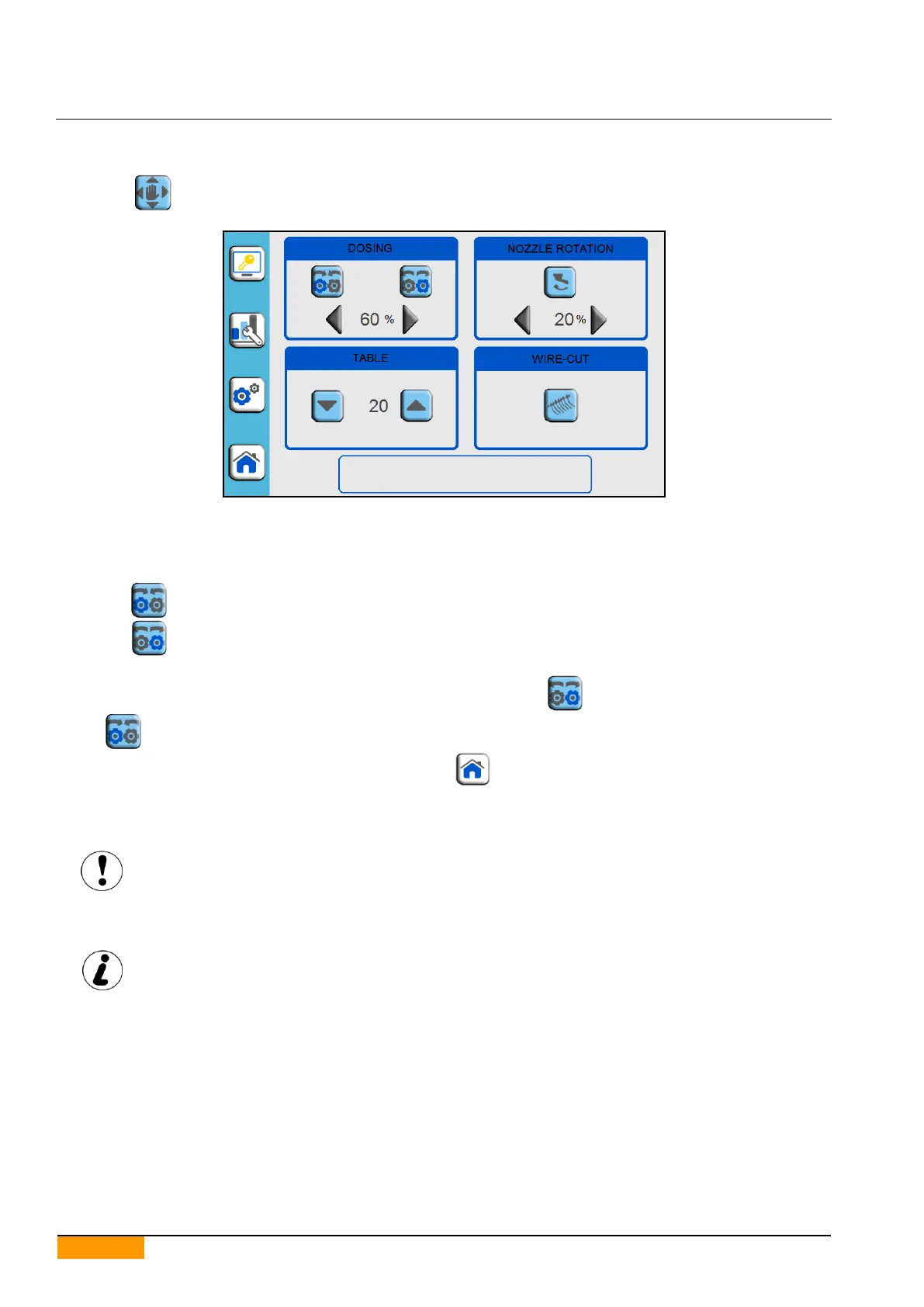
Press the icon to access the manual movements page.
Manually insert a tray under the dosing unit.
Press the enable push-button.
Press the start push-button.
Keep the icon pressed if using a roller type dosing unit.
Keep the icon pressed if using a pump type dosing unit.
Release the icon when the product in the hopper begins exiting from the nozzles.
To prevent unwanted product drips at the end of the procedure, keep the icon (with the roller type dosing unit)
or the icon (with the pump type dosing unit) pressed for a few seconds.
After pressurising, manually remove the tray and press the icon.
6.11. MACHINE STOPPING DURING AN EMERGENCY
The machine stops immediately when the emergency stop push-button is pressed.
This control must only be used in emergency situations!
Do not use the emergency stop push-button for stopping the machine normally!
Before restarting production, make sure the emergency situation has stopped, then reset the emergency stop push-
button, press the enabling push-button and after this the start push-button.
Stopping the machine with the emergency stop push-button resets the production cycle.


 To Next Page