Need help?
Do you have a question about the MIMAC SUPREMA PLUS and is the answer not in the manual?
Ownership, purpose, validity, and preservation guidelines for the manual.
Explanation of symbols used in the manual for information and warnings.
Significance of the manual and the intended personnel for reading it.
Contact details for MIMAC ITALIA and customer service information.
EC compliance declaration and normative references for the machine.
Details on the machine guarantee and software ownership terms.
Requirements for installation areas, including building works and electrical systems.
Instructions for checking machine upon receipt, packaging, lifting, handling, and unpacking.
Requirements for operator training on machine functions, safety, and maintenance.
Permitted environmental conditions and workplace lighting for machine operation.
Guidelines on authorized use, safety device checks, and limitations.
Information on the machine's noise level and user responsibilities for protection.
Mandatory clothing requirements for operators in food production environments.
General safety principles for machine operation and emergency procedures.
Explanation of safety symbols and their meanings used on the machine.
Details on fixed and movable guards and their safety functions.
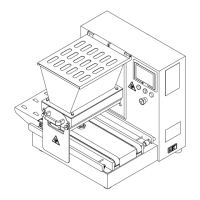
Diagrams showing safety device locations for Suprema/Suprema Plus models.
Diagram illustrating safety device placement on Minidrop/Minidrop Plus models.
Identification of residual risks like hand crushing during operation or maintenance.
Overview of the dropping machine's flexibility and capabilities.
Information on the machine's identification plate and its data.
Technical specifications including dimensions, weight, capacity, and power supply.
Technical specifications for Minidrop/Minidrop Plus models.
Identification and description of the main parts of the machine.
Information on standard equipment and available accessories for the machine.
Description of operational areas and diagrams for Suprema and Minidrop models.
Visual overview of various products that can be produced by the machine.
Guidelines for machine positioning and electrical connection requirements.
Description of the control panel, its buttons, and functions.
Explanation of the main switch's function for machine power.
Description of touch screen functions, icons, and navigation.
Step-by-step guide for installing the roller type dosing unit.
Detailed instructions with images for installing the pump type dosing unit.
Step-by-step guide with images for inserting the mould.
Instructions for installing and adjusting the wire cutting system.
Detailed steps for inserting or replacing the steel wire.
Procedure for verifying safety devices on Suprema/Suprema Plus models before use.
Specific checks for safety devices on Minidrop/Minidrop Plus models.
Steps for navigating the program list and selecting a desired program.
Guide on how to create new programs or modify existing ones.
Setting program names and selecting product types.
Detailed explanation of various parameters that define product characteristics.
Definitions for advanced parameters like rotation, vacuum, and wire-cutting.
Instructions on how to duplicate an existing program to a new destination.
How to temporarily adjust parameters while the machine is running.
Enabling, disabling, and modifying user passwords to protect program settings.
How to save and load program configurations using a USB drive.
Examples of parameter settings for producing a basic 'Fixed Product'.
Parameter settings for producing 'Long Product'.
Parameter settings for producing 'Drop Shaped Product'.
Parameter settings for 'Fixed Product in Set Steps'.
Parameter settings for 'Long Product in Set Steps'.
Parameter settings for producing 'Sponge Cake'.
Parameter settings for 'Fixed Product with Rotation'.
Parameter settings for 'Long Product with Rotation'.
Parameter settings for producing 'Donut'.
Parameter settings for 'Fixed Product in Set Steps with Rotation'.
Parameter settings for 'Fixed Product with Wire-Cutting'.
Parameter settings for 'Long Product with Wire-Cutting'.
Parameter settings for 'Braid with Wire-Cutting'.
Parameter settings for 'Multilayer Fixed Product'.
Parameter settings for 'Multilayer Long Product'.
Parameter settings for 'Flame-Shaped Product'.
Parameter settings for 'Multilayer Fixed Product with Rotation'.
Parameter settings for 'Multilayer Long Product with Rotation'.
Parameter settings for 'Flame-Shaped Product with Rotation'.
Important warnings and considerations regarding programming parameters.
Step-by-step guide to start production, including dough loading.
Procedure for pressurizing the dough before starting production.
How to stop the machine in emergency situations and restart safely.
Accessing and understanding machine parameters, with warnings against unauthorized changes.
Detailed descriptions of each available machine parameter.
Accessing and understanding machine parameters, with warnings against unauthorized changes.
Overview of the diagnostics screen for monitoring machine status and logs.
Table of alarm messages, their causes, and troubleshooting steps.
Troubleshooting for specific alarms like dropping inverter, emergency button, and hopper guard.
Troubleshooting for table and wire-cut alarms, including tray malfunction and safety guards.
Specific instructions for resetting table overtravel alarms.
Steps to reset table overtravel alarms using the manual movements page.
General guidelines for cleaning, hygiene, and safety precautions.
Requirements for maintaining food hygiene and machine suitability over time.
Cleaning procedures for external parts, panels, and the control panel.
Procedures for daily cleaning of parts in contact with food products.
Steps for disassembling and cleaning stationary moulds.
Steps for disassembling and cleaning rotary moulds.
Steps for disassembling and cleaning the roller type dosing unit.
Steps for disassembling and cleaning the pump type dosing unit.
Detailed steps for cleaning the pump type dosing unit components.
General principles for maintenance, safety precautions, and technician qualifications.
Identification of parts that are subject to mechanical wear.
Routine maintenance tasks that can be performed by operators.
Special maintenance operations requiring trained technicians.
Guidelines for maintenance on electrical and electronic components.
Information on how to request spare parts from customer service.
Instructions for storing the machine properly.
Procedures for dismantling and disposing of the machine at the end of its life.
 General
| Brand | MIMAC |
|---|---|
| Model | SUPREMA PLUS |
| Category | Commercial Food Equipment |
| Language | English |

 To Next Page