6.6. PROTECTING PROGRAMS WITH A PASSWORD
The user can enable a user password from the control panel to protect the programs in the list from unwanted
modifications; only by inserting the user password is it possible to modify and save the product parameters.
6.6.1. ENABLING AND DISABLING THE USER PASSWORD
The machine is supplied with the user password disabled.
The factory-set user password is 2569.
Access the machine parameters following the instructions given in paragraph "7.1 Machine parameters" and identify
the Timeout password parameter.
To disable the user password, press the Timeout password push-button and insert the value 9999 using the
numeric keypad.
This protection level can be disabled to create and modify programs freely.
To enable the user password, press the Timeout password push-button and insert the value 0 using the numeric
keypad.
This protection level can be enabled to select and load programs freely, but the programming pages cannot be
accessed and the modifications made during working cannot be saved.
The user password can be timed by giving the Timeout password a value between 1 and 9998.
The inserted value is equivalent to the time in seconds during which the programming pages can be accessed or
modifications during working can be made without the protection password being requested. Once this period of
time has elapsed, the password must be re-inserted to carry out any of the actions described above.
6.6.2. MODIFYING THE USER PASSWORD
Access the machine parameters following the instructions given in paragraph "7.1 Machine parameters" and identify
the User password parameter.
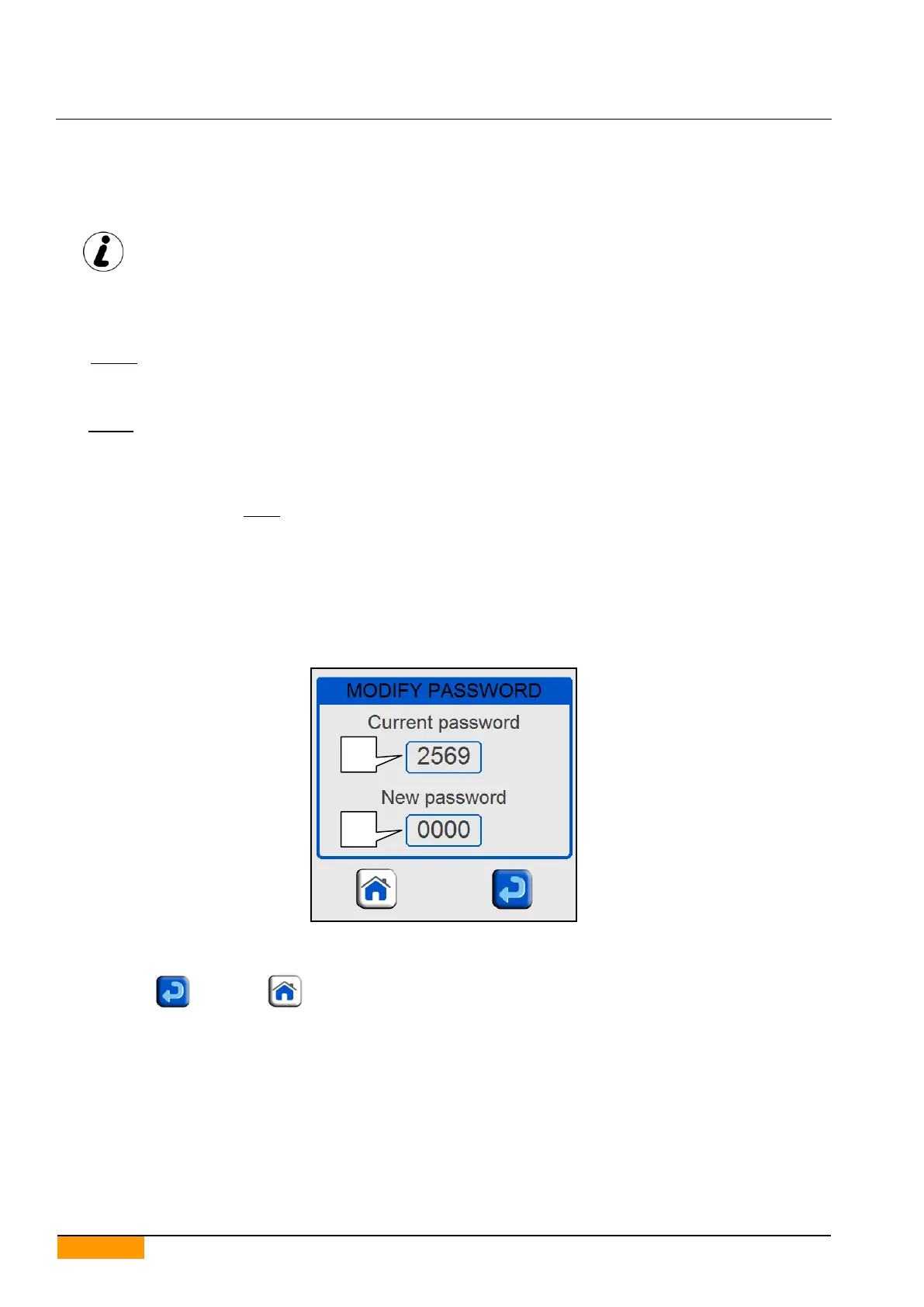
Press this parameter on the field to make the Modify Password window appear.
Press the top field (part 1) and key in the current user password.
Press the bottom field (part 2) and key in the new user password.
Confirm with and press to exit.


 To Next Page