25
Procedures
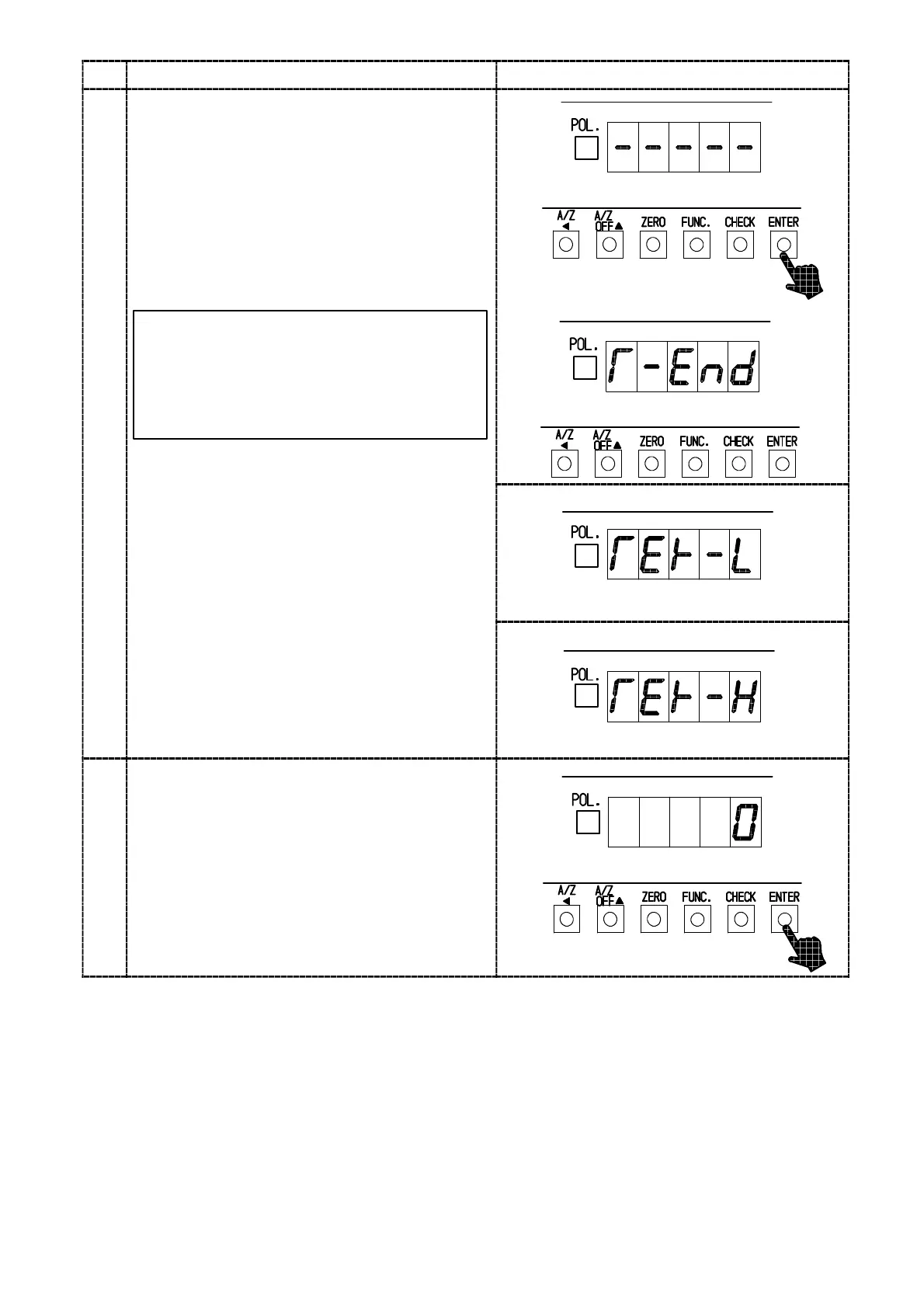
Press the “ENTER” key.
The load display will show “−−−−−” with
lighting display on and off, then zero adjustment
can be started.
9
Warning : At the same time, take care
not to apply load vibration due to
vibration and so on. When load vibration
is applied, there will be possibilities that
zero point is unstable, and precise
reading of zero will not be obtained.
After completed, the load display will become
“T−END”.
However, when the initial load is not entered
within the range from −0.1 mV/V to 2.4 mV/V,
the error code shown in the right figure will
show for about 2 s, then load display will show
“ZERO” and return to step 8.
Error code
TER−L :Zero point − over
TER−H :Zero point + over
Error code
Press the “ENTER” key.
After “CCAL” mode is over, the load display will
show the present load.
10



 To Next Page