Print or save - miniDSP Flex
https://docs.minidsp.com/product-manuals/flex/print_page.html
Settings
Network Device Discovery
Timeout
40
seconds
Software Update
Check Interval
24
Enable
Last checked: No updates available at 15:49:29 GMT+1000 (Hong Kong Time) on Fri Aug 19 2022
Color Mode
Modes
Light Dark System
Support
Check USB Audio Driver
Main M e nu
Create Program Snapshot
Hours
Discover Devices
Template Devices
Settings
About
Version History
CHECK NOW
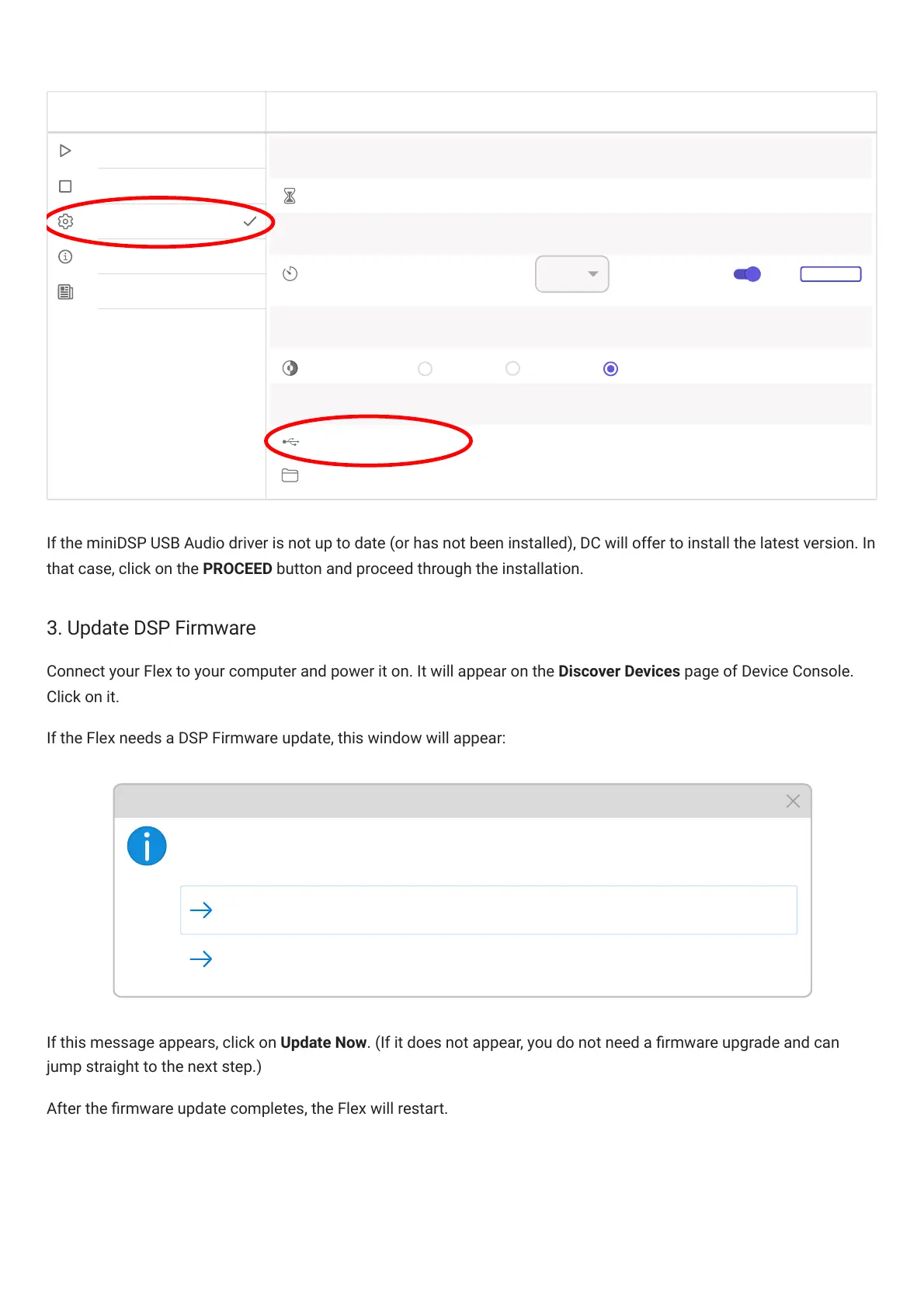
If the miniDSP USB Audio driver is not up to date (or has not been installed), DC will offer to install the latest version. In
that case, click on the PROCEED button and proceed through the installation.
3. Update DSP Firmware
Connect your Flex to your computer and power it on. It will appear on the Discover Devices page of DeviceConsole.
Click on it.
If the Flex needs a DSP Firmware update, this window will appear:
New DSP Firmware available (Version 1.5). Perform Update?
Update Now
Decide Later
DSP Firmware Update Available
If this message appears, click on Update Now. (If it does not appear, you do not need a rmware upgrade and can
jump straight to the next step.)
After the rmware update completes, the Flex will restart.



 To Next Page