6 Applications
6.1 Overview
The MiR200™ can be equipped with a range of applications to suit the specific purpose the robot
will be used for. Some are user-provided and others are purchased directly from Mobile Industrial
Robots.
For instructions on how to mount an application, for example a top camera, please refer to the
relevant application manual found on Mobile Industrial Robot’s website or contact your distributor.
In the following, you can read the general rules for how to mount a top module.
6.2 Placing the top module
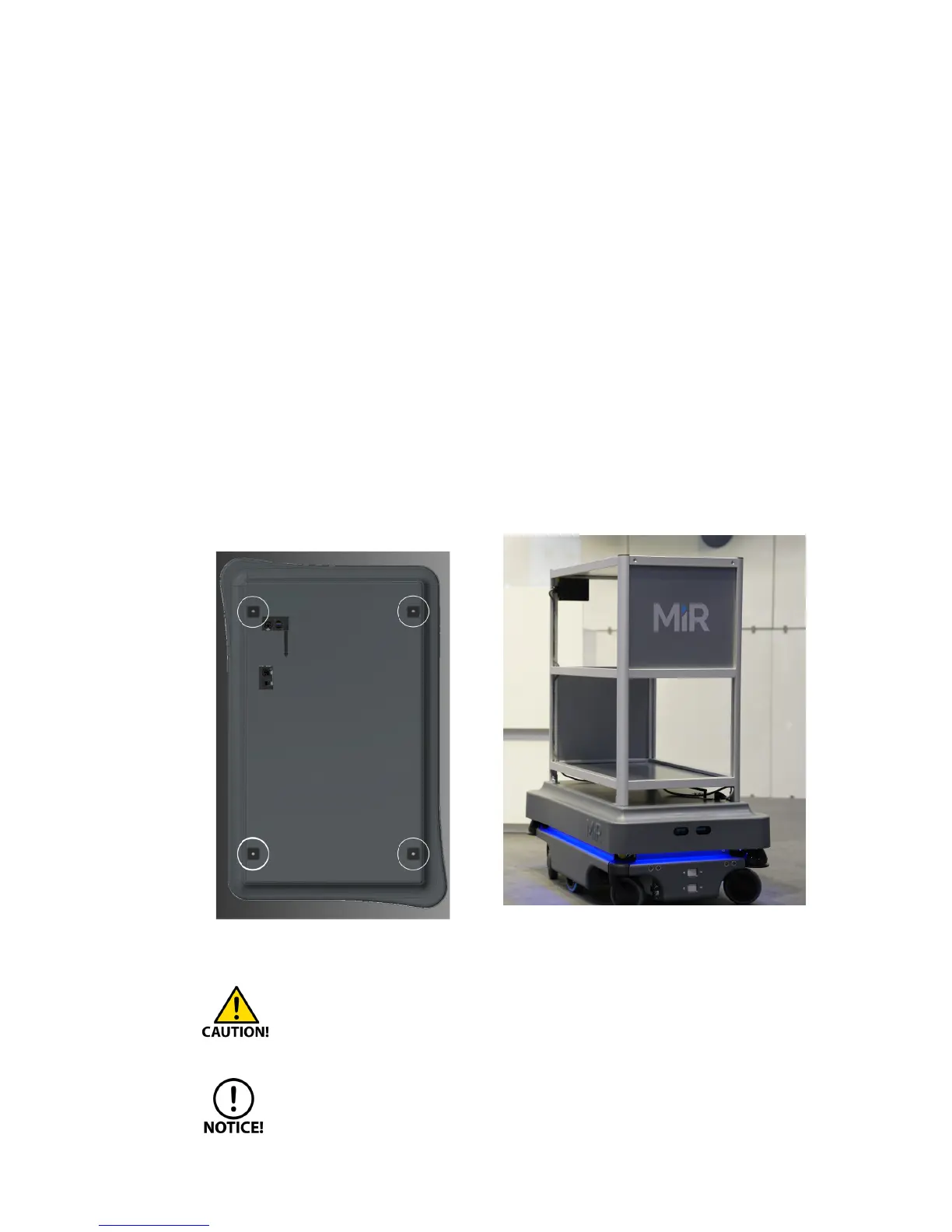
Top modules must be fastened using the self-tightening conically shaped mooring holes in each
corner of the robot and tightening torque: 47 Nm.
Figure 6.1. Top modules are fastened through the mooring holes in the top cover.
Before adding the top module, the emergency stop box must be removed and remounted
on the top module in a position where it is easy to reach.
The correct position must be
assessed in each individual case taking into account potential risks. Requirements of the
harmonized standard EN ISO 13850 should be followed.
Stay within the specifications for weight and the payload’s center of gravity, see Payload
specifications on page 31.



 To Next Page