•
•
•
•
•
•
Getting started
MiR200™ User Guide, Robot interface 2.0, 11/2018 v.1.2 15
4.3 Getting connected
Step Action
1
On a PC, tablet or smartphone, go
to the WiFi menu, find the name of
your robot and connect to it.
Open a browser and enter
mir.com. Log in to the MiR Robot
Access name and
passwords required to
log on to the robot’s
WiFi and the robot
interface are found on
the enclosed paper slip,
see In the box on
page 10.
2
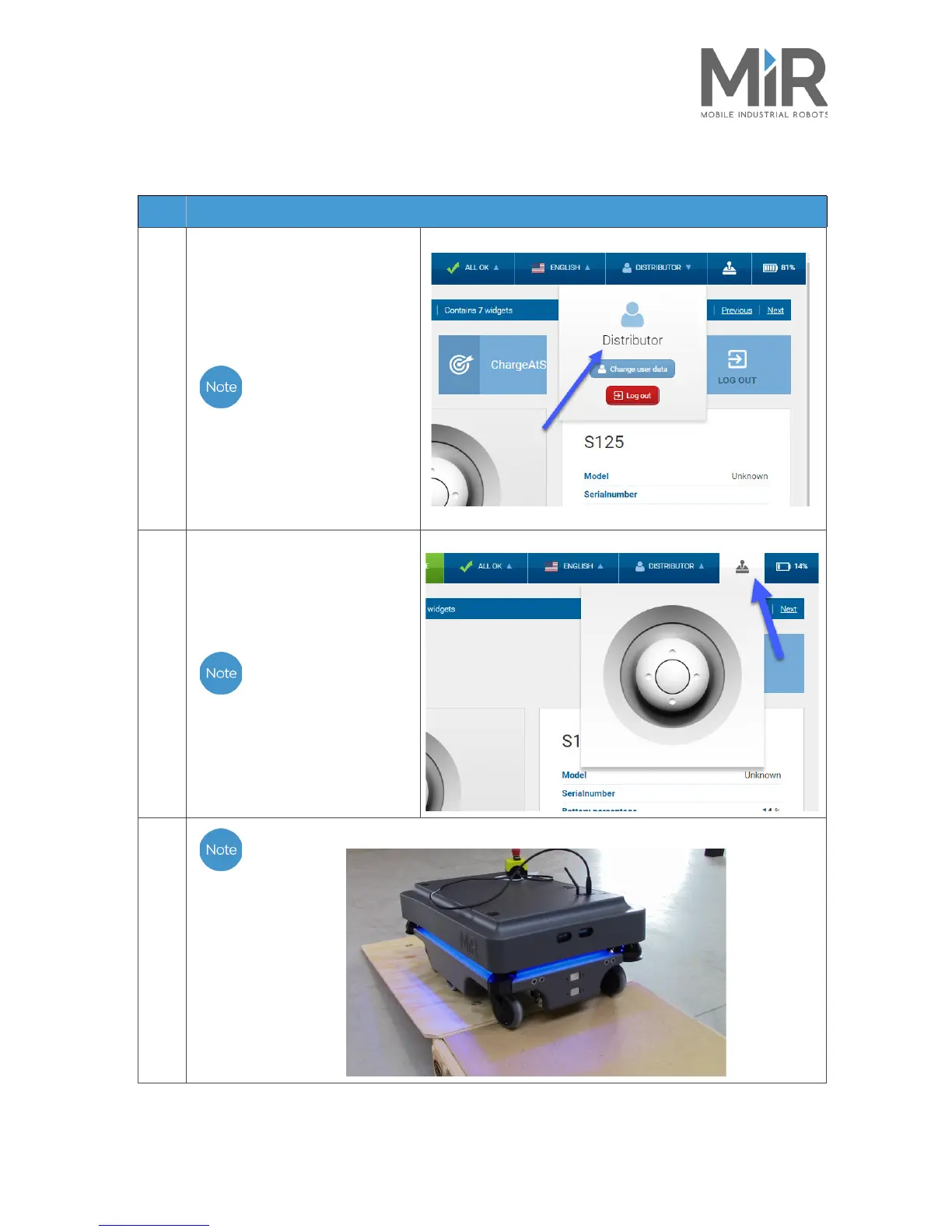
When logged in, press Manual
control on the joystick icon to put
the robot in manual driving mode,
and use the joystick to drive the
robot down the ramp
The robot light switches
to blue, indicating that
the robot is in manual
mode and can be
controlled by the
joystick.
3
It is recommended to reverse the robot down the ramp.



 To Next Page