1699503426 | REV A | 05.2021
© Mitchell International
MD-500
|
User Manual
|
31
|
en-US
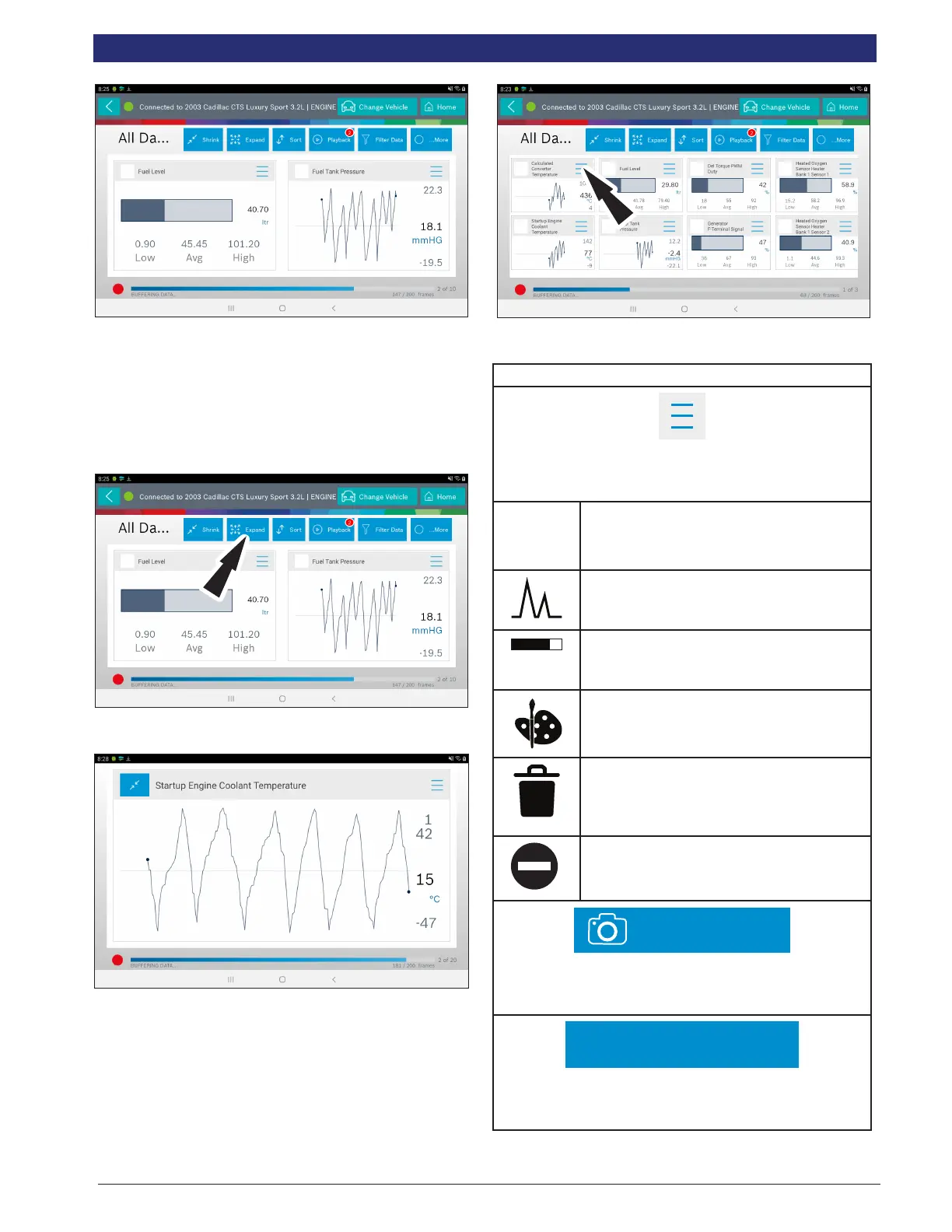
Note: The far left 2-data tiles will be enlarged to select the specic
data tiles to be enlarged.
To see more graphs use your nger to swipe the screen.
Note: Depending on your Scroll Options preference either horizontally
or vertically.
Full Screen View Function
To view the data full screen, press Full Screen button.
Note: The left graph will be shown full size.
To see more graphs use your nger to swipe the screen.
Note: Depending on your Scroll Options preference either horizontally
or vertically.
Display Types
To change data item display types, select the data item menu
button located in upper right.
NOTE: Not all display types are available for all data items.
Display Type Button Denitions
Menu/More Info Button
Tapping the Menu button displays a pop-up link that takes
the user to more buttons.
Digital
To change to digital form, select the ##
Digital button.
Line Graph
To change to line graph, select the Line
Graph button.
Bar Graph
To change to bar graph, select the Bar
Graph button.
Change Color
To change the color of a graph, select the
Change Color button.
Clear All Data
Select Clear Data to clear displayed data
stream. This function will reset the timeline
frame counter and clear graphed data.
Erase All Recordings
To erase all recordings saved for the given
system.
Take Screen Capture
Take Screen Capture
Selecting Take Screen Capture will save a copy of the cur-
rent open screen.
Use Metric Units
Use Metric Units
Selecting Metric Units will switch from English/Standard
Units to Metric Units.



 To Next Page