USER GUIDE
Mitel 5634 VoWi-Fi Handset
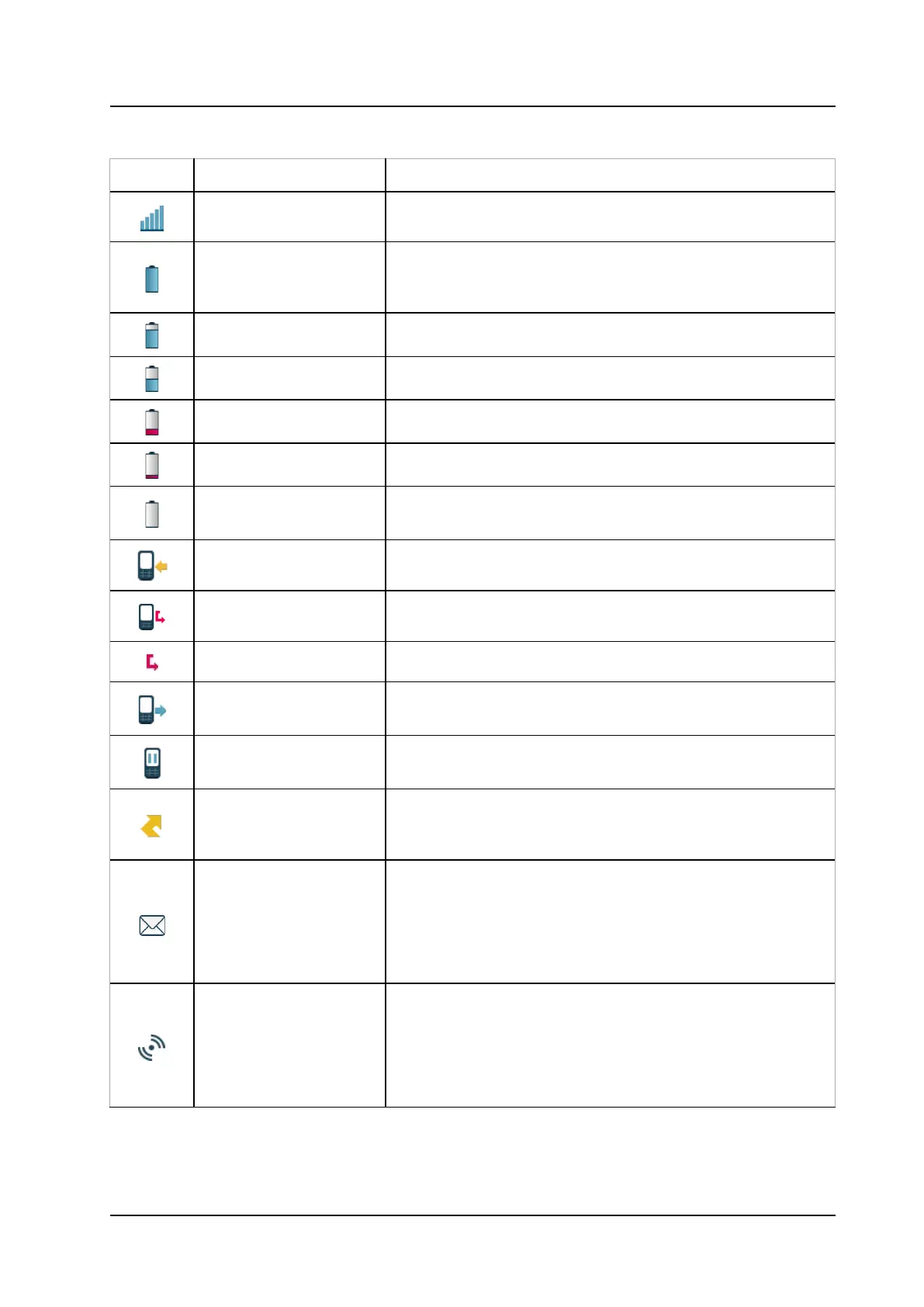
Table 2 Status and system icons description
Icon Name Description
Signal strength
Indicates the strength of the signal. The icon is located in the
Full battery Indicates that battery has 75 to 100% remaining capacity. All
icons indicating the battery capacity status are located in the
High battery level Indicates that battery has 50 to 75% remaining capacity.
Medium battery level Indicates that battery has 25 to 50% remaining capacity.
Low battery warning Indicates that battery has 10 to 25% remaining capacity.
Very low battery warning Indicates that battery has 7 to 10% remaining capacity.
Empty battery warning
The icon is flashing in the Status bar
and indicating that battery
has 7% or less remaining capacity.
Incoming call
Indicates incoming calls and answered calls. The icon appears in
the Call list and in a call window when the call is received.
Missed call Indicates missed calls. The icon appears in the Call list and in
Missed call Indicates missed calls. The icon appears in the Status bar.
Outgoing call
Indicates outgoing calls. The icon appears in the Call list and in
a call window when making a call.
On hold call
Indicates that this call has been placed on hold. The icon
appears in a call window during the call.
Call diversion Indicates that the received calls are diverted to another handset
or external number. The icon appears in the Active area near
the number selected for diversion.
New message (sent by
another handset)
Indicates that a new text message (or messages) has arrived.
The icon appears in the Status bar and the Inbox.
NOTE: The icon is displayed until all new
are read.
NOTE: Applicable to 5634 Services and 5634 Alarm only.
New message (sent by
the system)
Indicates that a new message has been sent by the system. The
icon appears in the Status bar and the Inbox.
NOTE: The icon stays in the Status bar until all new messages
in the Inbox are read.
NOTE: Applicable to 5634 Services and 5634 Alarm only.



 To Next Page