IPB-5000A
6. Discription of Display Screens
6-7
(d) RESIST
The waveform of Resistance can be displayed.
(e) SETUP
The screen of SETUP can be displayed.
(f) TOTAL COUNT
The mode of a counter can be displayed. For details, see (9)④(c)COUNTER.
(g) DISPLC
The waveform of Displacement can be displayed.
(Only the model equipped with Displacement Sensor works. The waveform is
upward displayed in the retracted direction of Sensor and oppositely,
downward in the extended direction.)
(h) Pulse Width Monitor
The mean value of pulse widths of the supplied pulse current is displayed in
the percentage to 100% of the pulse width at the full wave.
Use Pulse Width Monitor as an indication.
(i) Weld Time
The period during which weld current is supplied is displayed.
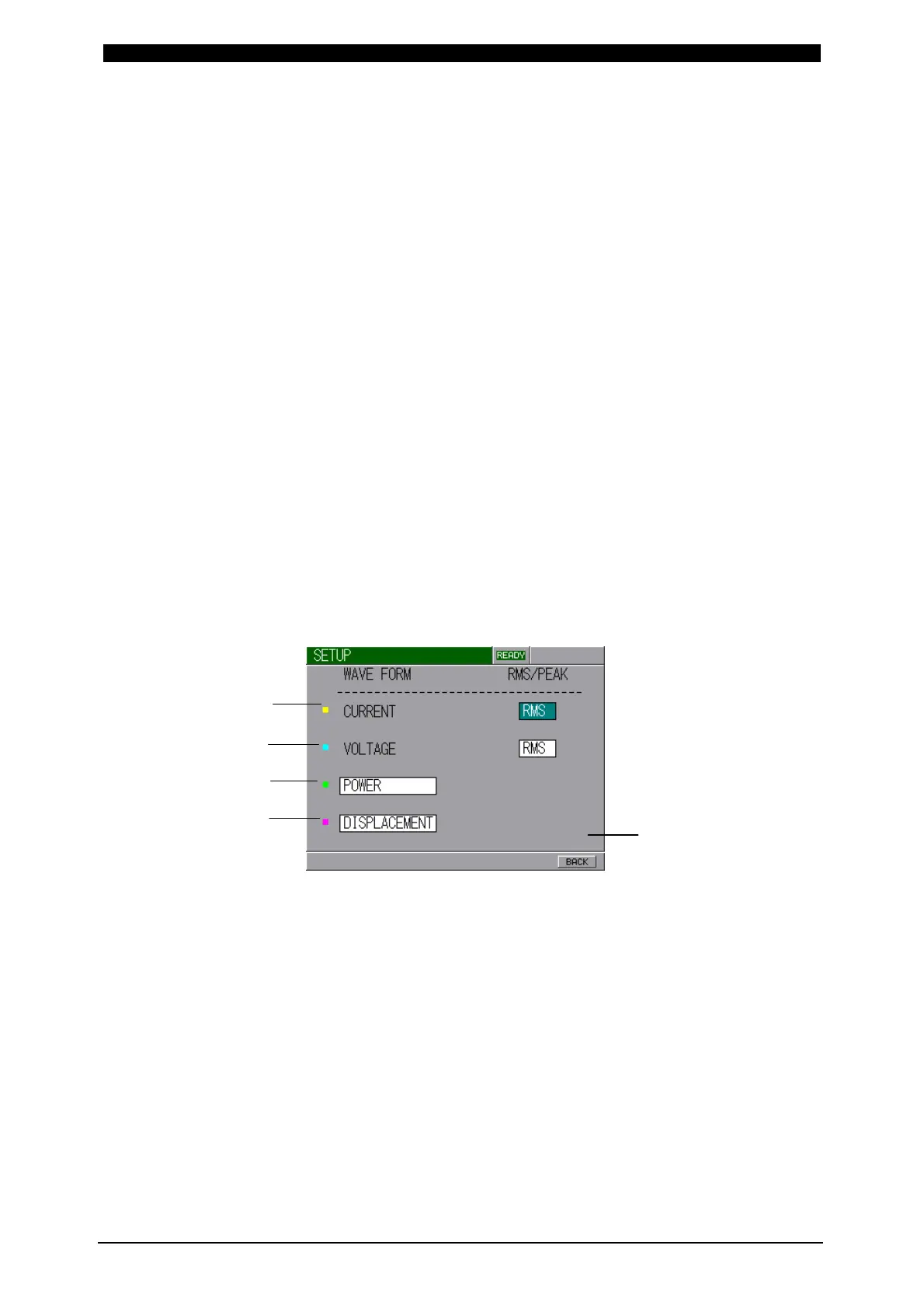
[SETUP Screen]
(a) CURRENT
Selects PEAK/RMS of Current Value.
(b) VOLTAGE
Selects PEAK/RMS of Voltage Value.
(c
), (d)
Selects the waveform to be displayed from 3 types.
POWER : Power Waveform
RESISTANCE : Resistance Waveform
DISPLACEMENT : Displacement Waveform (only for Sensor equipped)
(e) BACK
Returns to MONITOR Screen.
(a)
(b)
(c)
(d)
(e)


 To Next Page