IPB-5000A
10. External Communication Function
10-2
(3) Configuration
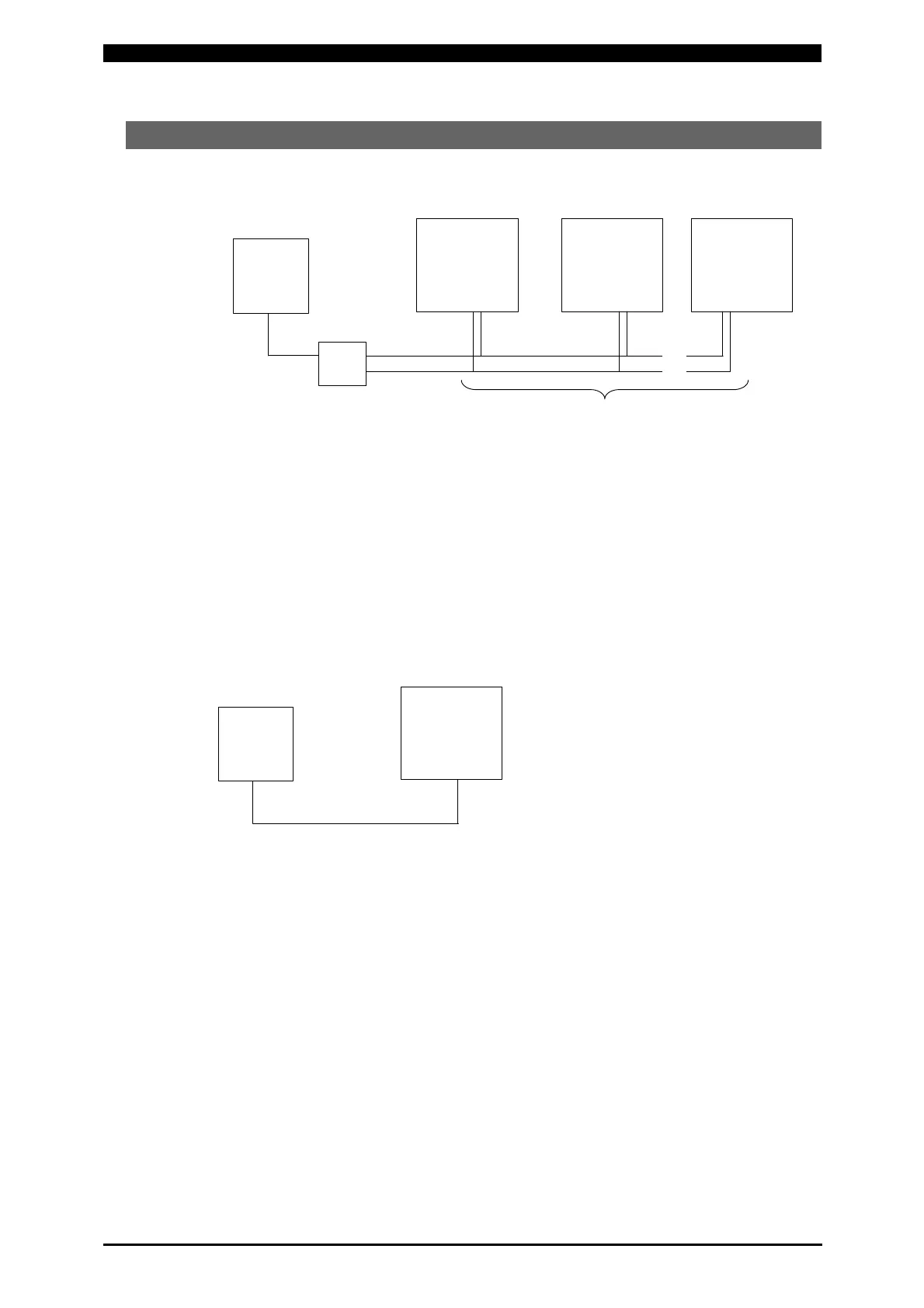
① RS-485
Note 1: When controlling two or more Lasers with one host computer, register the
device No. (COMM UNIT#) for each device. Set the device No. at
STATUS Screen (See 6.(9)②(d)).
Note 2: Do not assign one number to more than one device. If one number is
assigned to more than one device, data collision and inappropriate system
operations may result.
Note 3: The RS-232C/RS-485 conversion adapter is not included in the
accessories. It is required to prepare the adapter at customer’s side.
② RS-232C
Only a device can be connected.
Host computer
Device No.1 Device No.2 Device No.31
RS-232C
RS-485
RS-232C/RS-485 Conversion Adapter
31 Devices Max.
…
…
Host Computer
Device No.1
RS-232C


 To Next Page