Chapter Two: Installation Side Port Controller Mountin
Instructions
21
Side Port Controller Mounting Instructions
Fittings
The 640 Series pressure controller is available with the following fittings:
•
Cajon 4-VCR male compatible
•
Cajon 8-VCR male compatible
•
¼” Swagelok compatible
Mounting Hardware
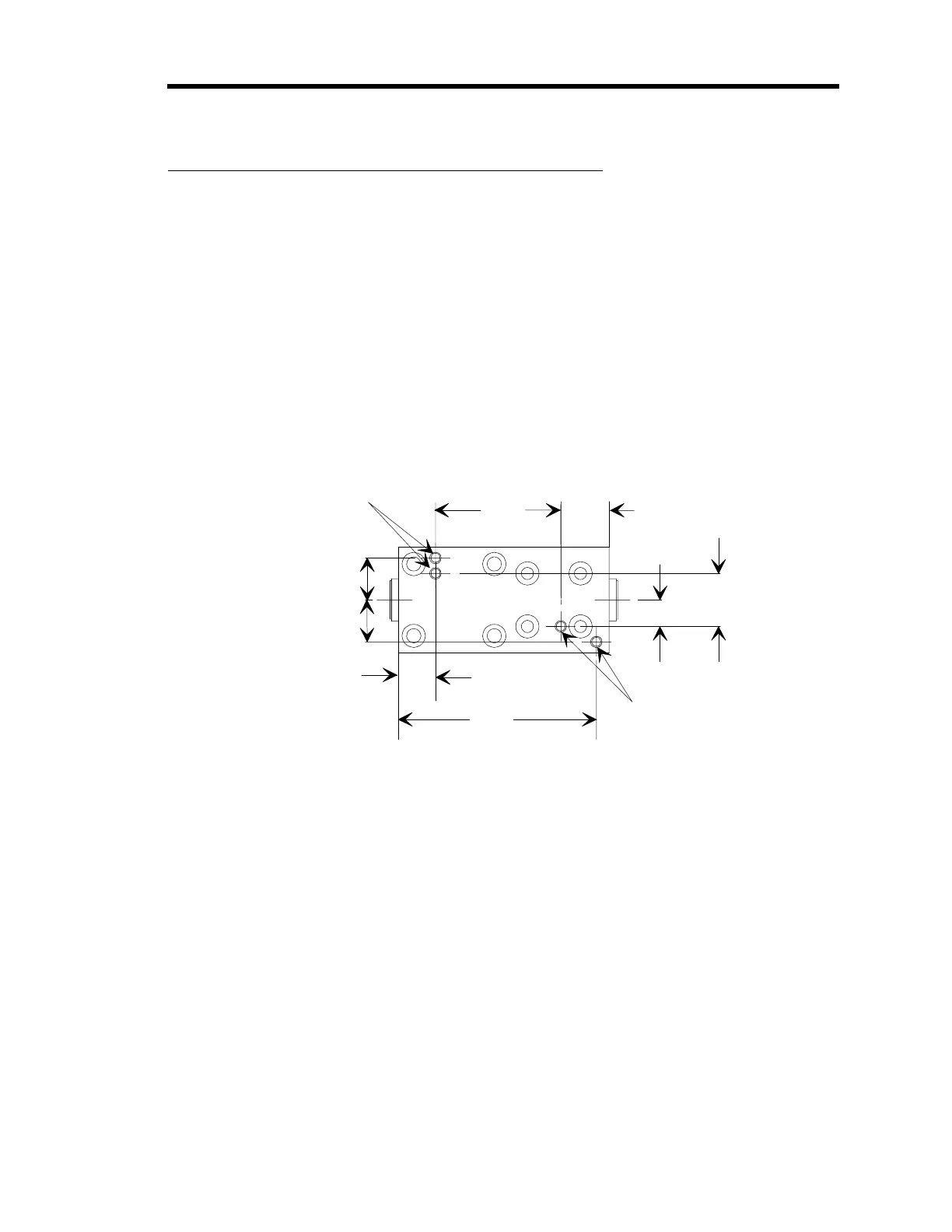
The Side Port 640 Series controller has four threaded mounting holes on the bottom or base of
the unit. Use #8-32 hardware to mount the unit. Figure 9 shows the location and dimension of
the mounting holes.
2.797
(71.0)
0.525
(13.3)
0.594
(15.1)
1.770
(45.0)
0.680
(17.3)
0.594
(15.1)
0.750
(19.1)
0.375
(9.53)
2 of 4 Mountin
Holes
#8-32 x 5/16 DP.
2 of 4 Mountin
Holes
#8-32 x 5/16 DP.
Figure 9: Bottom View of the Side Port 640 Series Controller



 To Next Page