www.mobotix.com • sales@mobotix.com
In this list you can now select the video sources that you would like to display and
manage in MxControlCenter.
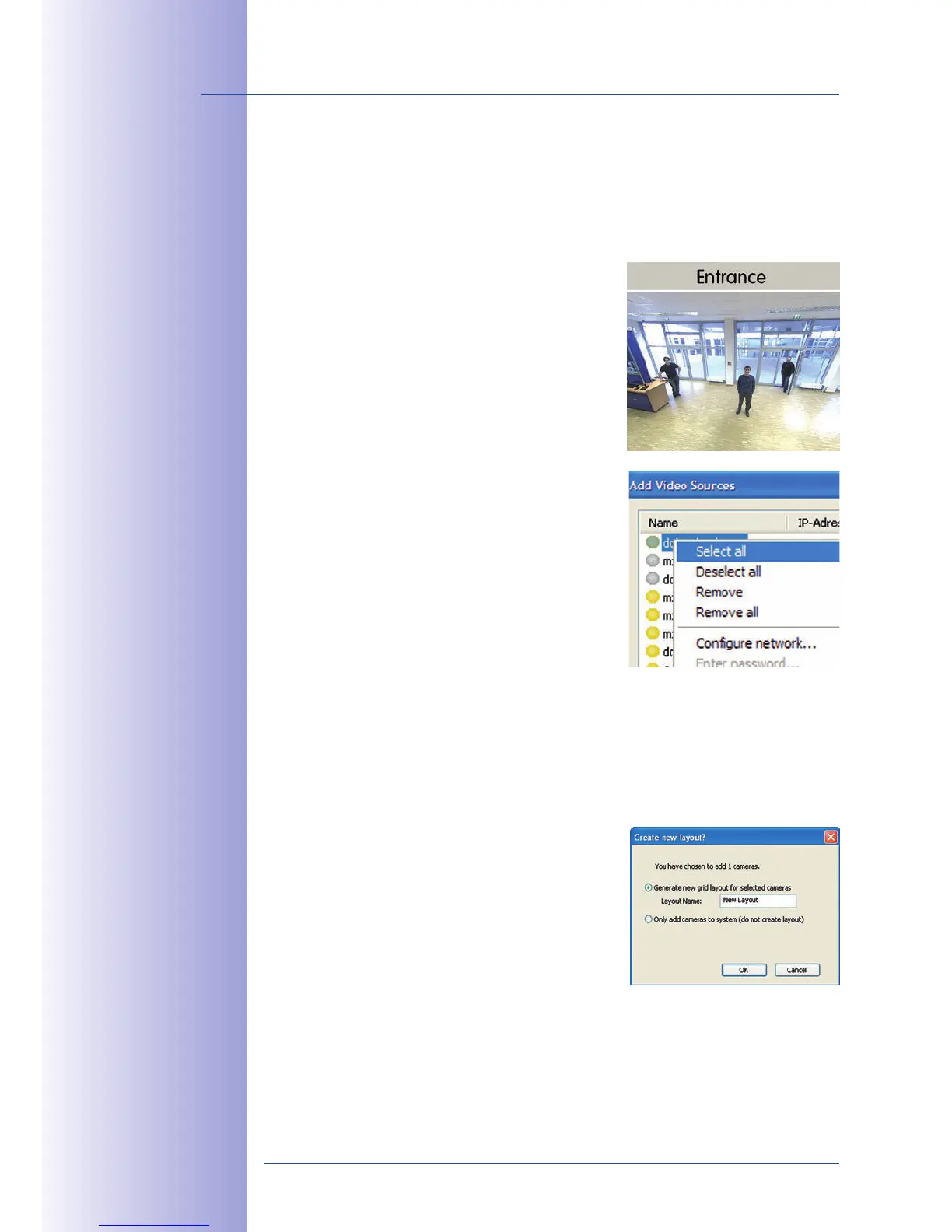
If you select one camera with the status
OK
, MxControlCenter
automatically displays the
. If you are using [Ctrl]-click to
select additional cameras, the image from the camera
selected last is shown in the preview window. This
feature makes it easier for you to identify the cameras
that you would like to use.
Right-click this list to open a shortcut menu from which
you can select all video sources or cancel the selection.
You can also use this method to remove from the list
some or all of the video sources that you would not like
to display or manage in MxControlCenter.
If you have cancelled the camera configuration process
or need a password that diers from the camera's
factory default password, you can also configure the
camera from the shortcut menu at a later date and
enter the user name and password required for recon-
figuration at that time.
It is also possible to open the dialog using the shortcut menu
in order to change the camera network parameters.
Click OK to add the selected cameras in MxControlCenter.
If you select the
eras option in the dialog,
MxControlCenter will automatically create a grid layout
that displays all selected video sources in equal-sized
windows.
Otherwise, the selected video sources will only be added
to the MxCC system and can then be used to create
layouts at a later date.



 To Next Page