www.mobotix.com • sales@mobotix.com
Before a MOBOTIX camera can store image and video sequences on a MicroSD card, it
needs to be formatted as MxFFS (MicroSD cards delivered with MOBOTIX cameras are
already MxFFS-formatted). The following steps are necessary to format a storage device
():
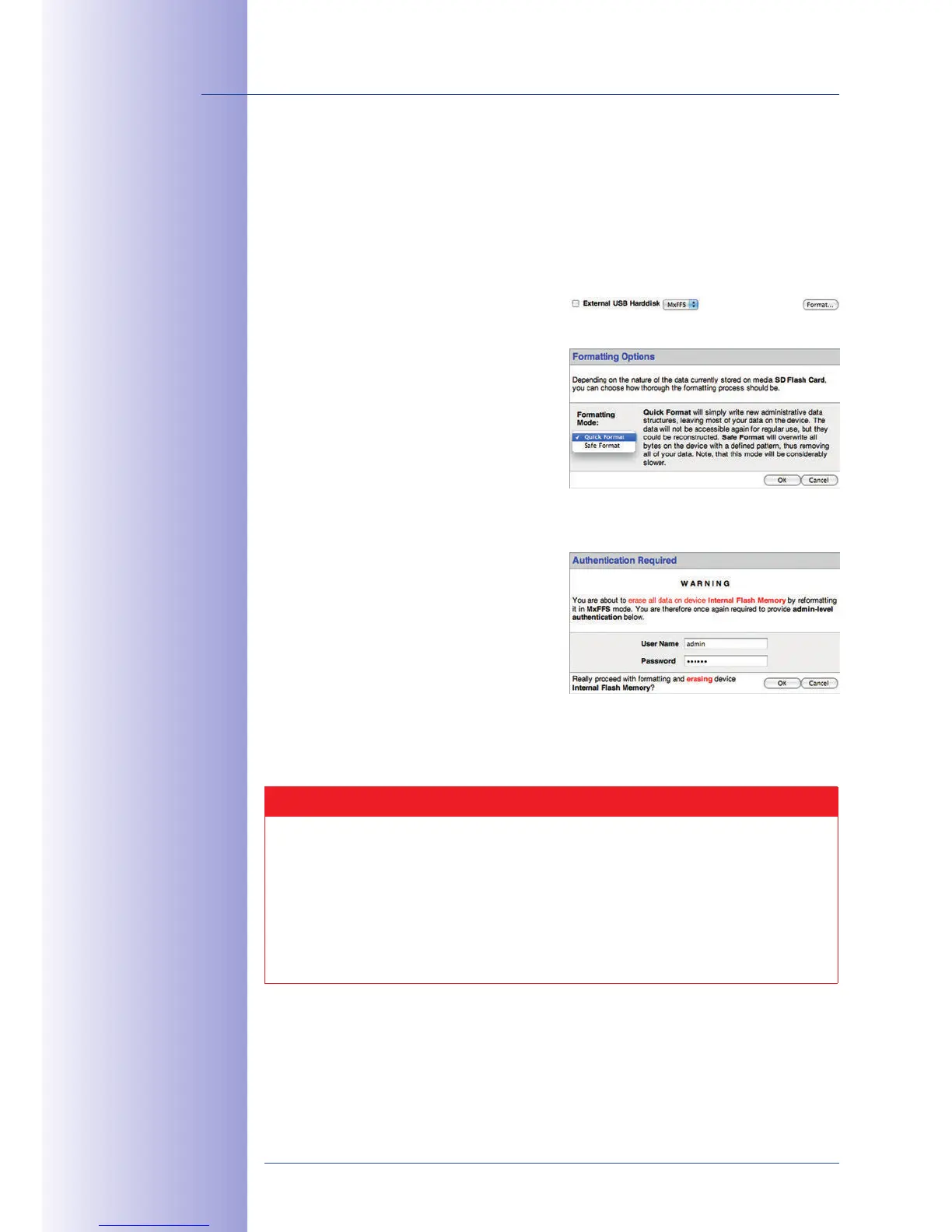
1. Make sure that there is a MicroSD card in the card slot of the MOBOTIX camera.
2. Click on the button under
.
3. Select the
Quick Format
option and
confirm by clicking OK.
Note: In contrast to the Quick Format
option, the
Safe Format
option will make
sure that the data on the MicroSD card
is overwritten completely so that the data
cannot be recovered in any way. However,
keep in mind that the Safe Format takes
considerably more time.
4.
Enter the user name and the password of
a user of the
admins
group in the dialog
that opens and click on OK to confirm.
The MOBOTIX camera now starts formatting
the card. It usually takes between 5 and
12 minutes to format an 8GB MicroSD
card using the
Quick Format
option and 3
to 14 hours using the
Safe Format
option.
Once the formatting has been completed, you can activate the MicroSD card for recording
(see next section).
Caution
Make sure that you always wait until the formatting process has been completed
before accessing the camera again. This usually takes only a few minutes when
using the Quick Format option! You can only access the MicroSD card once MxFFS
formatting has been completed!
The Safe Format option can take several hours. You can also use suitable applications
on Windows, Linux/UNIX, and Mac OS X computers to safely format the MicroSD card.
Formatting the card:
Admin Menu > Storage on
External File
Server / Flash Device
The Safe Format option
takes several hours. You
can also use suitable
applications on Windows,
Linux/UNIX and
Mac OS X computers
to safely format the
MicroSD card



 To Next Page