www.mobotix.com • sales@mobotix.com
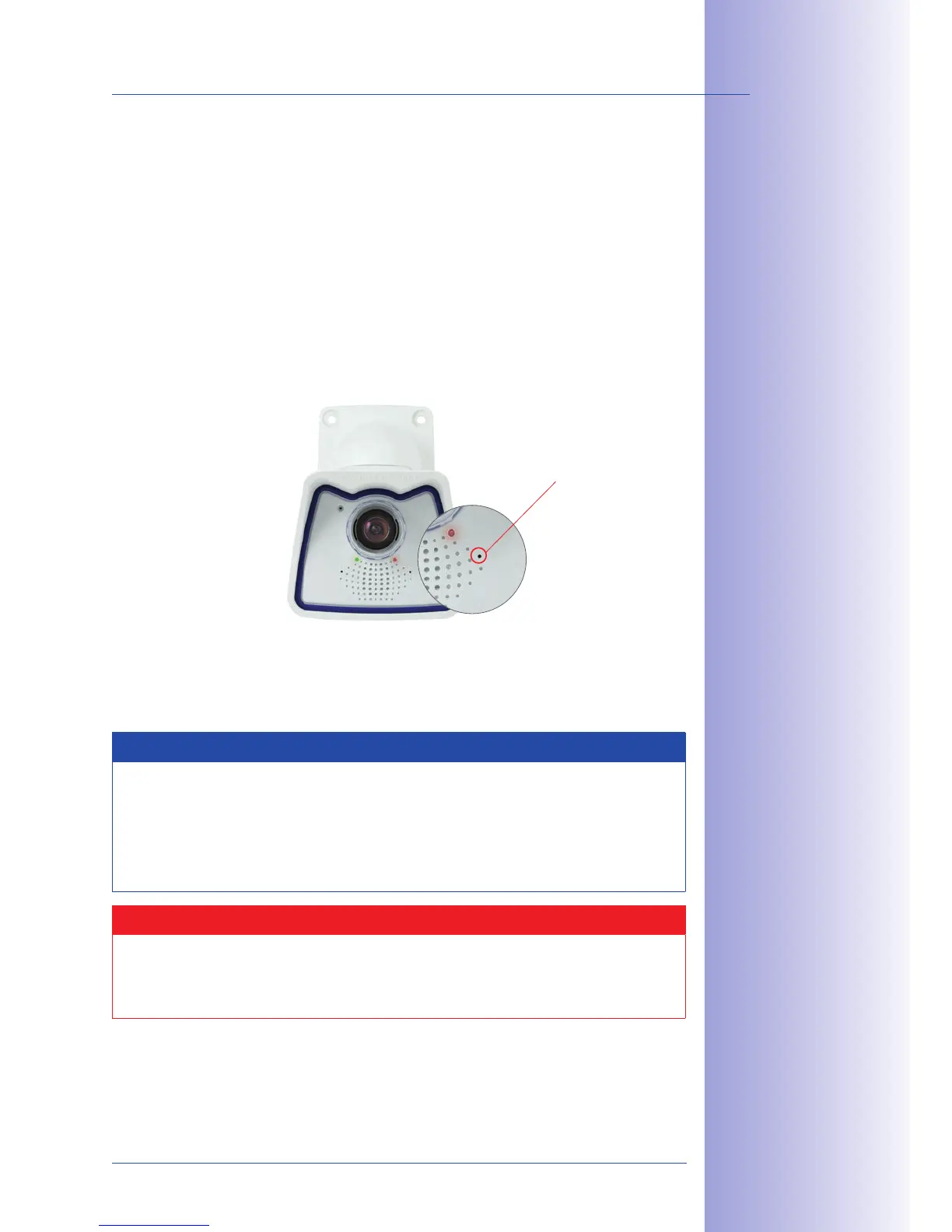
Under certain circumstances, you may have to reset the camera to its factory IP address.
This could be the case, for example, if the IP address has been lost or the camera does
not respond to the last known IP address.
1. If the camera is running, disconnect the camera's power supply.
2. Reconnect the power supply of the camera.
3. Wait until both LEDs light up simultaneously for the first time.
4. Press the camera's within four seconds. Use a
, for example, for
this purpose but
5. After about two more seconds, the camera plays a sound ("Boing"). The camera
is now accessible using its factory IP address (see label on the camera housing).
Notes
If you use the camera's to load the factory network configuration, this configu-
ration is not automatically saved in the camera's flash memory. When the camera
is next rebooted without using the , the last stored network configuration will
be used. To permanently store the new network configuration in the camera's flash
memory, open .
Caution
As opposed to resetting the camera using
, the user information will not be reset if the camera is booted using
the factory IP address.
Users and
passwords will
not
be changed!
Passwords and
camera settings will
not be changed!
Make sure you store
the factory network



 To Next Page