www.mobotix.com • sales@mobotix.com
To use the camera without a MicroSD card, continue with step2 in Section2.8.2 (Mount
the Back Plate).
1.
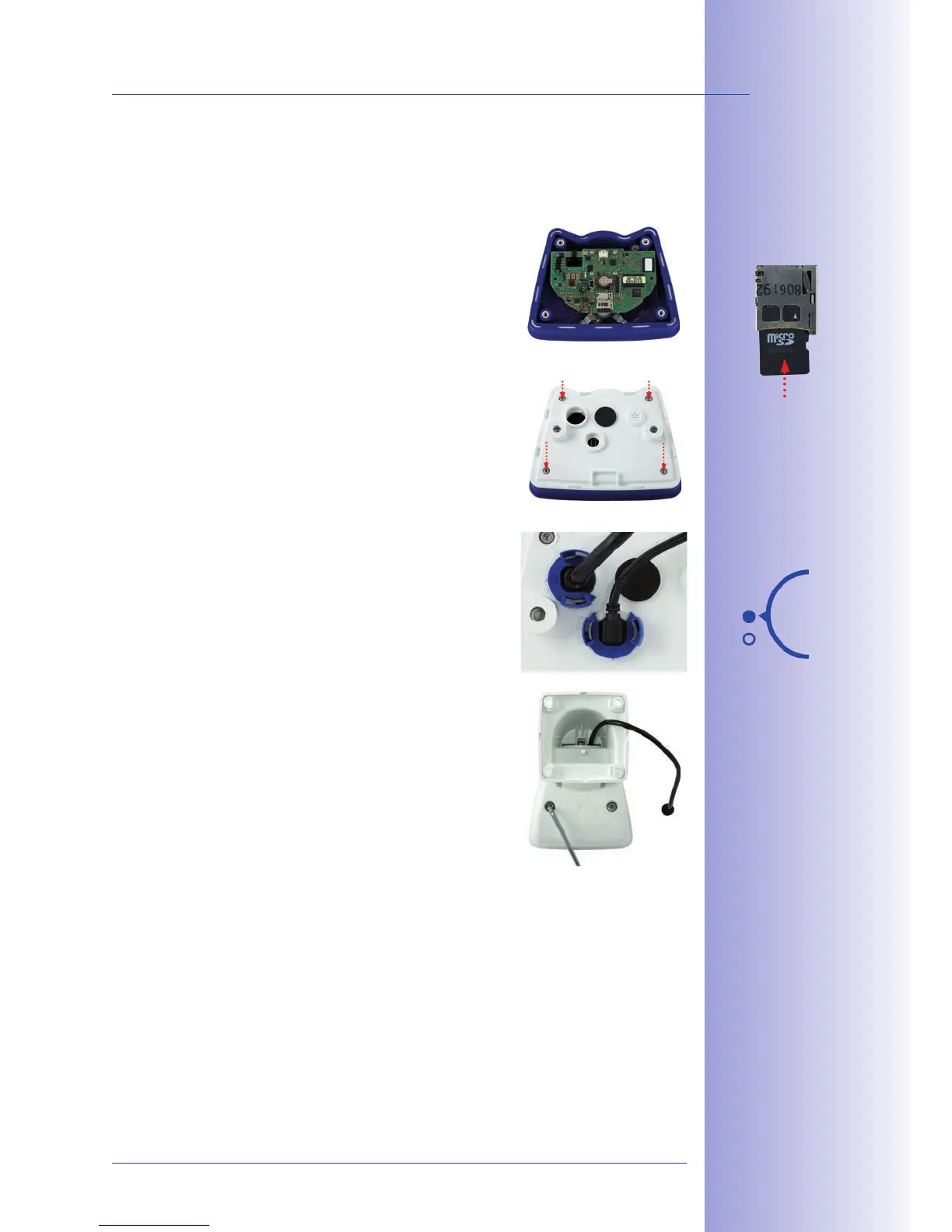
Push the MicroSD card into the
card slot as shown, until an audible and perceptible click
indicates it is in place.
2. Replace the back plate of the
camera housing, ensuring that the back plate screw
holes are correctly positioned above the thread inserts.
3.
cables: Place the four Allen screws back into the back
plate and tighten the screws using the supplied 2.5
mm Allen wrench. The previously removed patch cable
must now be reconnected (see end of Section 2.2.2).
4. Re-attach the camera to the
weatherproof housing using the two lock screws. Make
sure that none of the cables are damaged in the process.
5. If you have inserted a MicroSD card that has already been
MxFFS formatted, you can activate recording under
. Once the camera has been rebooted, it auto-
matically activates recording.
6. , it must first be formatted as described
in Section3.6 MicroSD Card Recording.
Push-push function:
insert the MicroSD
card and push it gently
Bayonet catch
closed



 To Next Page