www.mobotix.com • sales@mobotix.com
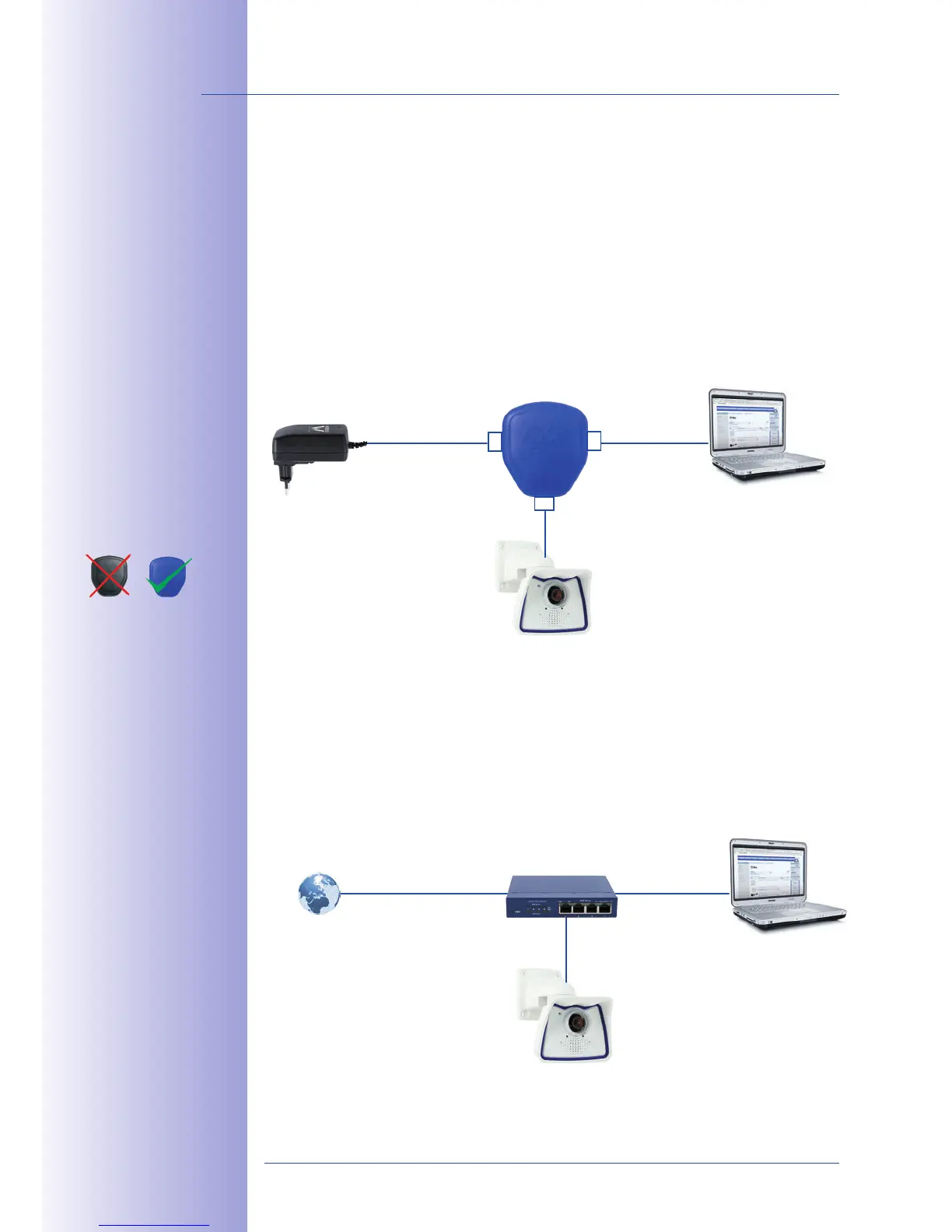
1. Connect the factory pre-installed cable of the camera to the Camera connector of
the PoE adapter.
2. Connect
the connector of the PoE adapter to the Ethernet port of the com-
puter.
3. Plug the RJ45 connector of the power supply unit into the connector
of the PoE adapter.
Connect the factory pre-installed cable of the camera to the Ethernet connector of the PoE
switch/router. The switch/router must support the PoE standard IEEE 802.3af.
For the M24M, you
should use the new
blue MX-NPA-PoE-Set
- previous MOBOTIX
network power acces-
sories such as the NPA
Set, Power Box and
Power Rack (MX-NPA-
Set, MX-NPR-4 and
MX-NPR8/20) are
not suitable for use
with the M24M
The IP addresses in
the diagram are shown
only as an example
(MX-NPA-PoE)
Camera
LAN/Power
PC/Power
Camera
RJ45
RJ45
RJ45



 To Next Page