www.mobotix.com • sales@mobotix.com
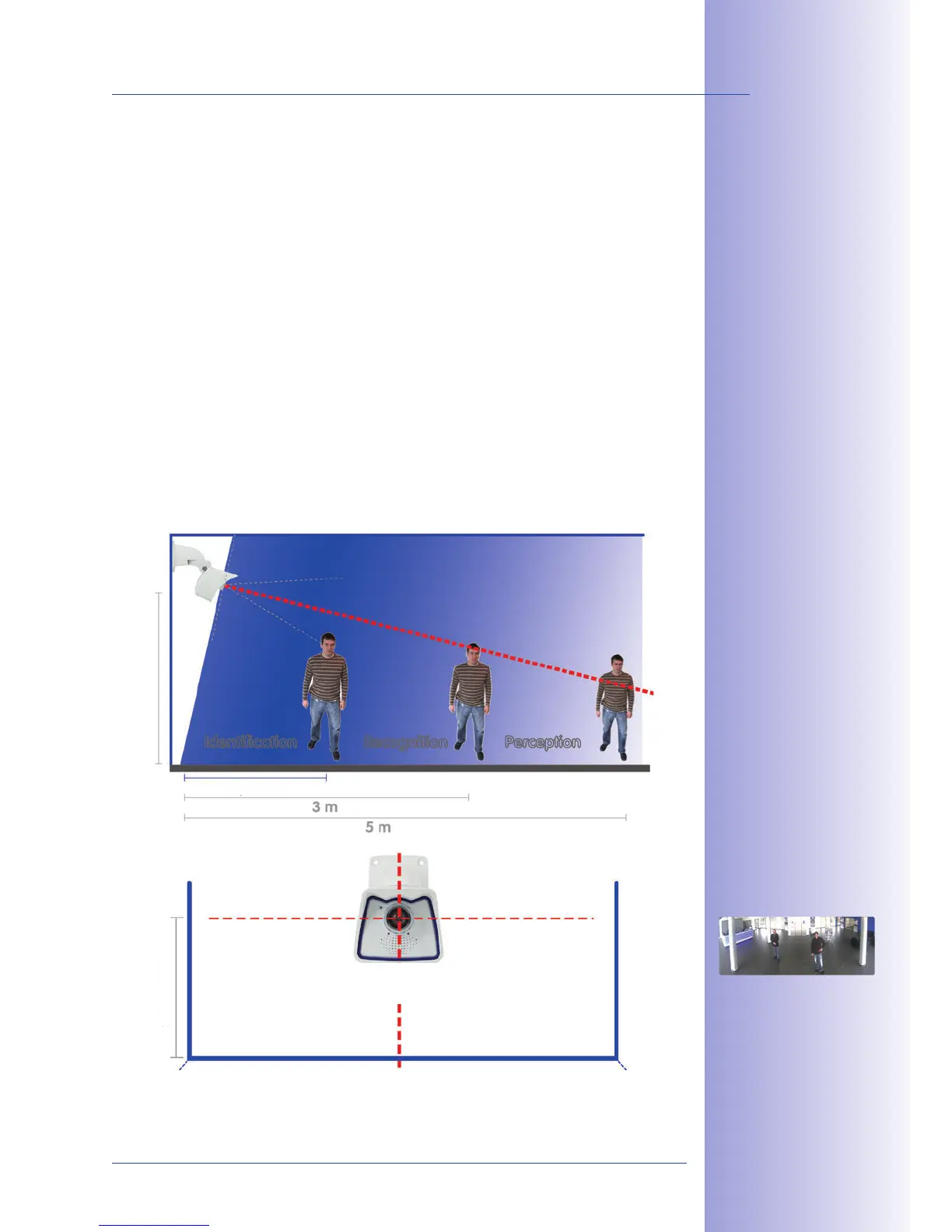
The camera must be correctly positioned on the wall or ceiling in order to be able to use
the high-resolution hemispheric image display option of the M24M with L11 lens. The entire
hemisphere of the room in front of the camera is then eectively monitored.
The M24M with L11 lens is primarily suited to providing an excellent
, and less suitable for more exact details. For active
operation, the camera should be mounted at an (out of direct reach)
. People, for example, may be
, and . Objects can be recognized even at
distances of . During installation, ensure that the camera
is focused on the most important areas of the room as directly as possible, in order to
optimize image quality and to provide the desired level of detail recognition. This applies
above all to wall and ceiling installations that must be carried out at greater heights for
technical or other reasons (over doors, windows, etc.). Only by tilting the camera appro-
priately can the lens capabilities be fully utilized.
Identification



 To Next Page