www.mobotix.com • sales@mobotix.com
A standard USB joystick can drastically improve vPTZ operation for the user - in the browser,
in MxEasy, and in the MxControlCenter (however, MxCC is also equipped with a virtual
joystick that can be operated using the mouse). Please first install the joystick on the PC
according to the manufacturer's instructions.
In order to use a USB joystick in the browser, make sure that you have a PC with a Windows
operating system and the latest version of Internet Explorer and that the
•
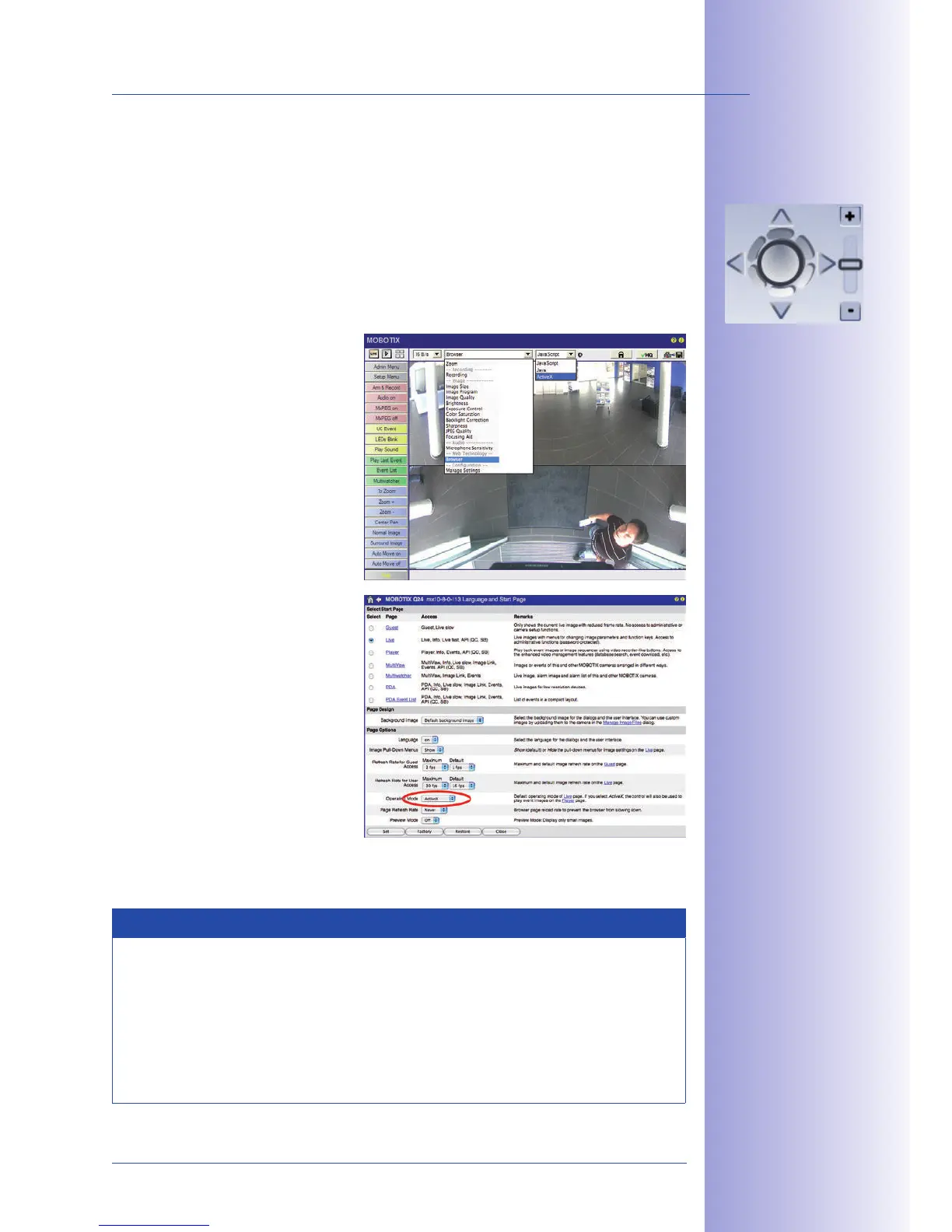
Switch to "Browser" in the Quick
Control.
• Under "Browser," select the
"ActiveX" option. The USB joy-
stick can then be used until the
browser is closed.
•
To store the setting permanently,
ActiveX must be activated in the
Admin Menu. To do so, use
"" in
the Admin Menu.
• Under the page options, select
the "ActiveX" operating mode.
• Store the settings permanently
by clicking and
in the Admin Menu.
• The joystick can now be used.
Notes
You will find more information and details on vPTZ in the
Part 2
, Section 4.3.6 (Virtual PTZ), the manual, Section 2.4.1 (Activating the
PTZ Features), and the MxControlCenter manual, Section 2.4.6 (Using the vPTZ
Features) and Section 3.1.4 ("PTZ Controls" in the sidebar panel).
The latest versions of all manuals are available at www.mobotix.com, Support>
Manuals.
Virtual joystick in
MxControlCenter



 To Next Page